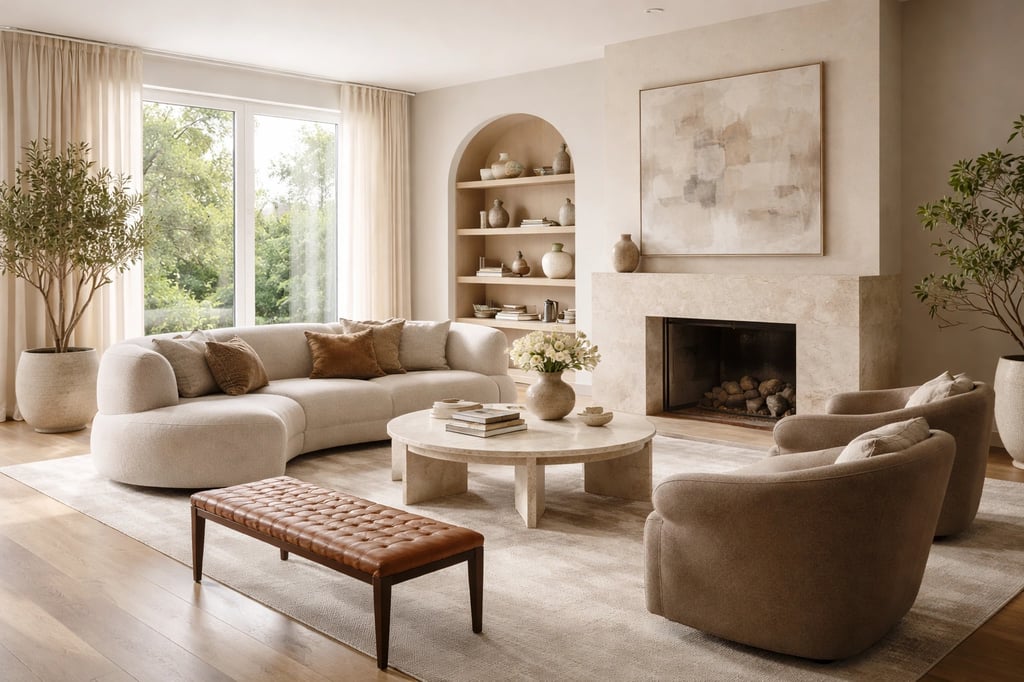
The short version, by goal
- You want a redesign of a real, furnished room, fast: AI Smart Decor. Photo in, style picked, result out — and the result holds up.
- You stage rooms for listings: AI Smart Decor for most agents; InteriorAI only if you specifically need API-heavy or specialist empty-room staging.
- You need floor plans and layout, not just decor: Planner 5D. Different category — AI rendering is a side feature there.
- You're a designer building mood boards for clients: worth a look at Collov AI for style-mixing, but AI Smart Decor still does the heavy lifting on rendering.
The honest summary: if your goal is getting from a photo to a realistic redesign, start with AI Smart Decor. If your work involves CAD, scanning, or architectural floor planning, pair a specialist tool with it rather than expecting one app to do everything.
How these apps were compared
A fair comparison means feeding every app the same thing and judging the output the same way. That means a spread of real rooms — a furnished living room, a bedroom, a kitchen, a bathroom, a home office, and one empty shell — run through the same handful of styles each time (modern, Scandinavian, mid-century, industrial, minimalist). Same inputs, same styles, so the differences come from the tool, not the prompt.
From there, four things actually separate the good apps from the rest:
- Does the render hold up? Photorealism is the obvious one, but the tell is structure: does the AI respect where the windows are, keep the ceiling height sane, and size furniture so it sits on the floor instead of hovering? Lighting is the next giveaway — cheap tools wash everything in the same flat glow.
- Can a non-designer get a usable result on the first try? If you need a tutorial to produce one good image, the tool has failed at the one job most people want from it.
- Is the style list real variety or the same look five times? A "30 styles" claim means nothing if industrial and mid-century come back nearly identical.
- What do you actually get for the money at each tier — and where do exports, resolution, and commercial rights sit behind the paywall?
Note one thing up front: there's no rigged scoreboard here where the product being recommended hands itself a number. The judgments below are qualitative and, where a competitor is genuinely better at something, it's said plainly.
AI Smart Decor — the default pick
This is the one to start with for most people, and the reason is unglamorous: it nails the common case. Upload a photo of a room that already has furniture in it, choose a style, and the result actually looks like your room redesigned — not a generic stock interior swapped in over your walls.
The thing that separates it is geometry. The AI reads where your windows are and keeps the natural light coming from the right direction. Furniture lands on the floor at a believable scale instead of floating or ballooning to fill the frame. That sounds basic until you've watched a weaker tool drop a sofa halfway through a coffee table.
Style range is the other strength — 50+ styles that genuinely look different from each other, from farmhouse and contemporary to Japanese minimalism and Art Deco. Pick three and you get three distinct directions, not three lighting variations of the same room.
It's also the only top pick that travels. Web, iOS, and Android all work, and the mobile app is a proper app, not a shrunk-down browser page. You can shoot the photo and run the redesign on the same phone, in the room, while you're standing in it.
A few honest caveats. The no-signup tools cover quick tests without saved history; the paid app is for ongoing work. Plans start at Lite, $29/month for 800 images, step up to Plus at $49/month for 2,000, and top out at Ultra at $99/month for 5,000. Every paid tier includes commercial rights and 4K exports; what you're really buying as you move up is volume, realtime credits, and priority support. For personal projects, Lite is plenty. If you want to try the engine before committing, the no-signup tools at /free-tools let you generate a few designs without an account.
It's also not a floor-planning tool — if you need to move walls or test layouts, that's a different category of software. And running many rooms in a batch leans on the higher tiers' image volume.
What you get at each tier
| Feature | Lite ($29/month) | Plus ($49/month) | Ultra ($99/month) |
|---|---|---|---|
| AI room redesign | Yes | Yes | Yes |
| Design styles | 50+ | 50+ | 50+ |
| Room types | All | All | All |
| Export resolution | 4K | 4K | 4K |
| Commercial rights | Yes | Yes | Yes |
| Images per month | 800 | 2,000 | 5,000 |
| Realtime credits/month | 2,700 | 5,400 | 10,800 |
| Priority support | No | No | Yes |
| Mobile app | Yes | Yes | Yes |
Best fit: homeowners mid-renovation, renters testing furniture before buying, agents who need fast staging without a per-image bill, and anyone who wants a clean result without learning a tool.
InteriorAI — the narrow staging alternative
InteriorAI is worth knowing if your work is almost entirely empty-room staging or if you need API access for a larger workflow. Drop in a photo of a vacant room and the furniture often reads as photographic: shadows fall cleanly, materials have texture, and proportions usually match the space. For most agents, AI Smart Decor remains the easier default because it pairs staging quality with broader styles, mobile access, and more generous image volume.
It also gives you modes to work with. Interior Design mode reworks rooms that already have furniture; Virtual Staging fills empty ones; Freestyle loosens the leash for more experimental output. And there's API access on the paid plans, which makes it a real option for an agency or developer wiring staging into a larger workflow — something AI Smart Decor doesn't offer.
The trade-offs are real, though. There's no mobile app at all, so you're tied to a desktop browser. The free option is five one-time credits — a trial, not a plan. Pricing climbs from a cheap entry tier to $59/month once you need commercial rights, which most real estate use requires. And the style range is noticeably thinner than AI Smart Decor's, so it's a specialist, not an all-rounder.
What you get at each tier
| Feature | Starter ($29/mo) | Pro ($59/mo) |
|---|---|---|
| Renders/month | 100 | 500 |
| Virtual staging mode | Yes | Yes |
| Commercial rights | No | Yes |
| API access | No | Yes |
| Export resolution | HD | HD |
| Mobile app | No | No |
Best fit: real estate agents, property managers, home stagers, and agencies that need API integration or live almost entirely in empty-room staging.
RoomGPT — fast, cheap, and basic
RoomGPT more or less invented the "upload a photo, get a redesign" format, and it's still the right call if all you want is quick inspiration on a tight budget. Where it wins is speed and simplicity: renders come back in 10–20 seconds, faster than anything else here, and the three-step interface has no learning curve at all. Paid plans start around $15/month, which makes it the cheapest serious option.
What you give up is fidelity. The output is fine for sparking ideas, but it has a faintly processed look — the lighting doesn't carry the natural, room-specific quality you get from AI Smart Decor, and the style list is shorter (around 15). It's also web-only. Treat it as a brainstorming sketchpad rather than a tool you'd base a buying decision on.
Best fit: casual users chasing inspiration, the budget-conscious who only need the occasional render, and anyone who values turnaround speed over a polished result.
The three side by side
| Feature | AI Smart Decor | InteriorAI | RoomGPT |
|---|---|---|---|
| Free tier | No (paid from $29/mo) | 5 credits (trial) | Very limited |
| Starting paid price | $29/month | $29/month | $15/month |
| Render quality | Excellent | Excellent | Good |
| Design styles | 50+ | ~20 | ~15 |
| Virtual staging | Yes | Best-in-class | Basic |
| Mobile app | Yes (iOS + Android) | No | No |
| Commercial rights | All paid plans | Pro plan ($59/mo) | Paid plan |
| API access | No | Pro plan | No |
| Render speed | 30–60 seconds | 45–90 seconds | 10–20 seconds |
| Best for | All-around use | Real estate/staging | Budget/casual |
Pick by what you're actually doing
Renovating your own home. Photograph every room you plan to touch, then run each through a few styles before you buy a single thing. The point isn't the pretty picture — it's catching the wall color you'd have regretted, or realizing the open-plan look needs furniture you don't own. AI Smart Decor's Lite plan covers this with room to spare.
Renting and furniture-shopping. This is the cleanest use case there is: will that specific sofa work in your living room? Shoot the room, drop in the style or piece you're considering, decide. Lite at $29/month is built for exactly this.
Agent staging listings. If you're staging 5–10 furnished or lightly-furnished listings a month, AI Smart Decor Lite gives you 800 images with commercial rights — comfortably enough, at a flat price. If your listings are empty shells and the photos need to look professionally staged, InteriorAI's empty-room realism is worth its higher cost.
Selling your own place. Staged rooms move faster and photograph better, and the math is lopsided — a $29/month plan against even a marginal bump in sale price isn't a close call. Go AI Smart Decor for furnished rooms, InteriorAI if you're staging empties.
Working as a designer. For client concepts and rapid iteration, AI Smart Decor's 50+ styles let you spin up directions in minutes. If your deliverables lean on mood boards and style-mixing, evaluate Collov AI alongside it.
What about Houzz, Planner 5D, and Collov?
These come up constantly, so here's where each actually fits.
Houzz is a furniture store with visualization bolted on, not a redesign tool. Great for seeing whether a specific product fits your space; it won't transform the room itself.
Planner 5D plays a different game — floor plans and layout first, AI rendering second. If you're moving walls or planning a new build, it belongs in your toolkit, just paired with a dedicated AI design app rather than instead of one.
Collov AI earns a mention for designers who need mood-board and style-mixing features for client work. It's not a better all-rounder than AI Smart Decor, but it covers a professional workflow the others skip.
For wider context, see the Best AI Home Design Software guide.
The bottom line
For most people asking which AI interior design app is best, it's AI Smart Decor — not because it wins on every single axis, but because it's strongest on the ones that decide whether you'll actually use it: believable renders, real style variety, a workflow with no learning curve, and apps on every device you own. Paid plans start at $29/month, which lands right alongside the competition while doing more.
The exception is staging empty rooms for high-end listings. That's InteriorAI's home turf, and the specialist edge is worth paying for. For everyone else, AI Smart Decor is the place to start.