Virtual staging for realtors

AI virtual staging software for realtors

Upload an empty room photo and generate realistic staged listing visuals in seconds. Built for real estate agents who need faster MLS photos, seller approvals, rental marketing, and property campaigns.

See before and after
30s
Fast listing concepts
28+
Interior styles
Commercial
Usage on paid plans
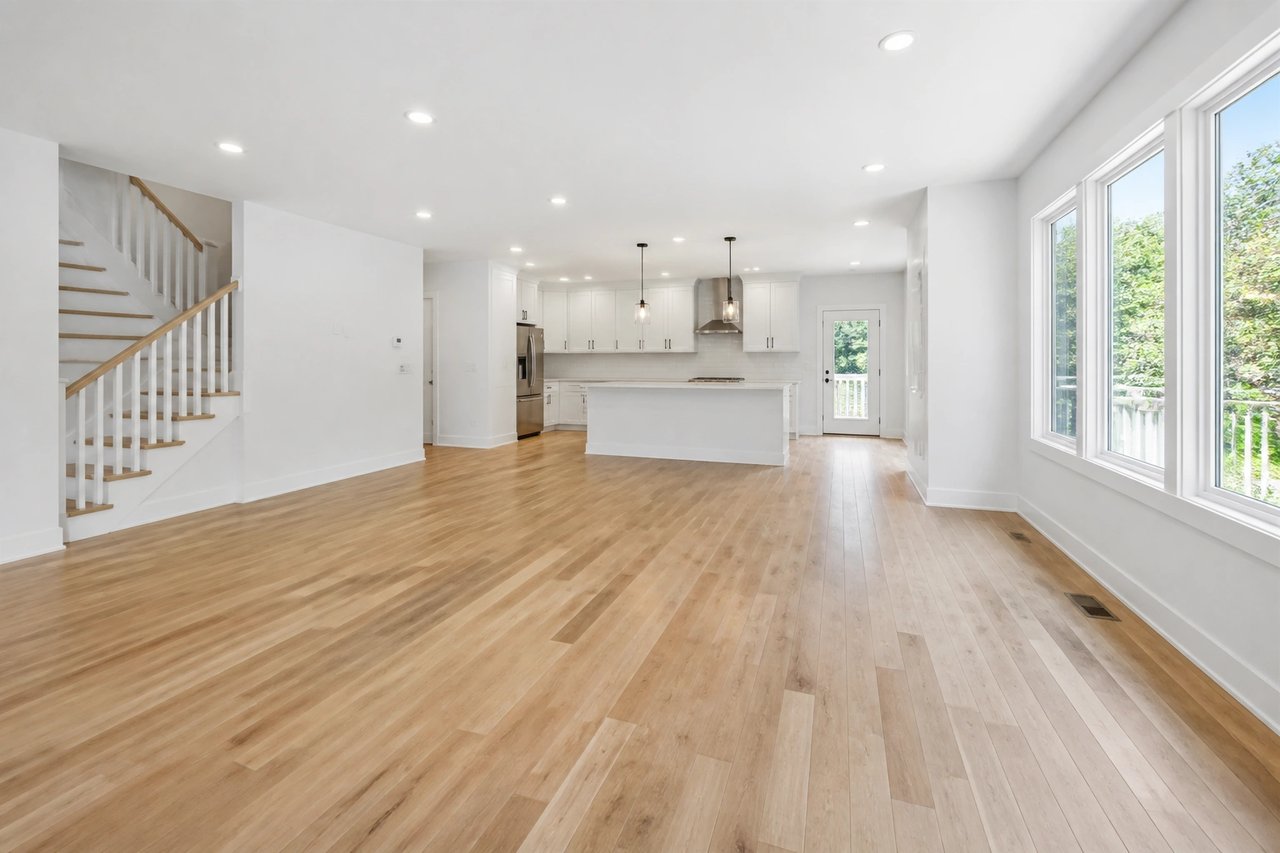
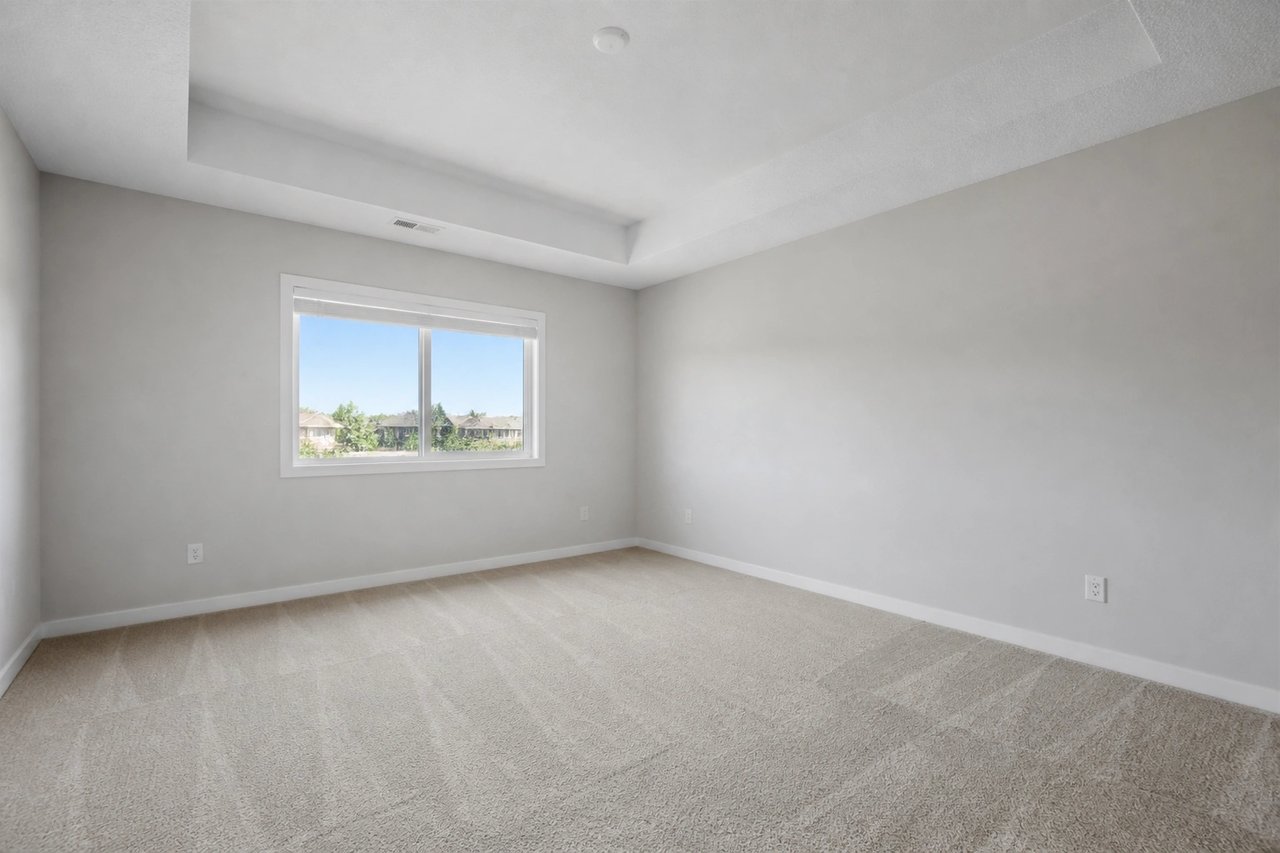
Empty real estate listing photo before AI virtual staging
Original listing photo
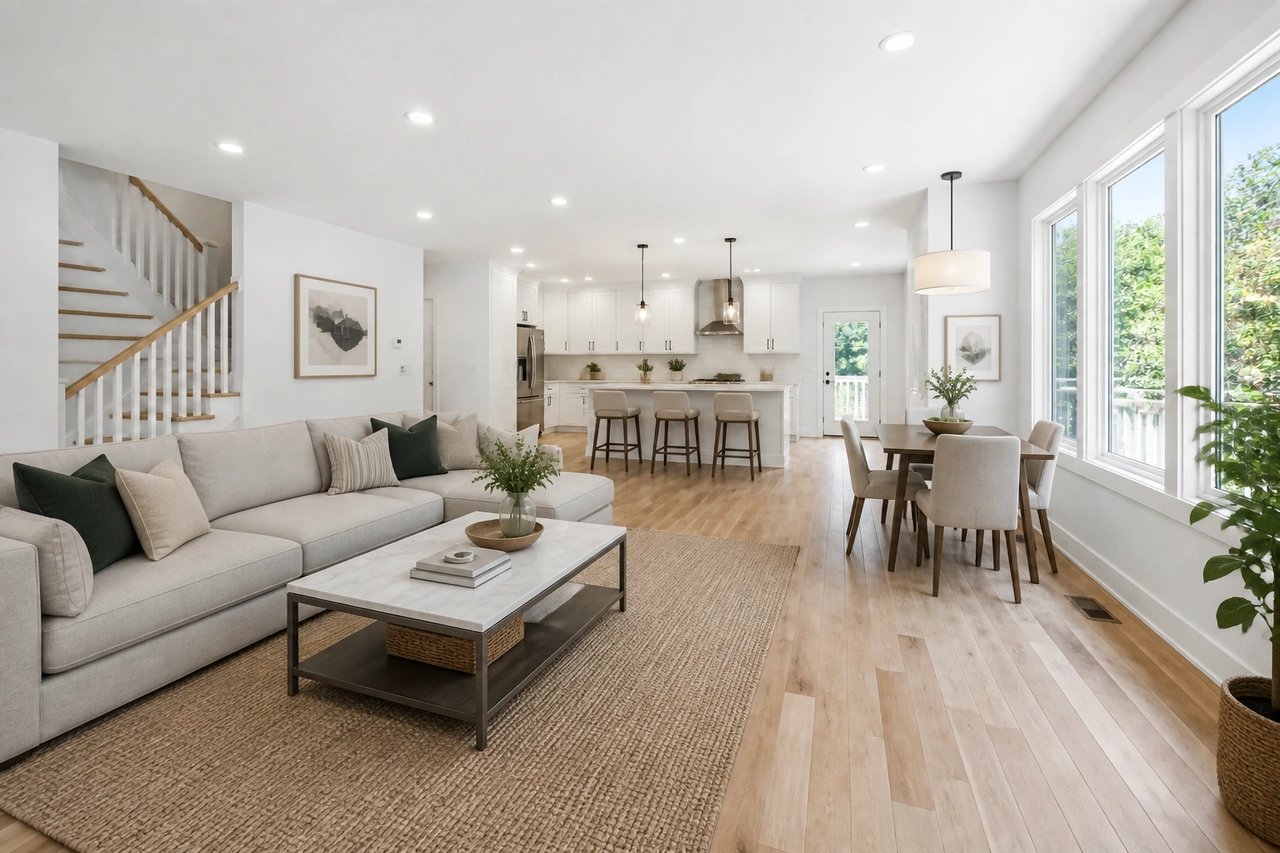
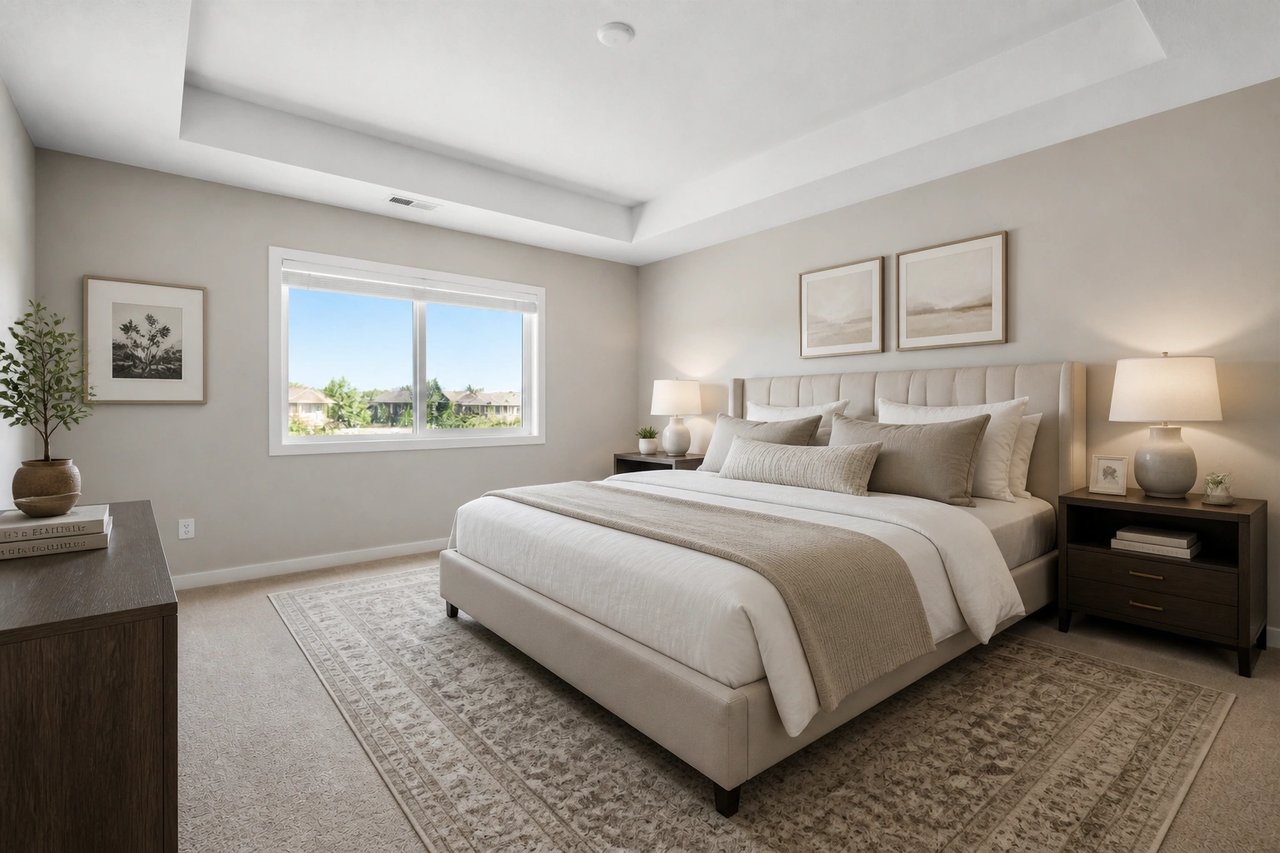
AI-staged real estate listing photo with furniture and decor
AI-staged listing visual

Move at listing speed

Create staged options while the listing is still being written, reviewed, and prepared for MLS.

Reduce staging costs

Avoid furniture rental, movers, storage, and per-room physical staging costs for digital listing visuals.

Support clear disclosure

Use AI staging as visual context, keep original photos available, and follow your MLS rules.

How it works

From vacant room to staged listing visual

A focused real estate virtual staging workflow for agents, photographers, landlords, and brokerages.

Step 1

Upload the listing photo

Start with an empty bedroom, living room, dining room, office, or rental photo from your property shoot.

Step 2

Pick a buyer-friendly style

Choose modern, Scandinavian, farmhouse, luxury, coastal, or another staging direction that fits the target buyer.

Step 3

Generate listing concepts

Create realistic staged options for MLS drafts, seller approvals, listing pages, ads, and social promotion.

Before and after

Show buyers what an empty listing can become

AI home staging for listings helps buyers understand room scale, furniture placement, and lifestyle potential without changing the underlying property photo.

Vacant room photo for virtual staging for realtors
Before
AI furniture staging for empty room in a real estate listing
After

Use cases

Where real estate agents use AI staging

Use one real estate photo staging software workflow across listings, rentals, seller conversations, and marketing drafts.

Stage vacant bedrooms so buyers can understand scale and furniture fit.

Turn empty living rooms into warm listing photos for online search.

Create multiple style concepts before choosing the final MLS photo set.

Show sellers how empty rooms could market better before the listing goes live.

Prepare rental, condo, townhouse, and single-family property visuals faster.

Support property photographers with quick furniture concepts after a shoot.

Who it is for

Built around real estate listing workflows

This page targets realtor virtual staging, but the same workflow supports nearby property marketing teams.

Real estate agents

Create staged images for vacant listings, seller presentations, and buyer-facing marketing.

Property photographers

Offer AI staging concepts as an add-on after shooting empty rooms.

Landlords and hosts

Make rental listings feel furnished, practical, and move-in ready.

Brokerage teams

Give agents a repeatable way to create listing visuals without staging delays.

Comparison

AI virtual staging vs traditional staging services

Traditional staging and human editors still have their place. AI virtual staging software for real estate is strongest when agents need quick visual options before online marketing goes live.

Factor
AI Smart Decor
Traditional service
Turnaround
Seconds to minutes after upload
Often 24-72 hours or longer
Cost structure
Included in a software plan
Usually per image, per room, or per project
Iteration
Regenerate styles quickly
Requires a new edit request
Best fit
Fast listing drafts and online marketing
Final retouched photos or physical staging
Control
Agent chooses style and prompt
Depends on editor inventory and brief

MLS-friendly staging habits

Virtual staging for MLS listings should clarify potential without misrepresenting the home. Keep the floor plan, room shape, windows, fixtures, and visible condition accurate. Label staged photos where required and keep original photos in the listing set.

Best starting photos

Use bright, straight-on photos with visible floor area, clear walls, and minimal clutter for stronger AI furniture staging results.

FAQ

AI virtual staging questions from realtors

Direct answers for agents evaluating AI staging software for listings, MLS photos, and property marketing.

Is AI virtual staging suitable for real estate listings?

Yes. AI virtual staging is useful for vacant listings, rental listings, pre-market seller presentations, and listing photo concepts. Agents should disclose virtually staged images and follow their MLS, brokerage, and local advertising rules.

Can realtors use AI-staged images commercially?

AI Smart Decor paid plans include commercial usage, so real estate teams can use generated visuals for listing marketing, client presentations, websites, social posts, and property campaigns within the plan terms.

Does virtual staging change the property itself?

The best practice is to use staging to add furniture, decor, rugs, and style while keeping the room structure accurate. Avoid changing walls, windows, fixtures, views, or defects in a way that could mislead buyers.

What rooms work best for realtor virtual staging?

Living rooms, bedrooms, dining rooms, home offices, dens, and bonus rooms usually work best. Clear, bright, high-resolution property photos with visible floors and walls produce stronger staging results.

How fast can an agent stage a listing photo?

Most agents can upload a room photo, choose a room type and style, and generate a staged image in seconds. That makes it practical while listing copy, MLS fields, and seller approvals are still in progress.

Should I include original photos with virtual staging?

In many markets, yes. Include the original unstaged photo when required, label staged images clearly, and use virtual staging to help buyers understand scale and function rather than hide material facts.

Stage your next listing before it goes live

Upload a vacant property photo and create AI-staged listing concepts for buyers, sellers, and marketing channels.