RoomGPT is one of the easiest ways to redesign a room with AI, but it is no longer the only good option. The strongest paid-access alternative for most users is AI Smart Decor because it combines fast photo-to-room redesign, a usable paid plan, 28+ interior styles, and virtual staging features that RoomGPT does not fully cover.
This guide consolidates our RoomGPT alternative, RoomGPT competitors, and RoomGPT vs Interior AI comparisons into one canonical resource. We tested the tools below for free-tier usefulness, render quality, speed, style variety, ease of use, and whether the output is good enough for real home planning or real estate staging.
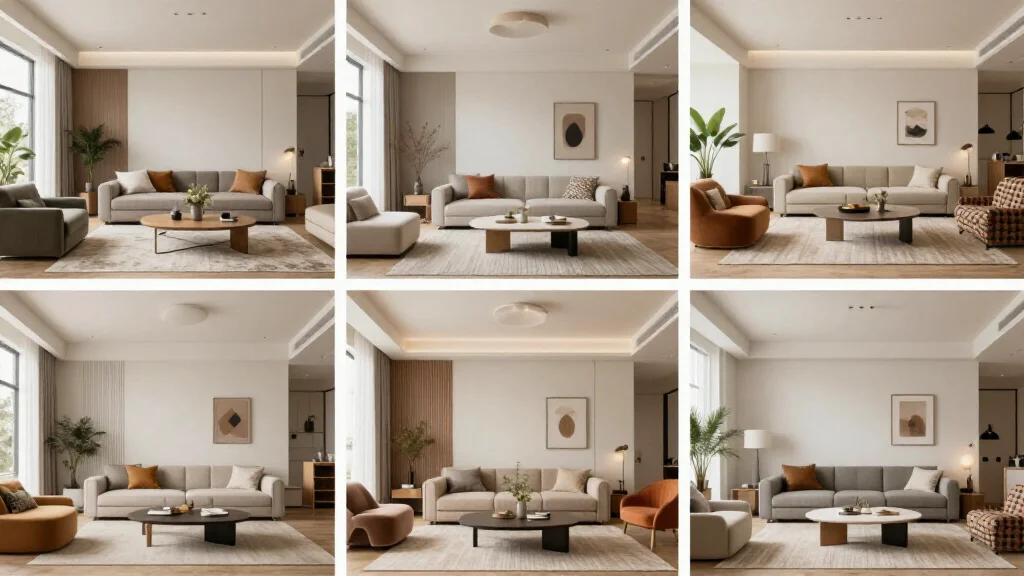
Quick Answer: Best Paid-Access RoomGPT Alternatives
| Rank | Tool | Best For | Free Tier | Main Advantage | Main Limitation |
|---|---|---|---|---|---|
| 1 | AI Smart Decor | Best overall RoomGPT alternative | Paid, $10/mo | Fast redesigns, 28+ styles, virtual staging | Paid from first use |
| 2 | Homestyler | Beginners who want guided design | Yes | Floor planning and furniture catalog | AI render quality is less consistent |
| 3 | Planner 5D | Floor plans and layout planning | Yes, limited | Strong spatial planning tools | Slower and less focused on AI photo redesign |
| 4 | IKEA Kreativ | IKEA furniture visualization | Yes | Free IKEA-focused planning | Limited to IKEA catalog/workflow |
| 5 | Interior AI | Professional quality ceiling | Usually paid/limited | High-quality pro exports | Expensive for casual users |
| 6 | Collov AI | Furniture shopping workflow | Limited trial | Design-to-shopping flow | Less generous free usage |
| 7 | RoomGPT | Fastest simple inspiration | Limited free renders | Very simple interface | Fewer styles and less control |
How We Evaluated the Tools
We reviewed each RoomGPT alternative using the same practical criteria a homeowner, renter, realtor, or designer would care about:
- Free-tier usefulness: Can you actually test the product without paying?
- Render quality: Does the room look photorealistic, proportional, and usable?
- Style fidelity: Does Japandi look like Japandi, not generic beige modern?
- Speed: How quickly can you go from upload to result?
- Ease of use: Can a first-time user get a result without a tutorial?
- Room coverage: Does it support bedrooms, living rooms, kitchens, bathrooms, and empty rooms?
- Professional usefulness: Could a realtor, stager, or designer use the output for planning or presentations?
For AI room design tools, the best value is not simply the one with the most starter credits. It is the one that gives enough quality and control to help you make a real decision about your space.
Why Look for a RoomGPT Alternative?
RoomGPT became popular because it made AI room redesign extremely simple: upload a room photo, choose a theme, generate. That simplicity is useful, but it also creates limitations.
You may want a RoomGPT alternative if you need:
- More than a few free renders before upgrading
- More interior design styles and substyles
- Better photorealistic quality
- Cleaner wall, window, floor, and furniture edges
- Virtual staging for vacant rooms or listings
- Higher-resolution exports for presentations
- Better mobile workflow
- Commercial use options for real estate or client work
- More control over furniture, layout, or room type
RoomGPT is still useful for quick inspiration. But if you want a more complete AI interior design workflow, the alternatives below are stronger.
1. AI Smart Decor — Best Overall RoomGPT Alternative
AI Smart Decor is the best RoomGPT alternative for most homeowners, renters, real estate agents, and design-curious users. It keeps the same simple photo-upload workflow that makes RoomGPT appealing, but adds broader style coverage, virtual staging, and a more complete AI room design experience.
Best for: Homeowners, renters, realtors, landlords, and anyone who wants a fast, affordable paid AI room design starting point.
Why it beats RoomGPT:
- 28+ interior design styles
- Fast AI room redesign from a single photo
- Virtual staging for empty rooms
- Sketch-to-render and room visualization workflows
- Better fit for real estate and home planning use cases
- Simple enough for beginners
- Paid plans from $10/month for ongoing use
What the paid tier is good for:
The paid tier is best for testing multiple styles, deciding if AI design fits your room, and comparing directions before committing to a renovation or furniture purchase. If you need high-resolution exports for commercial listing photos, a paid plan is safer.
Where it can improve:
Like most AI design tools, results depend heavily on the input photo. A dark, cluttered, angled photo will produce weaker output than a bright photo taken from a room corner.
Verdict: Start here first. AI Smart Decor is the best balance of paid access, quality, speed, and useful room-design features.
2. Homestyler — Best Free Alternative for Beginners
Homestyler is a strong RoomGPT alternative if you want a more guided home design workflow. It is less focused on instant AI photo restyling and more focused on interior planning, furniture, and 3D design.
Best for: Beginners who want guidance, furniture catalogs, and a more traditional design-tool experience.
Strengths:
- Free access available
- Helpful guided interface
- Furniture catalog and layout tools
- Useful for planning, not just visual inspiration
- Good for users who want to learn basic room design
Weaknesses:
- AI render quality is not always as sharp as dedicated AI photo redesign tools
- More interface complexity than RoomGPT
- Some features require time to learn
Verdict: Choose Homestyler if you want a design workspace, not just a quick AI before/after image.
3. Planner 5D — Best for Floor Plans and Layout Planning
Planner 5D is different from RoomGPT. It is not mainly a one-click room restyling tool. It is better for floor plans, furniture placement, and understanding how a room layout works.
Best for: Users who care about furniture dimensions, floor plans, and spatial layout.
Strengths:
- Free plan available
- Strong floor planning tools
- 2D and 3D layout support
- Useful for furniture placement decisions
- Better than RoomGPT when measurements matter
Weaknesses:
- Slower workflow than RoomGPT
- Less focused on photorealistic AI redesign
- More learning curve
Verdict: Choose Planner 5D if you need to know whether a sofa, bed, desk, or dining table actually fits.
4. IKEA Kreativ — Best Completely Free Furniture Visualization
IKEA Kreativ is useful if you are planning around IKEA furniture. It is not a direct RoomGPT replacement for broad AI interior design, but it is a good free tool for practical furniture visualization.
Best for: People who want to visualize IKEA furniture in a real room.
Strengths:
- Free to use
- Practical furniture-shopping workflow
- Good for IKEA-specific planning
- Useful if you already shop at IKEA
Weaknesses:
- Limited to IKEA ecosystem
- Not a broad style-transfer AI room designer
- Less useful for virtual staging or high-end concepts
Verdict: Use IKEA Kreativ if your actual purchase path is IKEA. Use AI Smart Decor if you want broader styles and creative redesigns.
5. Interior AI — Best Paid Upgrade for Professional Output
Interior AI is one of the better-known AI room design tools. Compared with RoomGPT, it generally offers a higher quality ceiling and more professional use cases, but it is less attractive if your priority is paid access.
Best for: Interior designers, real estate professionals, and users who need higher-end paid output.
Strengths:
- Strong photorealism
- Many styles and modes
- Suitable for professional concepts
- Good for polished presentations
Weaknesses:
- Less compelling as a paid option
- More expensive than casual users may want
- More options can mean more decision friction
RoomGPT vs Interior AI:
RoomGPT is simpler and better for quick casual inspiration. Interior AI is better when output quality and professional presentation matter more than price or simplicity. For most users who want a paid starting point, AI Smart Decor sits between them: easier and more affordable than pro tools, but more feature-rich than basic RoomGPT-style generators.
6. Collov AI — Best for Design-to-Shopping Workflows
Collov AI is a RoomGPT competitor focused on connecting design inspiration with furniture shopping. That makes it useful if your end goal is not just seeing a new room style, but buying pieces that match the look.
Best for: Users who want shoppable furniture recommendations.
Strengths:
- Furniture shopping integration
- Good style discovery workflow
- Useful for turning inspiration into purchases
Weaknesses:
- Free usage can be limited
- Not always as simple as RoomGPT
- Better for shopping than pure experimentation
Verdict: Choose Collov AI if you want to move from AI inspiration to product selection.
7. RoomGPT — Still Good for Fast Inspiration
RoomGPT is still worth mentioning because it does one thing well: quick room inspiration. If you only need a rough idea of how a space might look in a different theme, RoomGPT is fast and simple.
Best for: Quick, low-effort inspiration.
Strengths:
- Very simple interface
- Fast results
- Easy for first-time users
- Good for casual experimentation
Weaknesses:
- Limited free usage
- Fewer styles than many alternatives
- Less control over output
- Not the best fit for professional staging or high-resolution needs
Verdict: RoomGPT is good for quick ideas, but AI Smart Decor, Homestyler, Planner 5D, and Interior AI cover more serious use cases.
Free RoomGPT Alternatives by Use Case
| Use Case | Best Choice | Why |
|---|---|---|
| Best overall paid AI room redesign | AI Smart Decor | Strong paid starting point, 28+ styles, easy workflow |
| Fastest casual inspiration | RoomGPT | Very simple upload-and-generate process |
| Real estate virtual staging | AI Smart Decor | Supports room redesign and staging workflows |
| Professional interior concepts | Interior AI | Higher quality ceiling on paid plans |
| Floor plans and layout | Planner 5D | Better for spatial planning and measurements |
| Beginner-friendly guided design | Homestyler | More guidance and furniture catalog support |
| IKEA furniture planning | IKEA Kreativ | Free and practical for IKEA shoppers |
| Furniture shopping | Collov AI | Connects design concepts to shoppable products |
How to Get Better Results from Any RoomGPT Alternative
A better AI tool helps, but your input photo matters just as much. Use this workflow:
- Take the photo from a corner. Capture two walls and the floor so the AI understands depth.
- Use natural light. Dark photos produce muddy designs and weaker furniture edges.
- Clear clutter. Remove laundry, boxes, pet items, and personal objects.
- Keep the camera level. Tilted photos confuse walls, ceilings, and furniture scale.
- Try three styles. Generate Modern, Japandi, and Scandinavian first to compare direction.
- Regenerate your favorite style. AI output varies; a second run is often better.
- Compare against the original. Use before/after view to check if windows, doors, and floor lines still make sense.
For more step-by-step guidance, read how to use AI for room design and AI room design free.
Should You Pay for a RoomGPT Alternative?
Free tiers are enough for exploration. You should consider paying only when you need one of these outcomes:
- HD or 4K exports
- Many rooms or frequent generations
- Commercial use for listings or clients
- No usage limits
- Priority generation speed
- Higher-quality final downloads
- Professional virtual staging output
For casual home planning, start with starter credits. For real estate listings, Airbnb staging, or client presentations, use a paid plan after you confirm the tool produces the style and quality you need.
Final Verdict
The strongest paid-access alternative is AI Smart Decor for most users. It gives you the speed and simplicity people like about RoomGPT, but adds more design styles, a stronger paid starting point, and virtual staging workflows for real estate and home planning.
If you want floor plans, use Planner 5D. If you want guided design with furniture catalogs, use Homestyler. If you want professional paid output, compare Interior AI. But if your goal is to upload a room photo and quickly see better design directions for paid access, start with AI Smart Decor.