Every real estate agent has walked into the same situation: a vacant listing with white walls, echoing rooms, and zero buyer appeal. You know the home has possible value. You know the neighborhood sells. But online, those empty room photos blend into the scroll and disappear. Virtual staging for realtors solves that exact problem, and if you build it into your workflow correctly, it becomes one of the most consistent tools for reducing days on market and winning more listing appointments.
This guide is not a tool comparison. It is a step-by-step workflow for real estate agents who want to integrate virtual staging into their business, from the listing appointment through closing. We will cover when to stage and when to skip it, which rooms move the needle, how to stay MLS compliant, and how to present staging to sellers so they see the value immediately.
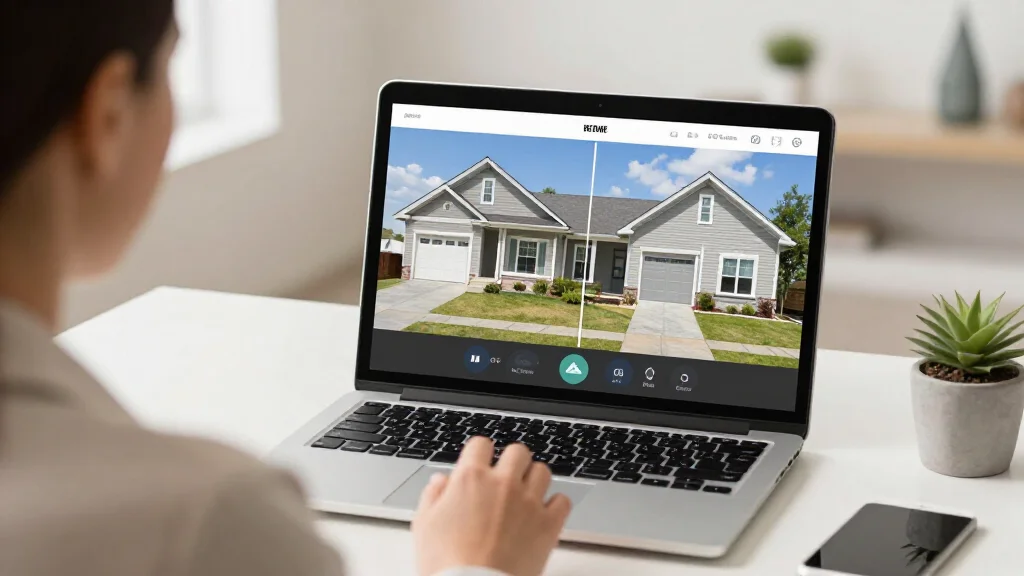
Bottom line: AI Smart Decor is the fastest and most affordable virtual staging tool for real estate agents, delivering MLS-ready staged photos in under 30 seconds with Pro at $10/month for 200 designs and Premium at $50/month for 2,000 designs.
The ROI Case for Virtual Staging in Real Estate
Before diving into the workflow, let us ground this in numbers. If you are going to invest time building virtual staging into your process, you need to know what the return looks like.
- Staged homes sell 73% faster than unstaged homes, according to the National Association of Realtors (NAR) Profile of Home Staging report.
- Staged listings receive 1-5% higher offers on average compared to vacant properties in the same market.
- Listings with high-quality photos get 61% more views on MLS and real estate portals, and staged photos consistently outperform empty room shots.
- Physical staging costs $2,000-$5,000 per property, while virtual staging for real estate typically runs $15-$50 per image, or less with AI tools.
- Agents who use staging report a 25% reduction in average days on market, translating directly into faster commission checks and higher client satisfaction.
- 81% of buyers' agents say staging makes it easier for buyers to visualize the property as their future home, which leads to stronger emotional connections and quicker decisions.
The math is straightforward. If virtual staging costs you $100-$200 per listing and helps you sell even one property per quarter faster, the annual ROI is measured in thousands of dollars. For high-volume agents handling 20+ transactions per year, the cumulative impact on days on market and final sale price is substantial.
When to Stage and When to Skip It
Virtual staging is powerful, but it is not the right move for every listing. Part of being strategic with your workflow is knowing when staging adds value and when it does not.
Stage these listings:
- Vacant properties. This is the highest-impact use case. Empty rooms photograph poorly and leave buyers guessing about scale, layout, and livability. Virtual staging for agents turns these into scroll-stopping listing photos.
- Occupied homes with dated or cluttered interiors. Virtual staging allows you to show the space with updated decor without asking sellers to move furniture or repaint. This is especially useful for estate sales and inherited properties.
- New construction with no model units. Builders often need to market units before the model is furnished. Virtually staged photos bridge that gap.
- Rentals and investment properties. If you also handle rental listings, virtual staging for rental properties follows a similar workflow and helps landlords fill vacancies faster.
Skip staging (or limit it) for these:
- Already well-furnished, modern homes. If the seller's decor is clean, neutral, and current, professional photography of the actual space will outperform staged alternatives.
- Extreme fixer-uppers marketed to investors. Investors buying properties at a discount want to see the condition clearly. Staging can feel misleading here and may attract the wrong buyer pool.
- Homes where the exterior and location are the primary selling points. A lakefront cabin or a downtown loft with skyline views does not need living room staging to generate interest. Focus your staging budget on listings where interior presentation is the bottleneck.
Which Rooms to Prioritize
You do not need to stage every room. Budget and time are finite, and some rooms carry far more weight with buyers than others. Here is how to prioritize, ranked by impact on buyer engagement.
Tier 1 — Always stage these:
- Living room. This is typically the first interior photo in the listing and the image buyers use to decide whether to keep scrolling or click through. A well-staged living room sets the tone for the entire listing.
- Primary bedroom. Buyers want to see themselves relaxing here. An empty bedroom with nothing but carpet and a ceiling fan communicates "cold" and "temporary." A staged version communicates "home."
- Kitchen/dining area. If the kitchen has an eat-in area or opens to a dining room, staging that space helps buyers visualize daily life in the home. Even a simple table, chairs, and a few countertop accessories make a difference.
Tier 2 — Stage when budget allows:
- Home office. Post-2020, a dedicated workspace is a top search criterion for many buyers. If your listing has a spare room that could serve as an office, stage it as one.
- Second bedrooms. Especially in family-oriented neighborhoods, staging a second bedroom as a kids' room or guest room helps buyers see the home's full possible value.
Tier 3 — Situational:
- Outdoor living spaces. If the patio or deck is a selling point, virtual staging with outdoor furniture can improve it. Skip this for standard backyards.
- Bathrooms. Bathrooms are rarely staged virtually, but adding towels and accessories to a builder-grade bathroom can soften the space.
For most listings, staging 3-5 rooms gives you the best return on investment without over-spending.
Step-by-Step Workflow: From Photo to Listing
Here is the practical workflow for integrating virtual staging into your listing process. This is designed for agents who want a repeatable system, not a one-off experiment.
Step 1: Capture high-quality photos at the listing appointment
Use a wide-angle lens (16-24mm equivalent) and shoot from doorways or corners to capture the full room. Make sure the space is clean and cleared of debris. Natural lighting is ideal, but if you are shooting at night or in a dark room, use supplemental lighting. Shoot horizontally, never vertically, for MLS compatibility.
Pro tip: Take both empty shots and any shots with existing furniture. This gives you flexibility to stage the empty version or improve the furnished version later.
Step 2: Select your staging tool and upload photos
Choose a virtual staging platform that fits your volume and turnaround needs. For agents handling multiple listings, an AI tool like AI Smart Decor offers instant results and allows you to stage at scale without waiting 24-48 hours for human editors. Upload your best room photos, typically 3-5 images per listing.
Step 3: Choose design styles that match the buyer demographic
This is where market knowledge matters. A mid-century modern staging style works for a trendy urban condo but feels out of place in a suburban colonial. A farmhouse style resonates in rural and exurban markets but may miss the mark downtown. Think about who is most likely to buy this home and stage accordingly.
- Luxury listings: Modern, minimalist, or transitional styles with high-end finishes.
- Family homes in suburbs: Contemporary or transitional with warm tones and functional layouts.
- Starter homes and condos: Scandinavian or modern with clean lines and space-fast furniture.
- Historic or character homes: Traditional or transitional that respects the architecture.
Step 4: Review and refine the staged images
Before publishing anything, review each staged photo critically. Check that furniture is proportional to the room, that the style is consistent across all staged rooms, and that no staging elements block architectural features like fireplaces or built-in shelving. If something looks off, regenerate the image with adjusted settings.
Step 5: Prepare your MLS listing with proper disclosures
Add your staged photos to the listing alongside original unstaged photos. Include virtual staging disclosure language in the listing remarks (more on compliance below). Order your photos so the best staged shot is the lead image, followed by a mix of staged and original photos.
Step 6: Deploy staged images across all marketing channels
Your MLS listing is just the starting point. Use your staged photos in:
- Social media posts and ads (Instagram, Facebook, TikTok)
- Email campaigns to your buyer database
- Property flyers and brochures
- Your website and landing pages
- Open house signage and digital displays
Step 7: Track results and iterate
Compare days on market, showing requests, and online engagement for staged vs. unstaged listings. Over time, you will see patterns that help you refine which styles, rooms, and listing types benefit most from staging in your market.
MLS Compliance: Rules You Must Follow
MLS compliance is the number one concern agents raise about virtual staging, and for good reason. Misrepresenting a property can lead to ethics complaints, fines, or even license issues. Here is how to stay compliant.
Disclosure is mandatory. Nearly every MLS requires that virtually staged photos be clearly identified. The specific rules vary by board, but the standard practice includes:
- Watermarking staged photos with text like "Virtually Staged" on the image itself. Many virtual staging platforms include this option automatically.
- Adding disclosure language in listing remarks. Common phrasing: "Some photos have been virtually staged to illustrate the possible value of the space. Furniture and decor are not included."
- Including at least one unstaged photo of each staged room so buyers can see the actual condition of the space.
What not to do:
- Do not use virtual staging to hide defects, damage, or material issues. Staging should add furniture and decor, not remove stains, cracks, or structural problems.
- Do not stage photos in a way that misrepresents room dimensions. Furniture should be to scale.
- Do not remove items or features from photos using editing tools and call it "staging." Virtual staging adds elements; it does not alter the property.
- Do not present virtually staged photos as real photography without any disclosure.
Best practice: Check your local MLS rules before your first staged listing. Most boards have published guidelines, and your MLS vendor or broker can point you to the specific policy. When in doubt, over-disclose. Transparency builds trust with both buyers and other agents.
How to Pitch Virtual Staging to Sellers
Many agents understand the value of virtual staging but struggle with the seller conversation. Here is how to position staging during listing presentations and pre-listing meetings.
Frame it as a marketing investment, not an expense. Sellers understand that marketing sells homes. When you present virtual staging as part of your comprehensive marketing plan, alongside professional photography, social media promotion, and targeted advertising, it feels like a premium service, not an add-on cost.
Use before-and-after examples. Nothing sells staging like seeing it. Keep a portfolio of 5-10 before-and-after comparisons from your own listings or from your staging platform's gallery. Show sellers what their empty living room could look like in a listing photo.
Lead with the data. Share the statistics: 73% faster sales, more online engagement, higher offers. Sellers respond to concrete numbers, especially when they are motivated to sell quickly.
Position it as a competitive advantage. "Every listing in this price range is competing for the same buyer pool. Staged photos are how we make your home stand out in the first three seconds of scrolling."
Offer it as part of your standard service. The most effective approach is to include virtual staging in your listing package rather than offering it as an optional upgrade. When staging is just "what you do" for every client, there is no awkward sales conversation. It becomes a differentiator in listing presentations. "When you list with me, every property gets professional photography and virtual staging at no additional cost to you."
Address the transparency question earlyly. Some sellers worry that virtual staging is deceptive. Explain that all staged photos are clearly disclosed, that original photos are also included, and that the purpose is to help buyers visualize the possible value, not to mislead. Most sellers appreciate the honesty and feel more confident in the approach.
Using Virtual Staging in Listing Presentations
Beyond individual listings, virtual staging is a powerful tool for winning new business. Here is how top-producing agents incorporate it into their listing presentations.
Include a staging case study. Show a specific example where your virtually staged listing outperformed comparable unstaged listings in the same market. Include days on market, number of showings, and final sale price vs. list price.
Demonstrate the technology live. If you use an AI staging tool, consider running a live demo during the listing presentation. Upload a photo of the seller's actual vacant room and generate a staged version in real time. The immediate visual impact is compelling and demonstrates your tech-forward approach.
Differentiate from competitors. If other agents in your market are not offering virtual staging, this is your edge. If they are, your workflow, speed, and quality of staging becomes the differentiator. Either way, staging is a tangible value-add that sellers can see and understand.
Choosing the Right Staging Tool for Your Workflow
While this guide focuses on workflow rather than tool comparison, your choice of virtual staging platform directly affects your efficiency. A few practical considerations for agents.
- Turnaround time matters. If you are staging 3-5 listings per month, waiting 24-48 hours per image creates bottlenecks. AI tools like AI Smart Decor deliver results in seconds, which means you can stage a listing during the same session you upload photos.
- Cost per image adds up. If you are paying $25-$50 per image across 5 images per listing across 20+ listings per year, that is $2,500-$5,000 annually. Tools with flat-rate or subscription pricing, or paid tiers, can dramatically reduce that cost.
- Quality must be MLS-ready. The staged photos need to look realistic enough to blend smoothly with your professional photography. Low-quality staging that looks obviously fake will hurt your listing more than no staging at all.
- Batch processing saves time. If you can upload multiple rooms at once and process them together, your workflow stays fast. Look for tools built for agent-level volume, not one-off consumer use.
For agents exploring options, a free virtual staging app is a good starting point to test the workflow before committing to a paid plan. You can also explore virtual staging services if you prefer a managed approach with human editors.
Frequently Asked Questions
Is virtual staging worth it for realtors?
Yes. The data consistently shows that staged listings sell faster, receive more online engagement, and generate higher offers. With virtual staging costing a fraction of physical staging, the ROI is strong even if it helps you reduce days on market by a small amount on a single listing. For agents handling multiple listings, the cumulative impact on annual GCI is significant.
Do I need to disclose virtual staging on MLS?
Yes, virtually every MLS board requires disclosure. The standard practice is to watermark staged images with "Virtually Staged" and include disclosure language in the listing remarks. You should also include at least one original unstaged photo of each staged room. Check your local MLS rules for specific requirements, and when in doubt, disclose more rather than less.
How many rooms should I virtually stage per listing?
For most listings, 3-5 rooms deliver the best balance of impact and cost. Always stage the living room and primary bedroom. Add the kitchen or dining area as a third priority. If budget allows, a home office or second bedroom rounds out the package. You rarely need to stage every room to see a meaningful improvement in buyer engagement.
Can I use virtually staged photos on social media and marketing materials?
Yes. In fact, you should. Staged photos perform well across social media, email marketing, property flyers, and digital ads. The MLS disclosure requirements apply specifically to your MLS listing, but it is good practice to note "virtually staged" on marketing materials as well. Transparency builds trust with buyers and reinforces your reputation as an ethical agent.
How do I handle buyer disappointment when they visit a vacant staged listing?
This concern comes up frequently, but in practice, buyer disappointment is rare when staging is properly disclosed. Buyers understand that virtual staging shows possible value, not actual furnishings. The key is ensuring your listing photos clearly indicate which images are staged. When buyers arrive and see the space, they are already mentally furnishing it based on the staged photos. The staging does its job by getting them through the door, and the property itself closes the deal.
Start Building Your Virtual Staging Workflow
Virtual staging for realtors is not a gimmick or a trend. It is a practical marketing tool that, when built into a repeatable workflow, reduces days on market, generates more showing activity, and helps you win more listing appointments. Start with your next vacant listing. Stage 3-5 rooms, follow the MLS compliance guidelines, and track the results. Once you see the difference in engagement and buyer response, staging becomes a non-negotiable part of your listing process.
Try AI Smart Decor: stage your next listing in seconds.