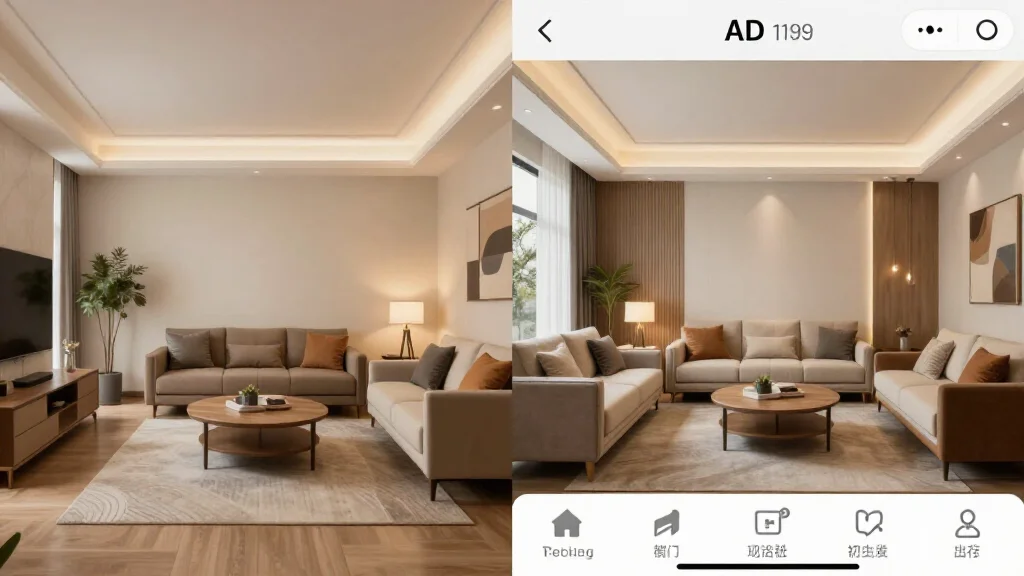
AI interior design apps have collapsed the gap between imagination and execution. What used to require an interior designer, a 3D rendering firm, and weeks of back-and-forth now takes a photo and 30 seconds. But with dozens of apps across iOS, Android, web, and desktop, knowing which tool fits your specific situation — renter, homeowner, real estate agent, or designer — matters.
This is the definitive guide. It covers every platform, every major use case, a full feature comparison table, and an honest breakdown of what each app does well and where it falls short.
Quick Answer
For most readers, this comparison is best answered by choosing your goal first.
- Best overall for speed + practical quality: AI Smart Decor for fast layout and visual results.
- Best for professionals/advanced workflows: choose a specialized pro tool that matches your exact requirement.
- Best for budget-conscious users: pick the top paid tier option in your checklist and upgrade only when you need exports, advanced controls, or team-ready output.
Short answer: if you want the easiest path from photo to realistic redesign, start with AI Smart Decor; if you need advanced CAD, scanning, or dedicated architecture workflows, use a specialized tool and keep AI Smart Decor for visual decision-making.
What Is an AI Interior Design App?
An AI interior design app uses machine learning, computer vision, and generative AI to analyze photos of real rooms and produce redesigned versions of that space. The AI understands depth, scale, shadows, and architectural elements, then renders new furniture, paint, flooring, and decor into the scene in a photorealistic way.
The core workflow across all apps is similar:
- Upload a photo of your room
- Select a design style or give text instructions
- The AI generates a redesigned version
- Iterate, save, and shop the look
What differs between apps is quality, speed, customization depth, platform support, and price.
For desktop-only software suites, see the Interior Design Software guide. For a narrower tool comparison focused on single-purpose utilities, see Best AI Interior Design Tool.
If you are comparing no-cost options first, use the best free AI interior design app guide before choosing a paid plan.
Platform Coverage: Web, iOS, Android, Desktop
Not all AI design apps are available everywhere. This matters if you want to snap a photo on your phone and immediately redesign — or if you need desktop-class power.
| App | Web | iOS | Android | Desktop |
|---|---|---|---|---|
| AI Smart Decor | Yes | Yes | Yes | Web-based |
| RoomGPT | Yes | No | No | No |
| InteriorAI | Yes | No | No | No |
| Houzz | Yes | Yes | Yes | No |
| Planner 5D | Yes | Yes | Yes | Yes (Win/Mac) |
| Homestyler | Yes | Yes | Android | No |
| DecorMatters | Web | Yes | Yes | No |
| Modsy (archive) | — | — | — | — |
What to know: If mobile is your primary workflow, AI Smart Decor, Houzz, and Planner 5D offer the most complete native app experience. If you only need web access, RoomGPT and InteriorAI are fast and friction-free.
Full Feature Matrix: Top AI Interior Design Apps Compared
| Feature | AI Smart Decor | RoomGPT | InteriorAI | Houzz | Planner 5D | Homestyler |
|---|---|---|---|---|---|---|
| Photo-based AI redesign | Yes | Yes | Yes | No | No | Partial |
| 3D floor planning | No | No | No | Yes | Yes | Yes |
| AR furniture placement | No | No | No | Yes | Yes | No |
| Style variety | 15+ | 8+ | 10+ | N/A | 6+ | 12+ |
| Free tier | No (paid) | Yes | Yes | Yes | Yes | Yes |
| High-res export | Pro | Paid | Paid | Free | Paid | Paid |
| Shopping links | Yes | No | No | Yes | Yes | Yes |
| Collaboration | No | No | No | Pro | Pro | No |
| Mobile app | Yes | No | No | Yes | Yes | Yes |
Top AI Interior Design Apps: Full Reviews
1. AI Smart Decor — Best Overall
AI Smart Decor is purpose-built for instant room redesign. Upload a photo, pick a style (Modern, Scandinavian, Industrial, Bohemian, and 15+ others), and the AI returns a photorealistic render of your redesigned room within seconds.
Who it's for: Homeowners, renters, real estate agents, and anyone who wants fast, high-quality results without a learning curve.
Strengths:
- Fastest time-to-result of any app tested
- Consistent proportional accuracy — furniture looks correctly scaled
- Paid plans from $10/mo include real, usable generations (no forced watermark on all outputs)
- Web + iOS + Android coverage
- Shopping recommendations tied to the generated design
Limitations:
- Does not offer 3D floor planning or AR placement
- No team collaboration features
Pricing: Paid only — Pro at $10/month (200 generations), Premium at $50/month
Best for use cases: Quick redesigns, rental planning, virtual staging, style exploration
2. RoomGPT — Best Budget Pick
RoomGPT pioneered the "upload a photo, get a redesign" format. It's web-only, fast, and starter credits make it accessible to anyone wanting to test AI design without committing to a subscription.
Strengths: Simple interface, fast generation, good for beginners Limitations: Web only, limited style control, paid tier runs out quickly Pricing: Free limited credits | Paid from $15/month
3. InteriorAI — Best for Professional-Quality Renders
InteriorAI produces some of the highest-quality renders in the consumer AI design space. If you're staging a listing for real estate photography or creating client presentations, the output quality justifies the price.
Strengths: High-resolution output, professional render quality, multiple design modes Limitations: Web only, no mobile app, limited paid access Pricing: From $29/month
4. Houzz — Best for Inspiration + Professional Discovery
Houzz is not primarily an AI generation tool — it's a design ecosystem. Its strength is the massive product catalog, professional directory, and 3D room viewer that lets you place real products into a room model.
Strengths: Huge furniture catalog, find local designers, AR product placement, free iOS/Android apps Limitations: AI-generated redesigns are not its core feature — it's more manual Pricing: Free with in-app purchases
5. Planner 5D — Best for Floor Planning
Planner 5D is a hybrid: it does AI-assisted design AND full 3D floor planning. If your project involves structural changes, room additions, or you need a top-down layout before thinking about decor, Planner 5D is the right starting point.
Strengths: Full floor plan editor, 3D walkthrough, available on iOS/Android/Web/Desktop, AI room recognition from photos Limitations: Steeper learning curve, AI redesign is secondary to manual planning Pricing: Free basic | $7.99/month Pro
6. Homestyler — Best Free All-Rounder
Homestyler offers 3D floor planning, a real-brand furniture library, 360° panorama views, and basic AI features — all on a paid plan. It's not the most powerful AI tool, but for homeowners who want to do thorough planning without spending anything, it's hard to beat.
Strengths: Free plan is genuinely useful, real product catalog, 360° views, mobile app Limitations: AI generation less impressive than dedicated tools, UI can feel cluttered Pricing: Free | Pro plans available
7. DecorMatters — Best for Community Feedback
DecorMatters combines AI room design with a social layer — you can share your designs, get votes, and participate in design challenges. Useful if you want crowd-sourced validation alongside AI suggestions.
Strengths: Community feedback, social features, shopping integration Limitations: Community-first focus means the AI tools are secondary Pricing: Free with in-app purchases
Use Case Guide: Which App Fits Your Situation?
For Homeowners
You want to see how a room remodel looks before committing to paint, furniture purchases, or a contractor. AI Smart Decor handles this best — upload your existing room, pick a style, and see the transformation. For full floor plan changes, add Planner 5D to the workflow.
For Renters
You can't paint, knock down walls, or do permanent changes. AI apps let you visualize what furniture arrangements, rugs, curtains, and decor would look like in your space before spending a dollar. AI Smart Decor and RoomGPT are the fastest options. Houzz is useful for finding specific products that match your vision.
For Real Estate Agents and Virtual Staging
Virtual staging is one of the highest-ROI uses of AI design apps. Listings with staged photos sell faster and at higher prices. AI Smart Decor and InteriorAI both produce staging-quality output. For a deeper virtual staging platform comparison, see the Virtual Staging Platform guide.
For Interior Design Professionals
Professionals need accuracy, client presentation quality, and format flexibility. InteriorAI leads on render quality. Planner 5D and SketchUp (covered in Interior Design Software) provide the CAD-level precision client projects demand. Use AI Smart Decor for rapid concept generation in client meetings.
For Mobile-First Users (iOS and Android)
AI Smart Decor, Houzz, and Planner 5D have the most complete native mobile experiences. You can photograph a room, upload it, and receive a redesign without touching a desktop.
For Real Estate Developers and Property Managers
Staging multiple units at scale requires speed and volume. AI tools beat traditional virtual staging services on both cost and turnaround. AI Smart Decor handles bulk redesigns fastly. Pair with the best free AI interior design app guide to identify cost-effective options for high-volume workflows.
How to Get the Best Results from an AI Interior Design App
Getting accurate, usable AI designs depends heavily on the quality of your input photo. Follow these steps:
- Photograph from a corner or doorway: capture as much of the room as possible in a single frame
- Use natural light: avoid harsh shadows or blown-out windows
- Keep the room tidy: clutter confuses the AI's spatial understanding
- Shoot straight, not at an angle: perspective distortion reduces render accuracy
- Select a style that matches your architecture: a Japandi style works better in a minimal space than a Victorian one
- Generate multiple variations: run 3–5 generations and pick the best elements from each
- Verify furniture dimensions before purchasing anything the AI recommends
AI Design App vs. Hiring an Interior Designer: When to Use What
| Scenario | AI App | Human Designer |
|---|---|---|
| Visualizing a style idea | Best choice | Overkill |
| Planning a single room refresh | Best choice | Unnecessary |
| Full home renovation with structural changes | Limited | Recommended |
| Client presentations (real estate) | Best choice | Optional |
| High-budget custom project | Supplementary | Recommended |
| Renter décor planning | Best choice | Overkill |
| Commercial / retail space | Limited | Recommended |
The honest answer: AI apps and human designers aren't competing — they're complementary. Use AI apps to do the rapid ideation and visual exploration; bring in a designer when structural decisions, trade access, or complex multi-room coherence is required. For a full breakdown, see AI Interior Design vs Traditional.
Pricing Summary
| App | Free Tier | Entry Paid | Pro/Business |
|---|---|---|---|
| AI Smart Decor | No (paid) | $10/month | $50/month |
| RoomGPT | Limited credits | $15/month | $49/month |
| InteriorAI | Limited | $29/month | $49/month |
| Houzz | Yes | Free (purchases) | Pro subscription |
| Planner 5D | Yes | $7.99/month | $14.99/month |
| Homestyler | Yes | Plan varies | Plan varies |
| DecorMatters | Yes | In-app | In-app |
Step-by-Step: Using AI Smart Decor
- Visit aismartdecor.com or open the mobile app
- Create an account and choose a paid plan (from $10/month)
- Click "Redesign a Room" and upload your photo
- Choose a design style from the style menu
- Hit generate — results arrive in under 30 seconds
- Download the result or iterate with a different style
- Use the shopping panel to find furniture matching the generated design
Ready to Transform Your Space?
Upload a photo of your room and see AI redesign it in seconds.