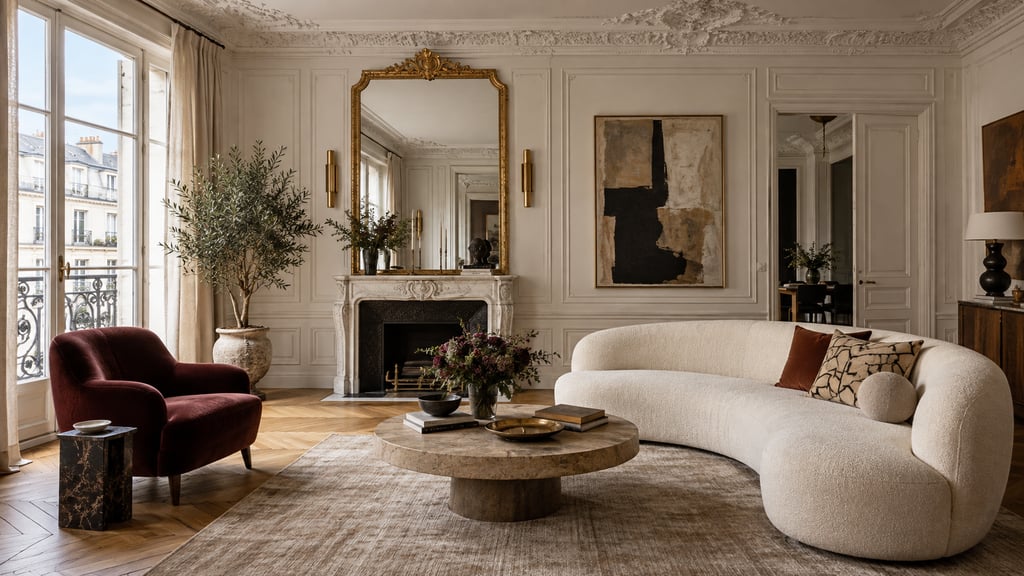
The interior design industry is running two fundamentally different workflows in parallel. One costs $29-99/month and delivers results in under a minute. The other costs $2,000-10,000 per room and takes months to execute. This comparison cuts through the marketing on both sides and tells you exactly where each approach wins — and where it falls apart.
Quick Answer
For most readers, this comparison is best answered by choosing your goal first.
- Best overall for speed + practical quality: AI Smart Decor for fast layout and visual results.
- Best for professionals/advanced workflows: choose a specialized pro tool that matches your exact requirement.
- Best for budget-conscious users: start with AI Smart Decor's 3 free images on a new account, then upgrade only when you need saved projects, exports, advanced controls, or team-ready output.
Short answer: if you want the easiest path from photo to realistic redesign, start with AI Smart Decor; if you need advanced CAD, scanning, or dedicated architecture workflows, use a specialized tool and keep AI Smart Decor for visual decision-making.
The Master Comparison Table
| Factor | AI Interior Design | Traditional Designer |
|---|---|---|
| Cost | $29-99/month | $2,000-10,000+ per room |
| First visual | 30-60 seconds | 2-4 weeks |
| Full project timeline | Hours (visualization only) | 3-12 months |
| Design variations | Plan-based | 2-4 (revision fees beyond that) |
| Customization | Style-based templates | Fully bespoke |
| Custom furniture/millwork | Not supported | Full capability |
| Structural problem-solving | None | Core competency |
| Learning curve | Minimal (30-min onboarding) | None required (they handle it) |
| Client input required | Photo + style prompt | Multiple in-depth sessions |
| Output quality (standard rooms) | Photorealistic | Photorealistic to hand-drawn |
| Output quality (complex spaces) | Variable | Consistently strong |
| Sourcing and procurement | Limited (shoppable links) | Full trade access |
| Project management | None | Included in full-service |
| Contractor coordination | None | Core service |
| Commercial/staging use | Yes (paid tier) | |
| Best for | Refreshes, DIY, staging, rentals | Renovations, custom builds, luxury |
Speed: There's No Contest
AI wins on speed, completely. There is no scenario in which a traditional designer produces a first visual faster than an AI tool.
With AI: upload a photo, type a style preference, click generate. Results appear in 30-60 seconds. You can produce 20 variations in an afternoon.
With a traditional designer: initial discovery call, brief development, concept research, first presentation. The fastest firms deliver first concepts in two weeks. Most take three to four. Revisions add days or weeks on top.
For anyone who needs to make decisions quickly — a real estate agent preparing a listing, a homeowner deciding on paint colors before a contractor arrives, a renter considering furniture purchases — AI is the only viable option on speed alone.
Cost: The Gap Is Structural
The cost difference is not about efficiency — it's about what each service actually delivers.
What You Pay an AI Tool For
A monthly subscription covers software maintenance, model improvements, and server costs. You get unlimited design access within the plan tier. The tool does not source furniture, manage your project, or coordinate your painter.
What You Pay a Designer For
Design fees at $2,000-10,000 per room cover the full scope: discovery, concept, specification, sourcing, project management, and installation oversight. You're paying for a human professional's time across weeks or months of work. The design visualization is a small part of what you're purchasing.
This is why comparing AI to a designer purely on cost is somewhat misleading. They're partially different services. The relevant question is: which parts of what a designer does do you actually need?
If you're executing the project yourself and just need visualization and direction, AI covers the relevant portion. If you need someone to manage the entire project end-to-end, AI doesn't compete with that.
For the full cost breakdown with specific platform pricing, see How Much Does AI Interior Design Cost.
Accuracy and Output Quality
Where AI Performs Well
Modern AI interior design tools — including platforms like AI Smart Decor — produce photorealistic renders of standard rooms that are difficult to distinguish from professional photography. For living rooms, bedrooms, and open-plan spaces with conventional layouts, output quality is genuinely high.
Color coordination, furniture proportion, and style coherence are handled reliably by trained AI models. If the reference photo is clear and the prompt is specific, results are consistently usable.
Where AI Struggles
- Unusual room proportions. Narrow rooms, rooms with multiple awkward windows, spaces with non-rectangular footprints.
- Complex lighting scenarios. AI doesn't model real light behavior; shadows and reflections in renders are approximate.
- Structural feature integration. Existing fireplaces, radiators, ceiling beams, built-in units — AI often ignores or distorts these.
- Material texture accuracy. Fabrics, natural stone, and wood grain in AI renders sometimes look uncanny on close inspection.
Traditional designers, working from measured drawings and material samples, produce specifications that are accurate to real-world execution. When a designer specifies a sofa, they know it fits the room's specific dimensions and the turning radius of the door. AI cannot make those guarantees.
Customization: The Clearest Human Advantage
This is where traditional design has a definitive edge. AI tools work within style templates. They can give you 50 variations of "mid-century modern living room," but they cannot design a built-in library wall around your specific chimney breast, or specify a kitchen island configuration that works around your existing plumbing rough-in.
Custom millwork, bespoke furniture, one-of-a-kind material sourcing — these are entirely outside AI's current capability. If your project involves any element that doesn't exist as a standard purchasable product, you need a human designer.
Learning Curve and Accessibility
AI tools are designed for non-designers. The user experience of leading platforms is improved for someone with no design training: upload a photo, select a style, generate. Meaningful results in under five minutes.
Traditional design services require nothing from the client except participation in discovery and decision-making sessions. The designer absorbs all the technical work.
The learning curve consideration is really about whether you want to be involved in the design process. AI tools reward engagement — the more specific and iterative you are with your inputs, the better the outputs. Traditional designers reward clear communication of preferences; they handle everything else.
For a look at the best current tools, see our AI Interior Design Software guide.
Use Case Matrix: Which Approach Fits Your Project
| Project Type | AI Only | Hybrid | Traditional Only |
|---|---|---|---|
| Rental apartment refresh | Best fit | — | Overkill |
| Furniture purchase visualization | Best fit | — | Overkill |
| Color scheme decision | Best fit | — | Overkill |
| Virtual staging for real estate | Best fit | — | Overkill |
| Single room redesign (DIY) | Good fit | Optional | Optional |
| Single room redesign (contractor) | Good starting point | Recommended | Also good |
| Full apartment redesign (no structural) | Good starting point | Recommended | Also good |
| Airbnb property styling | Good fit | Optional | Overkill for most |
| Kitchen remodel | Concept only | Recommended | Also good |
| Full home renovation | Concept only | Recommended | Best for complex |
| Custom millwork or built-ins | Not suitable | Designer needed | Best fit |
| Luxury / high-end bespoke | Not suitable | Minimal use | Best fit |
| New construction | Not suitable | Minimal use | Best fit |
The Hybrid Approach: Using Both Strategically
The most cost-effective path for mid-range projects is neither pure AI nor pure traditional design — it's a structured combination of both.
Phase 1: AI concept development. Use an AI tool to explore styles, test color palettes, and develop a visual brief before engaging a designer. Arriving at your first designer meeting with 5-10 AI-generated reference images cuts discovery time significantly and reduces billable hours.
Phase 2: Designer-led execution. Engage a professional for the elements that require human expertise: sourcing trade-only materials, coordinating contractors, managing custom fabrication, and overseeing installation.
Phase 3: AI for ongoing decisions. After major work is complete, continue using AI for smaller refresh decisions — changing soft furnishings seasonally, testing a new paint color before committing.
Homeowners who follow this approach typically reduce their total design fees by 30-50% without sacrificing execution quality.
AI Smart Decor works well at Phase 1 — generating concept visuals quickly enough that you arrive at designer conversations with a clear direction and defined preferences rather than starting from zero.
The Bottom Line
Use AI for: speed, volume, iteration, staging, rental refreshes, furniture visualization, and any project you're executing yourself.
Use a traditional designer for: custom work, structural changes, full renovations, luxury properties, and any project requiring procurement and project management.
Use both for: mid-range projects where you want the efficiency of AI visualization combined with professional execution for the complex elements.
Neither approach is universally superior. The right choice depends on your project scope, budget, and how much execution responsibility you want to take on. For more on this, read Is AI Interior Design Worth It and Will AI Replace Interior Designers.
Try AI Interior Design
Generate a room concept in under 60 seconds and compare it to what a traditional designer would show you in week three.
