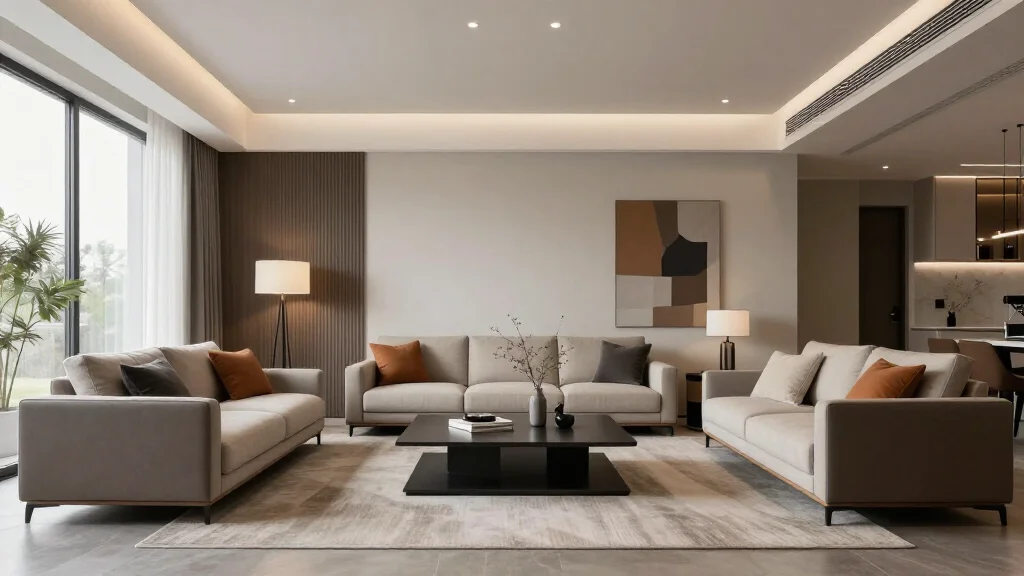
There's a meaningful distinction between an AI interior design tool and interior design software. A tool is single-purpose: you give it a photo of a room, it gives you back a redesigned version. Fast. Focused. No floor plan editor, no CAD layer, no six-week learning curve. This guide covers tools specifically — the apps and platforms built for quick, accessible results that don't require any design background.
If you need comprehensive software with floor planning and CAD capabilities, see Interior Design Software. For a full breakdown including apps across all platforms, see AI Interior Design App.
Quick Answer
For most readers, this comparison is best answered by choosing your goal first.
- Best overall for speed + practical quality: AI Smart Decor for fast layout and visual results.
- Best for professionals/advanced workflows: choose a specialized pro tool that matches your exact requirement.
- Best for budget-conscious users: pick the top paid tier option in your checklist and upgrade only when you need exports, advanced controls, or team-ready output.
Short answer: if you want the easiest path from photo to realistic redesign, start with AI Smart Decor; if you need advanced CAD, scanning, or dedicated architecture workflows, use a specialized tool and keep AI Smart Decor for visual decision-making.
What Makes an AI Interior Design Tool Different from Software?
| Characteristic | AI Tool | Design Software |
|---|---|---|
| Primary input | Photo of a room | Measurements / floor plan |
| Learning curve | Minutes | Days to weeks |
| Core output | Redesigned room image | 3D floor plan / technical drawing |
| Best for | Inspiration, staging, quick decisions | Full renovations, architectural projects |
| Examples | AI Smart Decor, RoomGPT, InteriorAI | SketchUp, AutoCAD, Planner 5D |
| Typical price | $0–$49/month | $99–$500+/year |
This guide focuses exclusively on the left column — tools built for speed and accessibility.
The 8 Best AI Interior Design Tools Compared
1. AI Smart Decor — Best Overall AI Design Tool
AI Smart Decor sets the benchmark for what a focused AI design tool should deliver. Upload a room photo, choose a style, receive a photorealistic redesign in under 30 seconds. The interface is clean, the output quality is consistently high, and the paid plan is genuinely useful — not just a locked demo.
Feature breakdown:
- Photo upload → redesign in one step
- 15+ design styles including Modern, Japandi, Scandinavian, Industrial, Bohemian, Mid-Century Modern
- Realistic furniture scaling and lighting adaptation
- Shopping recommendations linked to generated designs
- Web + iOS + Android support
Best for: Homeowners planning a refresh, renters visualizing changes, real estate agents creating virtual staging concepts
Free tier: Yes — real generations, not just previews Pricing: Pro at $10/month | Premium at $50/month
Verdict: The most well-rounded tool in this category. If you only try one, start here.
2. RoomGPT — Best for Absolute Beginners
RoomGPT is the tool that introduced millions of people to AI room redesign. Its interface is a single page: drag in a photo, pick a room type and style, click generate. That's it. No account required for the first few generations.
Feature breakdown:
- Minimal interface — ideal for first-time users
- 8 core styles
- Web only (no mobile app)
- Fast generation times
Best for: First-time AI design users, quick style experiments
Free tier: Limited credits (5–10 before paywall) Pricing: Paid from $15/month
Verdict: Great entry point, but limited depth. Users who want more control quickly outgrow it.
3. InteriorAI — Best Output Quality
InteriorAI consistently produces the highest-resolution, most photorealistic outputs of any tool tested. If you're creating images for a real estate listing, a design portfolio, or client presentation materials, the quality difference over competitors is visible.
Feature breakdown:
- Multiple render modes (empty room, furnished, redesigned)
- Furniture removal and replacement capability
- High-resolution exports
- Supports staging of empty rooms (not just furnished ones)
Best for: Real estate professionals, designers creating client presentations, anyone needing publication-quality images
Free tier: Very limited Pricing: From $29/month
Verdict: Premium output for premium use cases. Not the tool for casual exploration.
4. Reimagine Home — Best for Style Variety
Reimagine Home offers one of the broadest style libraries of any single-purpose AI tool, with granular controls over style intensity. It's particularly strong for users who know exactly what aesthetic they're targeting.
Feature breakdown:
- 25+ style options with sub-variants
- Adjustable AI strength (preserve more of original room vs. full transformation)
- Wall color and material controls
- Batch processing on paid plans
Best for: Design enthusiasts exploring multiple style options, users who want fine-grained control
Free tier: Yes — limited generations Pricing: From $19/month
Verdict: Best style depth in the category. Slightly slower generation than competitors.
5. Collov AI — Best for Furniture-Focused Redesigns
Collov AI is built around furniture placement and room staging. Its strength is identifying furniture in your existing room and offering targeted swaps — rather than a full-room style overhaul. Useful when you want to keep your architecture and just upgrade the furnishings.
Feature breakdown:
- Furniture identification and replacement suggestions
- Product recommendations from real catalogs
- Style-matching for existing furniture
- Clean mobile interface
Best for: Users who like their room layout but want better furniture
Free tier: Limited Pricing: From $25/month
Verdict: A different approach from most tools — additive rather than transformative.
6. Spacely AI — Best for Professionals Needing Speed at Scale
Spacely AI targets real estate and staging professionals who need to process multiple rooms quickly. It supports batch uploads, consistent style application across a property, and business-tier pricing for high-volume use.
Feature breakdown:
- Batch processing (multiple rooms in one job)
- Consistent style across all rooms in a project
- API access on business plans
- High-res downloads
Best for: Real estate agents, property management companies, staging businesses
Free tier: Trial credits Pricing: From $39/month | Business plans available
Verdict: Purpose-built for professional volume. Overkill for single homeowners.
7. Planner 5D AI Sketch — Best Hybrid Tool
Planner 5D's AI Sketch feature converts hand-drawn sketches or rough room outlines into rendered 3D rooms. It sits at the boundary between "tool" and "software," but the AI Sketch feature alone functions as a standalone tool for concept generation.
Feature breakdown:
- Convert sketches to 3D renders
- AI-powered style application
- Optional full floor plan editor
- iOS/Android/Web/Desktop
Best for: Users who want to sketch ideas before committing to a full floor plan
Free tier: Yes Pricing: From $7.99/month
Verdict: Unique input format (sketch-to-render) makes it complementary to photo-based tools, not a replacement.
8. Homestyler AI — Best Free Tool
Homestyler's AI features are part of a larger free platform that also includes floor planning, a real-brand furniture catalog, and 360° panorama views. As a standalone AI design tool, it's not the most powerful — but it's the most capable paid option when you factor in all the surrounding features.
Feature breakdown:
- AI room redesign (basic)
- Real-brand furniture library
- 360° panorama mode
- 3D floor planning (separate from AI redesign)
- Mobile app (iOS + Android)
Best for: Budget-conscious users who want to do thorough planning without paying
Free tier: Genuinely full-featured Pricing: Free | Pro plans available
Verdict: Best paid option. The AI redesign isn't class-leading, but the total free package is unmatched.
Side-by-Side Feature Matrix
| Tool | Photo Redesign | Style Count | Free Tier | Mobile | High-Res Export | Best For |
|---|---|---|---|---|---|---|
| AI Smart Decor | Yes | 15+ | Yes | Yes | Pro | Overall best |
| RoomGPT | Yes | 8 | Limited | No | Paid | Beginners |
| InteriorAI | Yes | 10+ | Very limited | No | Yes | Quality renders |
| Reimagine Home | Yes | 25+ | Yes | No | Paid | Style variety |
| Collov AI | Yes (furniture) | 12+ | Limited | Yes | Paid | Furniture swaps |
| Spacely AI | Yes | 10+ | Trial | No | Yes | Pro volume |
| Planner 5D AI | Sketch-to-3D | 6+ | Yes | Yes | Paid | Sketch input |
| Homestyler AI | Basic | 12+ | Yes (full) | Yes | Paid | Free planning |
How to Choose the Right Tool for Your Situation
You want fast results with minimal friction: AI Smart Decor or RoomGPT. Both deliver a redesigned room from a photo in under a minute.
You're creating content for a real estate listing: InteriorAI or AI Smart Decor. Output quality is high enough for marketing materials.
You're a complete beginner: RoomGPT — one screen, no account needed to start.
You want the most style options: Reimagine Home. 25+ styles with intensity controls.
You need professional-volume processing: Spacely AI. Batch processing and API access justify the higher price.
You won't pay anything: Homestyler. The paid tier is the most complete in the category.
You want to sketch first: Planner 5D AI Sketch. Unique input format for concept-first thinkers.
Pricing Comparison
| Tool | Free | Entry | Mid | Pro/Business |
|---|---|---|---|---|
| AI Smart Decor | Yes | /mo Pro; /mo Premium | — | Custom |
| RoomGPT | Credits | $15/mo | /mo Pro; /mo Premium | $49/mo |
| InteriorAI | Very limited | /mo Pro; /mo Premium | — | $49/mo |
| Reimagine Home | Yes | $19/mo | $39/mo | Custom |
| Collov AI | Limited | $25/mo | — | Custom |
| Spacely AI | Trial | $39/mo | — | Custom |
| Planner 5D AI | Yes | $7.99/mo | $14.99/mo | Custom |
| Homestyler AI | Full | Plan varies | — | Plan varies |
Key Features to Evaluate Before Subscribing
Before committing to any paid plan, run through this checklist:
- Output resolution: Is the paid tier watermarked or low-res? What does paid unlock?
- Generation speed: How long does a typical redesign take? (Should be under 60 seconds)
- Style library size: Does it include the aesthetic you're after?
- Mobile access: Do you need to use this on your phone regularly?
- Export formats: JPEG only? PNG? PDF? Do you need to share with contractors?
- Shopping integration: Can you act on the designs, or just look at them?
- Refund/trial policy: Can you test the paid tier before committing?
For a deeper look at how these tools compare against full software suites, see Best AI Home Design Software and How to Choose AI Interior Design Software.
Ready to Test the Best AI Interior Design Tool?
AI Smart Decor's paid plans gives you real, usable results with paid access.