Why the before-and-after format hits harder than a single staged photo
A lone staged photo is nice. A before-and-after pair is persuasive, and the reason is structural, not decorative.
The empty shot does work the staged shot can't do alone. It sets the floor. When a buyer sees the bare room first, the furnished version doesn't just look good in absolute terms; it looks like an improvement they witnessed happening. You've handed them a comparison instead of asking them to imagine one, and most people are far better at judging "this versus that" than judging a thing in isolation.
There's also the imagination problem. An empty room poses a question buyers are bad at answering: what would you even do with this? Stare at a blank 12-by-14 box and your mind goes quiet. A staged room answers the question for them and then, oddly, frees them to disagree with the answer. Now they're rearranging your sofa in their head, swapping your art for theirs. They've stopped evaluating the room and started living in it.
This is also why the National Association of Realtors keeps finding that staged homes move faster and closer to ask. Staging shortens the gap between "looking" and "picturing myself here," and the before-and-after format makes that gap visible. It travels well, too: the pairing reads instantly in a social post, an email, or a printed listing presentation, where a single beauty shot would just slide by.
Living rooms: the highest-leverage room you'll stage
If you only nail one transformation, make it the living room. It's usually the first interior photo in a listing and the one buyers linger on. An empty living room is also genuinely hard to read, all carpet and corners, so the staged version does enormous lifting.
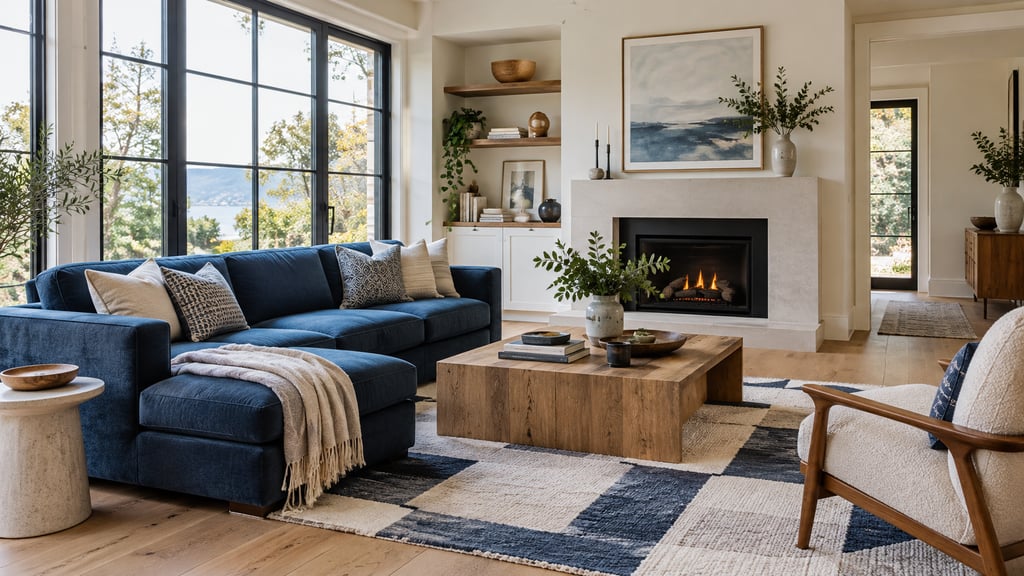
Anchor the room with a sofa or sectional facing the natural focal point, the fireplace, the TV wall, or the window with the best light. The coffee table is doing a job people underrate: it gives the eye a sense of scale, so the room reads as a specific size rather than a vague rectangle. A rug to define the seating zone, a console or low shelving against one wall, a floor lamp, and a couple of pieces of art on the walls, and the "nobody lives here yet" feeling is gone.
The mistake I see constantly is overstuffing. The instinct is to prove the room is big by filling it, but it does the opposite. If the flooring disappears around the furniture, you've crowded the space and killed the sense of room. Leave real walking paths. Let a bay window or crown molding breathe instead of burying it behind a chair.
This is the kind of judgment good AI staging handles well. With AI Smart Decor you upload the empty shot, pick a style that fits the home, and the model places furniture scaled to the room and lit to match the direction of the existing light. The point isn't speed for its own sake; it's that the result reads as a room someone furnished, not a catalog page dropped on top of a photo.
Bedrooms: stage the question the buyer is actually asking
The unspoken question in every empty bedroom is "will my bed even fit?" Without a bed for reference, people genuinely can't tell, and an unanswered question is a reason to keep scrolling. Drop a properly scaled bed against the main wall and you've resolved the single biggest source of doubt in the room.
Center the bed, flank it with nightstands for symmetry, and add soft signals of warmth, a throw, a couple of pillows, a lamp. If there's room to spare, a bench at the foot or a reading chair in the corner quietly tells the buyer this room is generous without anyone having to say so.
Here's the discipline that separates good staging from the kind that backfires: scale honestly. Cramming a king into a secondary bedroom that obviously fits a full is the fastest way to lose a buyer's trust, and they clock it immediately. The bed that looks slightly too big in the photo will look impossibly too big at the showing, and now they doubt every other photo you posted. Good tools like AI Smart Decor read the room's geometry and size furniture to match, which is exactly the restraint you want. The contrast is dramatic enough on its own: empty bedrooms photograph cold and cramped, and the same room with linens and warm light reads restful. That swing alone moves listings from "maybe" to a booked showing.
Kitchens and dining rooms: accessorize, don't furnish
Kitchens are a different exercise entirely. The big pieces, cabinets, counters, appliances, are already in the photo, so you're not furnishing, you're styling. The transformation is quieter, but the upside is that buyers can see precisely what changed, which makes the staging feel trustworthy rather than fabricated.
A few stools tucked under the island, a pendant the room didn't have, a bowl of lemons or a small vase by the sink, a couple of cookbooks against the backsplash. None of it is dramatic, and that's the point: it turns a sterile showroom kitchen into one where someone clearly cooks. If there's a breakfast nook or an open dining edge, a small table with chairs ties the zones together instead of leaving them reading as leftover floor.
Dining rooms are where the format earns its keep, because an empty dining room is the most skippable photo in any listing. Set a table, even simply, placemats, glasses, a low centerpiece, and the buyer's mind jumps straight to dinners and holidays. The room hasn't changed; the story has. That's the emotional work an empty box can't do for you.
Bathrooms: small additions, big shift in temperature
Most agents skip bathroom staging, which is exactly why doing it well stands out. A bare bathroom, toilet, vanity, shower, photographs clinical. The fix is light: stacked white towels, a bath tray laid across the tub, a sprig of eucalyptus in a glass, a sconce throwing warm light. You're nudging the room from "functional" toward "retreat."
The constraint here is restraint. Bathrooms are tight, and they punish clutter faster than any other room. One or two deliberate touches per surface is the ceiling, not the floor. Past that you're not styling a spa, you're staging a gift shop.
Home offices: turn an undefined room into a reason to buy
Remote and hybrid work made the home office a real selling point, and that creates an easy win. An empty spare bedroom is a liability precisely because it's ambiguous, buyers can't tell what it's for. Stage it as an office, a desk, a good chair, a shelf with some books and a plant, decent light, and the room snaps into a category a huge slice of the market is actively shopping for.
This is one of the biggest perceived-value jumps in staging, because you're not just dressing a room, you're assigning it a purpose. A virtual staging platform with room-type presets makes this nearly automatic, since the model already knows what a working office is supposed to contain.
What the AI is actually doing under the hood
It helps to know why modern staging looks real and the Photoshop jobs from a few years back didn't. Tools like AI Smart Decor run deep-learning models trained on large libraries of interior photography, and when you upload an empty room they're solving several problems at once.
The model works out the room type, finds the floor plane and the walls, infers the room's rough dimensions from perspective, and reads the direction and quality of the light. Only then does it place furniture, scaled to those dimensions, styled to match your chosen look, and seated on the floor plane with shadows and reflections that agree with the existing lighting. It's quick, but the speed isn't the interesting part.
The interesting part is coherence. The old cut-and-paste approach failed because the furniture lived in its own little lighting universe, flat shadows, wrong angles, that uncanny pasted-on sheen. When the shadows fall the right way and a glossy floor picks up a hint of the furniture's color, the eye stops objecting. That physical consistency is the whole reason virtual staging for realtors went from gimmick to default.
How to actually make the pairs land
A few things separate before-and-afters that sell from ones that just exist.
Shoot the empty room properly. Your after photo can't be better than your before photo. Use natural light, stand in a corner so you capture two walls plus floor, keep the camera level, and use a tripod if you have one. Skip the extreme wide angle, the distortion that makes the room look huge gets baked straight into the staged version and reads as fake.
Match the style to the house. Mid-century furniture in a traditional Colonial looks like a mistake, and a farmhouse set in a glass downtown condo looks like a different mistake. The transformations that work feel like they grew out of the architecture. AI Smart Decor carries multiple styles for exactly this reason, so you can fit the staging to the property instead of forcing one aesthetic everywhere.
Make the comparison effortless. Put before and after side by side, left to right, labeled. Don't make anyone hunt for the empty shot. On a webpage, a drag slider is even better. The less work the viewer does to see the change, the harder the change hits.
Disclose, every time. Label staged photos clearly, "Virtually Staged" or "Furniture Digitally Rendered" are the standard, in the MLS and your marketing. It's required on most MLS systems and it's simply the honest move. The disclosure guidance in our piece on virtual staging for home sellers treats this as non-negotiable, and so should you.
Stage the rooms that decide the sale. You don't need every room. The living room, the primary bedroom, the kitchen or dining area, and one room that defines this specific home, an office, a nursery, a covered patio, cover the decision. Four or five strong pairs beat ten forgettable ones.
Where before-and-afters really pay off: the listing pitch
The format isn't just for the listing itself. It might be your best tool in the seller's living room. When a homeowner is on the fence about staging, a slide of side-by-side transformations from comparable homes does more convincing than any stat you could quote, because it answers "what will my home look like online?" before they finish asking it.
Keep a small portfolio, sorted by room type and property style, and walk a seller through three or four examples. Then close the loop: stage one of their own rooms live with AI Smart Decor and show them the after right there. Watching their own empty room fill in on the spot tends to end the debate.
