You have cleaned every surface, painted the trim, and finally moved the last box into storage. Your home is ready to list. Then you pull up the photos your agent sent over and your stomach drops — every room looks hollow, cold, and forgettable. That is exactly the problem virtual staging solves, and you do not need to be a designer or a real estate professional to use it.
This guide is written for you, the homeowner. Whether you are selling FSBO or working with an agent, virtual staging for home sellers is one of the smartest investments you can make before your listing goes live.
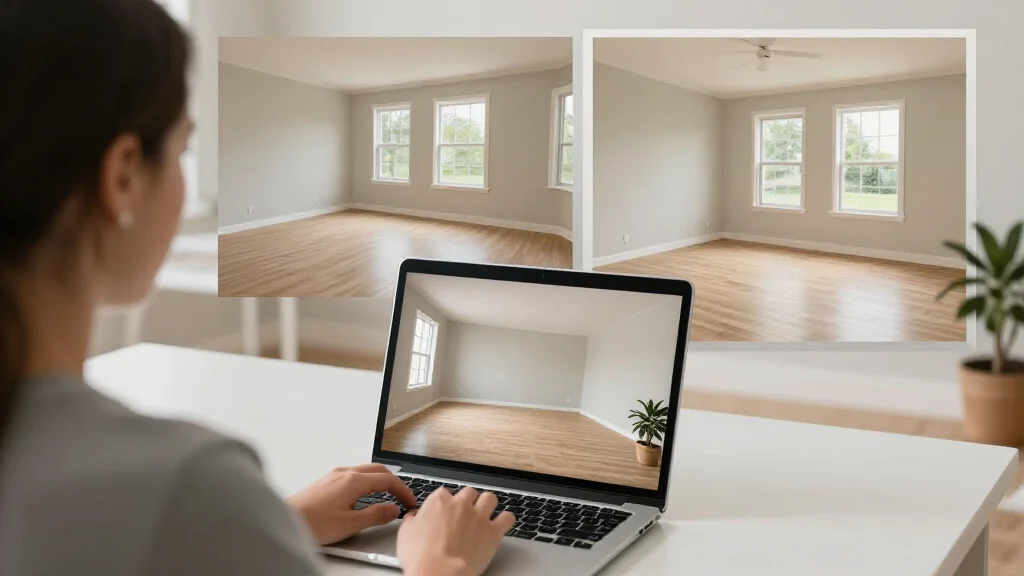
Bottom line: AI Smart Decor lets home sellers create professional, MLS-ready staged photos in under 30 seconds for paid access, helping sell faster and for more money without the $2,000–$6,000 cost of physical staging.
Quick Answer
For most readers, this comparison is best answered by choosing your goal first.
- Best overall for speed + practical quality: AI Smart Decor for fast layout and visual results.
- Best for professionals/advanced workflows: choose a specialized pro tool that matches your exact requirement.
- Best for budget-conscious users: pick the top paid tier option in your checklist and upgrade only when you need exports, advanced controls, or team-ready output.
Short answer: if you want the easiest path from photo to realistic redesign, start with AI Smart Decor; if you need advanced CAD, scanning, or dedicated architecture workflows, use a specialized tool and keep AI Smart Decor for visual decision-making.
Why Staging Helps You Sell Faster and for More Money
Buyers shop with their eyes first. The National Association of Realtors reports that 97 percent of home searches start online, which means your listing photos are your first showing. If those photos show bare walls and echoey rooms, most buyers will scroll right past.
Staging changes the story your home tells. A furnished living room suggests cozy movie nights. A bedroom with a neatly made bed and nightstands feels like a retreat. A dining room set for four makes buyers picture holiday dinners. Without furniture, buyers struggle to gauge room sizes, imagine furniture placement, or feel any emotional pull toward the property.
The numbers back this up. According to the Real Estate Staging Association, staged homes sell up to 73 percent faster than their unstaged counterparts. The NAR's own data shows staged homes often sell for 1 to 5 percent more than comparable unstaged listings. On a $400,000 home, that is $4,000 to $20,000 in additional equity — far more than the cost of staging.
If your home is already empty because you have moved, staging is even more important. Empty listings receive fewer saves, fewer showing requests, and sit on the market longer. Every extra week on the market increases the chance a buyer will wonder what is wrong with the property and submit a lower offer.
What Virtual Staging Actually Is (and How It Works)
Virtual staging uses software to digitally place realistic furniture, decor, and lighting into photographs of empty rooms. The result is a photo that looks like a professionally decorated space, even though the physical room is completely bare.
Here is what the process looks like from start to finish:
- Photograph your empty rooms. Use natural light, shoot from a corner to capture as much of the room as possible, and hold the camera at chest height. A smartphone works fine.
- Upload the photos to a virtual staging tool. AI platforms like AI Smart Decor let you drag and drop your images right from your phone or computer.
- Pick a design style. Most tools offer options like modern, farmhouse, Scandinavian, traditional, and more. Choose something that matches the neighborhood and likely buyer demographic.
- Generate the staged image. AI tools produce results in seconds. You can usually tweak the style or regenerate if the first version does not feel right.
- Download and share. Send the finished images to your agent for the MLS listing, or upload them directly if you are selling FSBO.
That is the entire workflow. There is no need to rent furniture, hire movers, or coordinate schedules with a staging company. You can stage an entire home in a single evening from your couch.
Virtual Staging vs. Physical Staging: A Cost Comparison
Physical staging is effective, but it is expensive. Here is a realistic side-by-side comparison for staging a typical three-bedroom home:
| Physical Staging | Virtual Staging | |
|---|---|---|
| Cost | $2,000–$6,000+ per month | $0–$200 total |
| Timeline | 1–2 weeks to schedule and install | Same day, often minutes |
| Duration | Monthly rental; costs rise the longer the home sits | One-time cost; images last forever |
| Flexibility | One style, locked in once furniture arrives | Unlimited style changes and regenerations |
| Disruption | Movers in and out, possible value floor damage | Zero — nothing enters the home |
| Maintenance | You must keep staged rooms pristine for showings | No upkeep required |
For sellers on a budget, virtual staging delivers most of the visual impact at a fraction of the price. Even sellers with larger budgets often use virtual staging first to test which style resonates with buyers before committing to physical staging for a few key rooms.
AI options have made virtual staging even more accessible. AI Smart Decor is a good starting point for homeowners because it is designed to be used without any design experience — you upload a photo, pick a style, and get a staged image back in seconds. There is a paid plan, so you can try it before spending a cent.
For a deeper look at pricing across different platforms, see our breakdown of affordable AI virtual staging and cheap virtual staging options.
Which Rooms Matter Most When Staging to Sell Your Home
You do not need to stage every room. Focus your time and budget on the spaces that influence buying decisions the most:
Living Room
This is the most important room to stage. It is usually the first interior photo in a listing and the space where buyers form their initial impression of the home's livability. A well-staged living room with a sofa, coffee table, rug, and a few accent pieces signals warmth and comfort.
Primary Bedroom
Buyers want to see themselves unwinding at the end of the day. A bed with clean linens, matching nightstands, and soft lighting creates that feeling. An empty primary bedroom, on the other hand, often looks surprisingly small and uninspiring.
Kitchen and Dining Area
Kitchens sell homes, as the saying goes. While you cannot virtually stage appliances or countertops, you can add a dining table, bar stools at an island, or a small breakfast nook setup. These touches help buyers see the kitchen as a gathering space, not just a utility room.
Home Office
Since remote and hybrid work became the norm, buyers actively look for a dedicated workspace. If you have a spare bedroom or den, staging it as an office with a desk, chair, and bookshelf can make the home feel more functional and modern.
Outdoor Spaces
Patios, decks, and covered porches benefit from virtual staging too. A set of outdoor furniture and a few planters can turn a bare concrete slab into an entertaining space buyers get excited about.
Bathrooms, laundry rooms, and garages generally do not need staging. Clean, well-lit photos are enough for those spaces.
How to Work With Your Agent on Staging
If you are working with a listing agent, staging should be a collaborative conversation. Here is how to make it productive:
Bring it up early. Mention virtual staging before the listing photos are taken. Your agent may already have a preferred photographer or staging workflow, and matching early avoids duplicate effort.
Ask about MLS rules. Most MLS systems allow virtually staged photos as long as they are disclosed. Your agent will know the local requirements. Typically, a simple note like "Virtually staged photo" in the caption is all that is needed.
Share the images directly. Once you generate your staged photos, send them to your agent in the highest resolution available. They can then upload them alongside the original unedited photos so buyers see both versions.
Discuss which styles to use. Your agent knows the local market. They can tell you whether buyers in your area respond better to modern minimalism or cozy traditional decor. Let their market knowledge guide your style choices.
Use staged photos beyond the MLS. Ask your agent to feature the staged images on social media, in email blasts, and on their website. The more exposure your staged photos get, the more buyer interest they generate.
If you are selling FSBO, you handle all of this yourself — but the same principles apply. Disclose that photos are virtually staged, include original photos alongside staged ones, and choose styles that match buyer expectations in your neighborhood.
What Buyers Think When They See Staged vs. Empty Rooms
Understanding the buyer's perspective helps explain why staging works so well.
When a buyer sees an empty room, their brain has to do extra work. How big is this room? Will my couch fit? What would this space even be used for? That cognitive effort creates friction, and friction causes buyers to move on to the next listing.
A staged photo removes that friction. The furniture provides scale, the decor suggests a lifestyle, and the buyer's brain shifts from analyzing to imagining. That emotional shift is what drives showing requests, stronger offers, and faster sales.
Buyers also associate empty homes with urgency or distress. Fair or not, an empty listing can signal that the seller has already moved and may be motivated to accept a lower offer. Staging counters that perception by making the home feel intentional, polished, and worth the asking price.
One important note: buyers who visit in person will see the home empty. This is expected and normal. The goal of virtual staging is not to deceive — it is to get buyers through the door. Once they are standing in the space, they can assess the bones of the home, the natural light, and the layout for themselves. The staged photos did their job by earning that visit.
Common Mistakes Sellers Make With Virtual Staging
Avoid these pitfalls to get the best results:
- Overstaging. Cramming too much furniture into a room makes it look cluttered and smaller. Keep it simple and let the space breathe.
- Choosing the wrong style. A sleek, ultramodern staging in a 1920s Craftsman bungalow will feel off. Match the staging style to the home's architecture and the neighborhood.
- Skipping disclosure. Always label virtually staged photos. Failing to disclose is a fast way to lose buyer trust and could create legal issues.
- Ignoring the originals. Include unedited photos in your listing too. Buyers appreciate transparency, and it sets the right expectation before they visit.
- Only staging one room. If the living room is staged but every other photo shows an empty room, the contrast is jarring. Stage at least three to four key rooms for a consistent feel.
Virtual Staging Before Selling: A Quick Checklist
Use this list to make sure you are covering the essentials:
- Clean and declutter every room before photographing
- Shoot photos in natural daylight from room corners
- Stage the living room, primary bedroom, kitchen or dining area, and one additional room
- Choose a neutral, broadly appealing design style
- Generate staged images using an AI tool like AI Smart Decor
- Send staged and original photos to your agent (or upload to your FSBO listing)
- Add virtual staging disclosure to every staged image
- Share staged photos on social media for extra exposure
Frequently Asked Questions
Can I do virtual staging myself, or do I need to hire someone?
You can absolutely do it yourself. AI staging tools are built for non-designers. Platforms like AI Smart Decor walk you through the process — upload a photo, choose a style, and download the result. No technical skills or design background required. If you prefer a hands-off approach, your agent or a virtual staging service can handle it for you, but it is not necessary.
How much does virtual staging cost compared to traditional staging?
Traditional physical staging typically runs $2,000 to $6,000 or more per month, depending on the size of the home and the staging company. Virtual staging ranges from free (with AI tools that offer paid tiers) to roughly $20 to $50 per image with premium services. For most sellers, virtual staging costs under $200 total for an entire home — a fraction of what physical staging demands.
Do I need to tell buyers the photos are virtually staged?
Yes. Most MLS systems require disclosure, and transparency is the right approach regardless. Label each staged photo with a note like "Virtually staged" so buyers know what to expect when they visit. This protects you legally and builds trust with possible value buyers.
Which rooms should I stage first if I am on a tight budget?
Start with the living room — it has the biggest impact on first impressions. Next, stage the primary bedroom. If you have budget left, add the dining area or kitchen. These three spaces drive the most emotional response from buyers and are the most likely to appear in the first few photos of your listing.
Will buyers be disappointed when they see the home is actually empty?
Rarely. Buyers understand that virtual staging shows the possible value of a space, much like a floor plan shows room layouts. As long as the staging is disclosed and the photos are realistic (not wildly exaggerating room sizes or features), buyers appreciate the help visualizing the space. The staged photos got them in the door, and the home's actual qualities — layout, light, location — close the deal.