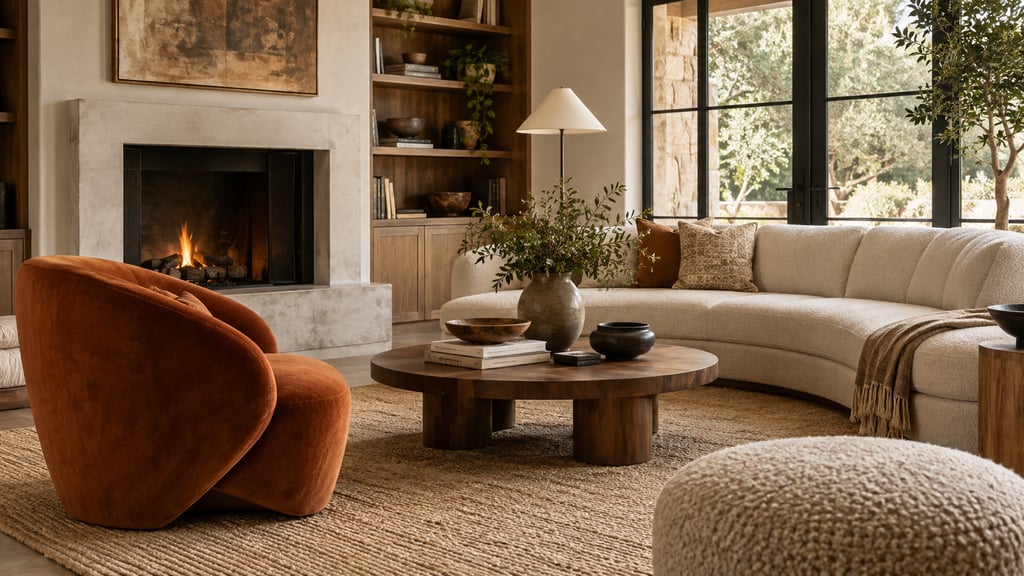
The honest comparison
No tool wins every category, so here's where each one earns its place rather than a scoreboard:
See new furniture in your own room before you buy it. Upload a room photo and describe the pieces you want to try. Plans start at $9/month for 200 designs. Start designing
- AI Smart Decor — generates a fully furnished version of your room from one photo. Unbeatable for deciding style and direction; not a tape measure. Paid (plans start at $9/mo).
- IKEA Kreativ / IKEA app — drops real IKEA pieces into your camera view at true scale. Free, but only IKEA's catalog.
- Amazon AR View / Wayfair View in Room — same idea for their catalogs. Free, good for a single product, useless for the whole room.
- Planner 5D, Homestyler, RoomSketcher — full layouts from entered dimensions. Accurate only if you measure carefully, and slower than everything else.
- Painter's tape — costs about three dollars and is the most accurate footprint test there is. Shows you nothing about height, color, or style.
The pattern: AI for the look, AR for the product, tape for the truth about size.
Why a preview beats a leap of faith
Most furniture regrets aren't about taste. They're about a few inches nobody measured. The classics:
- A sectional that fits the wall but blocks the only walking path to the kitchen.
- A dining table that's perfect until four people pull their chairs out and hit the wall.
- A bed that's centered beautifully and leaves exactly zero room for nightstands.
- A "deep, cozy" sofa whose 40-inch depth eats a third of a small room.
- A desk parked in front of the only outlet, or half-covering a window.
- A rug two sizes too small, so the room reads like furniture floating on an island.
Every one of these is invisible in a product photo and obvious the moment you preview the piece in context. That's the whole argument.
Method 1: AI room design — answer "what should this room look like?"
Reach for AI first when you don't yet know what you're shopping for. Upload a photo of the room to AI Smart Decor and it returns the same room, furnished — sofa, rug, lighting, art, the lot — in whatever style you point it at. Generate a Japandi version, a warm-minimalist version, and a coastal version of the same corner and you'll know in two minutes which direction is worth chasing. That clarity is the point: it stops you from buying a gorgeous chair that belongs to a room you were never actually going to build.
What it won't do is hand you a measurement or a purchase link. The sofa it renders is a convincing idea, not a specific SKU with a width. So treat the output as a brief for shopping, then go find real products that match the look — and check their dimensions yourself.
This is the step people skip, and it's why they end up with seven mismatched pieces. Decide the room first.
Method 2: AR furniture apps — answer "will this exact item fit here?"
Once you have a real product in mind, AR is the fastest reality check. IKEA Kreativ, Amazon AR View, Wayfair View in Room, Target's app, and Houzz all let you stand a true-to-dimension 3D model in your room through the phone camera. Because the model is built from the product's real measurements, walking around it tells you more than any number on a spec sheet — you see how far the sofa juts into the room.
Two habits make AR trustworthy. Scan the floor slowly in decent light so the app locks onto a real surface; placement drifts badly in a dim room. And once a piece is placed, don't just admire it from the doorway — move the phone to where you'd actually sit or walk and check whether the model still feels right at eye level.
The ceiling on AR is the catalog: each app only shows its own products, and none of them redesign the room. It answers a yes/no question about one item, and answers it well.
Method 3: Painter's tape — the test that's actually accurate
Everything above is a screen. Tape is the floor. Pull the product's width and depth from its listing, mark that exact rectangle on the floor with painter's tape, and live with it for a day.
- Tape the footprint to the real width and depth — not rounded, the actual numbers.
- Walk the route you take a hundred times a day and see if the rectangle gets in the way.
- Open every door, drawer, and cabinet near it. Closet doors are the usual casualty.
- For seating and beds, leave room to get around the piece, not just up to it.
- Aim for 30 to 36 inches of clearance on a main walkway; tighter than 24 starts to feel like a hallway.
Tape says nothing about how the piece looks — that's what Methods 1 and 2 are for. But for anything large or expensive (sectionals, beds, dining tables, big storage), it's the test that catches the mistake the screen hid.
Method 4: 3D room planners — when one room has to hold several layouts
If the real question is arrangement rather than a single product — should the bed go on the window wall or the door wall, does the desk work better in the corner or under the window — a planner earns its setup time. Enter the room's dimensions in Planner 5D, Homestyler, RoomSketcher, or Floorplanner, drop in furniture blocks, and shuffle them in 2D and 3D until the traffic flow makes sense.
The catch is the input. A planner is exactly as accurate as the measurements you feed it, so a sloppy room scan gives you confident nonsense. It's also the slowest method here, which makes it overkill for "does this lamp fit." Use it when you're genuinely undecided between layouts, not as a default.
Method 5: Mood boards — for color and material, not scale
Sometimes the worry isn't size at all — it's whether the oak finish fights your floor, or whether that green reads as forest or olive in your light. A mood board settles that. Drop your room photo, the product images, and a few swatches into Canva, Pinterest, Figma, or Apple Freeform and judge them side by side.
It's a styling check, not a fit check — it tells you nothing about whether the piece physically works in the space. Use it after AI has set the direction and before you commit, especially when you're talking colors over with someone else.
How to string the methods together
You don't run all five every time. For a real purchase, the sequence that actually prevents returns is:
- AI Smart Decor to lock the room's direction before you shop for anything.
- Pick the piece that fits that direction and write down its real dimensions.
- AR to see it standing in the space.
- Tape the footprint of anything big and live with it overnight.
- Walk and test — open the doors, pull out the chairs, sit where you'd sit.
- Confirm the boring stuff: delivery path, return window, and that the color works in your light.
The whole point is that the cheap, low-tech step (tape) backstops the impressive, high-tech one (AR). Skip it on a $1,800 sofa and you're trusting floor detection with your money.
Dimensions worth checking, by piece
The measurement that bites you is almost always the one specific to the category:
| Furniture | The number people forget |
|---|---|
| Sofa | Depth — and whether it clears the doorway on delivery |
| Sectional | Which side the chaise is on (left vs right is not reversible) |
| Bed | Room left for nightstands once the frame is in place |
| Dining table | Chair pull-out room behind each seat |
| Desk | Outlet location and whether it blocks the window |
| Rug | Whether the front legs of the furniture land on it |
| Bookcase | Anchor point and baseboard clearance at the wall |
| TV console | Viewing distance and access to the cables behind it |
The mistakes that cause returns
Almost every furniture return traces back to one of these:
- Trusting the product photo and nothing else.
- Measuring the room but not the doorway, hallway, or stairwell it has to travel through.
- Forgetting chair pull-out space behind a dining table.
- Underrating sofa depth in a small room.
- Buying the rug before deciding where the furniture goes.
- Using AR and skipping the tape on something expensive.
- Ignoring the things bolted to the room — outlets, vents, radiators, door swings.
When you've previewed enough
These tools reduce risk; they're not a reason to stall forever. Once the piece clears the doorway, fits its taped footprint, leaves your walkways intact, suits the room's direction, and has a return policy you can live with, you have enough. Buy it.
One last move for anything pricey: photograph the taped layout before you peel it up. If a second purchase has to share the space later, that picture is a better reference than your memory of how much room was left.
