Most people have their phone in their hand when they're standing in a room thinking about redesigning it. A free AI room design app should let you point your camera, pick a style, and see a result — on the spot, without paying. We tested the apps that claim to do exactly that.
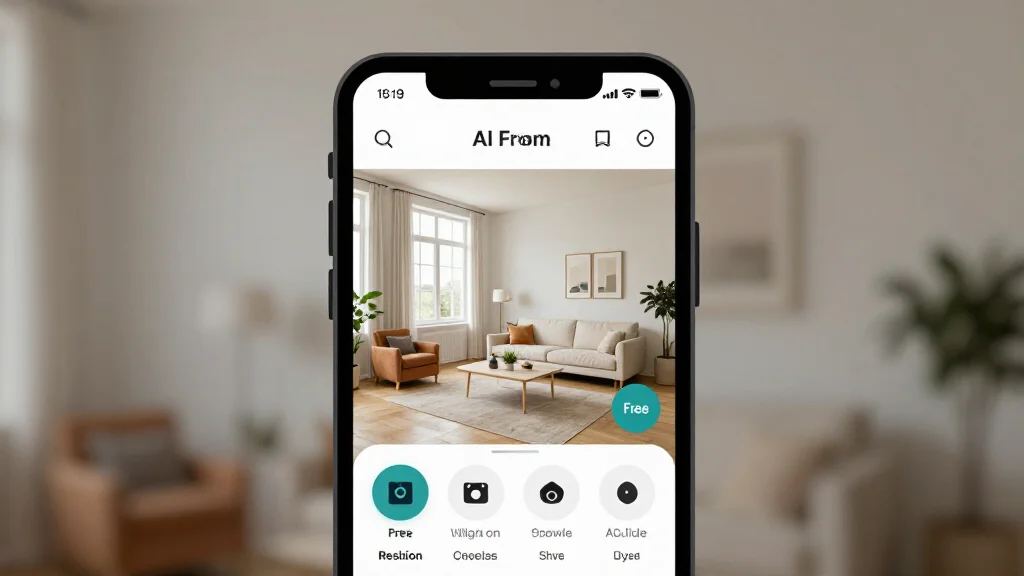
This guide covers mobile specifically: App Store and Google Play ratings, actual download sizes, offline capability, and whether the paid tier on mobile is genuinely usable or just a demo screen.
Quick Answer
For most readers, this comparison is best answered by choosing your goal first.
- Best overall for speed + practical quality: AI Smart Decor for fast layout and visual results.
- Best for professionals/advanced workflows: choose a specialized pro tool that matches your exact requirement.
- Best for budget-conscious users: pick the top paid tier option in your checklist and upgrade only when you need exports, advanced controls, or team-ready output.
Short answer: if you want the easiest path from photo to realistic redesign, start with AI Smart Decor; if you need advanced CAD, scanning, or dedicated architecture workflows, use a specialized tool and keep AI Smart Decor for visual decision-making.
The Mobile-Specific Problem with Free AI Room Design
On desktop, free AI room design is reasonably well-served. On mobile, the picture is more complicated. Several "apps" are really just mobile-improved websites with no native install. App Store apps sometimes have different free limits than their web counterparts. And AI rendering requires a constant connection — there's no offline magic.
Here's what actually matters for mobile users:
- Direct camera integration: Can you photograph the room without leaving the app?
- Offline capability: Can you do anything without Wi-Fi?
- Download size: Does it eat 300 MB of storage?
- Free tier usability: Is the free experience a genuine tool or a locked teaser?
- Share workflow: Can you send results directly to iMessage, WhatsApp, or email?
App Comparison: Free AI Room Design on Mobile
| App | Platform | App Store Rating | Download Size | Offline Mode | Free Tier Quality | Direct Camera |
|---|---|---|---|---|---|---|
| AI Smart Decor | iOS & Android (web) | N/A (browser-based) | 0 MB | No | Excellent | Yes |
| Planner 5D | iOS & Android | 4.7 ⭐ | 380 MB | Partial (floor plans) | Good (floor plans only) | Yes (room scan) |
| Homestyler | iOS & Android | 4.5 ⭐ | 210 MB | No | Moderate | Yes |
| RoomGPT | iOS & Android (web) | N/A (browser-based) | 0 MB | No | Limited | Yes |
| DecorMatters | iOS & Android | 4.4 ⭐ | 145 MB | No | Limited | Yes |
| Magicplan | iOS & Android | 4.6 ⭐ | 95 MB | Partial | Floor plans only | Yes (LiDAR) |
Tool-by-Tool Mobile Review
AI Smart Decor — Best Mobile AI Redesign (Paid)
AI Smart Decor runs as a mobile web app, which means zero download, zero storage, and it works on any phone with a browser. On iOS Safari and Android Chrome, the experience is fully improved for mobile: tap to photograph, select a style, generate.
The paid plan on mobile is identical to desktop — you get the same credit allowance, the same style library, and no watermarks on standard exports. This is the most important factor: many "apps" give you a degraded experience on mobile specifically to push the paid plan. AI Smart Decor doesn't do that.
Mobile-specific strengths:
- No app to download or update
- Works on any iOS or Android device made in the last 5 years
- Share button sends directly to iMessage, WhatsApp, or email
- Before-and-after swipe view is touch-improved
Limitation: Requires a connection for every render. No offline capability.
Planner 5D — Best Native App for Floor Plans
Planner 5D has one of the strongest native mobile apps in this category, with a 4.7-star rating across both App Stores. The paid tier is genuinely usable for floor planning — you can create unlimited basic layouts, add furniture, and view in 3D, all without paying.
The catch for users who want AI photo redesign: that feature is not available on the paid tier. Planner 5D's strength is layout and floor planning, not aesthetic photo transformation.
Offline capability: Yes, for floor plans you've already started. New AI features require a connection.
Download size: 380 MB — the largest of any app tested. Furniture libraries are substantial.
Best used for: Mapping room layouts, planning furniture arrangements, 3D spatial visualization.
Homestyler — Best 3D Walkthrough App
Homestyler's app lets you build rooms in 3D, place real brand-name furniture, and do a virtual walkthrough — all free. The AI photo redesign feature exists but is limited on the paid plan. For pure spatial visualization of how furniture fits, it's a strong paid option.
The mobile app is well-built and stable. At 210 MB it's a reasonable download. The 4.5-star App Store rating reflects a genuinely polished experience.
Best used for: Seeing how furniture physically fits in a space before buying.
RoomGPT — Fastest Free Redesign
RoomGPT is browser-based with no app to download. It's the fastest route from "I have a photo" to "I have a redesign" — the interface is deliberately minimal. The trade-off is quality and credit depth: free renders are noticeably lower resolution than AI Smart Decor, and you hit the free limit quickly.
Best used for: A fast first look at what AI redesign does, with no commitment.
DecorMatters — Best for Community Feedback
DecorMatters is built around a social design community. You can post your designs, enter challenges, and get feedback from other users. The AI redesign capability is secondary — it's more about manual AR furniture placement and community interaction. If you want algorithmic style transformation, this isn't your best option.
Best used for: Getting opinions from other design enthusiasts on your room ideas.
Magicplan — Best for Accurate Floor Measurement
Magicplan uses your phone's camera (and LiDAR sensor on compatible iPhones) to generate accurate floor plans. It's exceptional for measuring and mapping rooms. It's not an AI style redesign tool. If you need precise dimensions for a renovation project, it's free and excellent.
Best used for: Measuring rooms accurately before renovation.
How to Get the Best Photos for Mobile AI Redesign
The quality of your render depends heavily on the photo you upload. On mobile, that means:
Before you photograph:
- Clear clutter — AI models work better on uncluttered spaces
- Open blinds or curtains to maximize natural light
- Turn off overhead lights if they create harsh shadows; natural light is better
- Put your phone in Do Not Disturb to prevent interruptions mid-shot
How to shoot:
- Stand in a corner of the room — you want to capture as much as possible in one frame
- Hold the phone in market orientation for wider coverage
- Enable HDR mode (available in both iOS and Android camera apps) for balanced exposure
- Shoot from chest height, not eye height — this gives a more natural room perspective
- Include floor, ceiling, and at least two walls in the frame
After shooting:
- Don't crop the image before uploading — let the AI tool work with the full frame
- If the room has a distinctive architectural feature (bay window, fireplace, vaulted ceiling), make sure it's in frame — AI tools generally preserve these well
Mobile-Specific Tips for Free Tier Management
Use browser-based tools first. AI Smart Decor's mobile web app (paid, from $10/mo) gives you the same plan as the desktop — no app download required. This is the most storage-fast way to get high-quality mobile redesigns.
Save results immediately. Some tools have session timeouts. As soon as you get a result you like, use the share button or long-press to save to your camera roll before closing the app.
Try the same room in three styles. On mobile, this takes about 2 minutes total. Generate modern, Scandinavian, and one other style you're curious about. You'll have a clear direction before spending any money or credits.
Use offline apps for layout work. Planner 5D's offline floor planning lets you map a room's layout without a connection — useful if you're in a space with poor Wi-Fi. Then bring the layout into an AI redesign tool when you're connected.
When to Download an App vs. Use the Mobile Browser
| Situation | Recommendation |
|---|---|
| You want AI photo redesign for paid access | Use AI Smart Decor in mobile browser |
| You need accurate floor plans | Download Planner 5D |
| You want to visualize furniture placement in 3D | Download Homestyler |
| You want community feedback on your designs | Download DecorMatters |
| You need to measure a room precisely | Download Magicplan |
| You want zero storage usage | Use browser-based tools only |
The Bottom Line for Mobile Users
For AI room design on mobile, browser-based beats app-based. AI Smart Decor (paid, from $10/mo) delivers the best results, uses zero storage, and works identically on iPhone and Android. If you also need free floor planning, Planner 5D's native app is the strongest option in that category.
Don't install four different apps chasing free credits. Pick one paid tool for aesthetic redesign (AI Smart Decor, from $10/mo) and one for spatial planning (Planner 5D if needed). That covers most home design needs.
Try AI Smart Decor on Your Phone →