AI virtual staging online has changed how real estate professionals prepare listing photos. Instead of downloading bulky desktop applications or waiting for IT departments to approve software installs, agents and photographers can now stage empty rooms directly in a web browser. The entire workflow — uploading photos, choosing a design style, generating staged images, and sharing results — happens inside a browser tab. No downloads. No installs. No compatibility headaches.
Why Browser-Based Virtual Staging Is Replacing Desktop Software
The shift from desktop virtual staging tools to browser-based platforms mirrors a broader trend in real estate technology. Agents no longer want to manage software updates, worry about operating system compatibility, or be tied to a single computer. A virtual staging browser tool solves all of these problems at once.
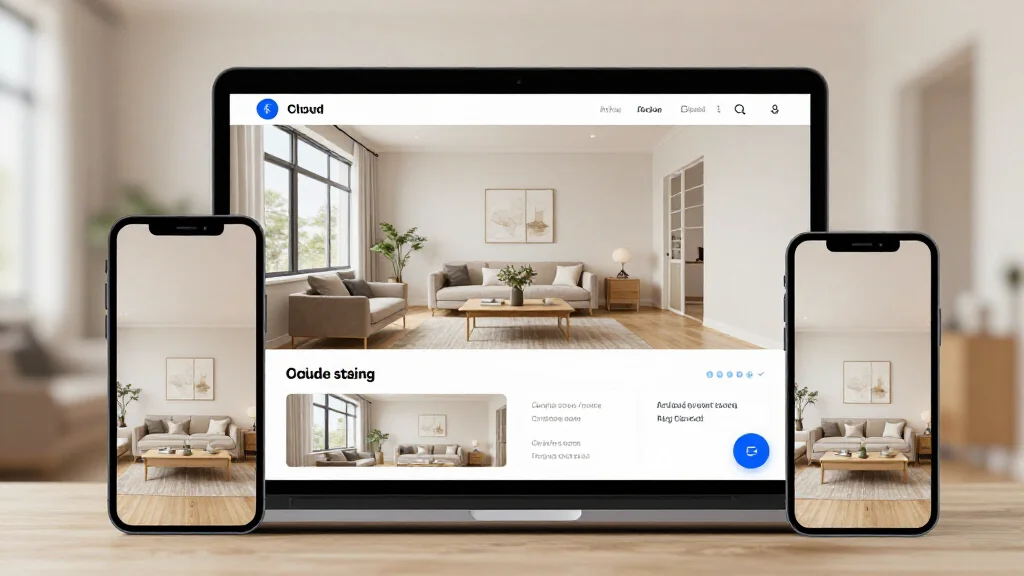
With a browser-based platform like AI Smart Decor, you open a tab, upload your listing photos, and receive staged images within seconds. There is nothing to install, nothing to configure, and nothing that locks you to a particular device. You can start staging on your office desktop, review results on your phone during a showing, and share the final images from a tablet at a client meeting.
Desktop applications, by contrast, require specific hardware specs, dedicated storage, and periodic manual updates. If you switch computers or your hard drive fails, you lose access to your projects until you reinstall everything. Online virtual staging eliminates that fragility entirely because your work lives in the cloud.
Why Online Tools Are Better for Teams
For brokerages and staging companies that operate as teams, online virtual staging provides advantages that desktop software simply cannot match.
Shared Access Without IT Overhead
When staging tools run in the browser, every team member can log into the same platform from any device. There is no need to purchase multiple software licenses, configure network drives, or coordinate installations across a fleet of office computers. A new hire can start staging listings on day one by opening a browser and signing in.
Centralized Project Management
Browser-based platforms store all projects in the cloud. This means every team member sees the same library of staged photos, organized by listing. There is no confusion about which version of a staged image is the latest, and no one has to email files back and forth. If an agent stages a photo at 9 AM, the marketing coordinator can download it at 9:05 AM without any file transfers.
Consistent Results Across the Team
Because the AI processing happens server-side, every team member gets identical output quality regardless of whether they are working from a high-end workstation or a budget laptop. Desktop tools that rely on local processing often produce different results depending on the hardware, which makes brand consistency harder to maintain.
Real-Time Collaboration
Some online virtual staging platforms allow multiple users to comment on or approve staged images within the same interface. This is especially valuable for teams where a listing agent selects the style, a marketing coordinator reviews the output, and a broker gives final approval before images go to the MLS.
Online-Only vs Desktop Virtual Staging Tools: A Direct Comparison
Understanding the practical differences between online-only and desktop tools helps you choose the right approach for your workflow.
| Factor | Online-Only (Browser) | Desktop Software |
|---|---|---|
| Setup time | Zero — open a browser and start | Download, install, configure |
| Device flexibility | Any device with a browser | Only the machine where installed |
| Updates | Automatic, server-side | Manual downloads required |
| Processing power | Cloud servers handle AI rendering | Depends on your local hardware |
| Team access | Shared login, centralized projects | One license per machine |
| Offline use | Requires internet connection | Can work offline |
| Storage | Cloud-based, accessible anywhere | Local hard drive |
| IT involvement | None | Often required for install approval |
The one genuine advantage of desktop tools is offline capability. If you frequently work in areas without consistent internet, a desktop application may be necessary. For everyone else, the convenience and flexibility of online virtual staging outweigh that single trade-off.
Security Considerations for Uploading Client Photos
Uploading listing photos to an online platform raises reasonable questions about data security. Here is what to evaluate before choosing a virtual staging browser tool.
Encryption in Transit and at Rest
Any reputable online virtual staging platform should encrypt your photos during upload (TLS/SSL) and while stored on their servers (AES-256 or equivalent). Before committing to a tool, check whether the provider publishes their encryption standards. AI Smart Decor processes images over secure connections, which protects your client data during every stage of the workflow.
Data Retention Policies
Find out how long the platform retains your uploaded photos and staged results. Some services delete images after a set period, while others store them indefinitely. For real estate professionals handling client properties, a platform that allows you to delete images on demand gives you more control over sensitive data.
Access Controls
If you are sharing an account across a team, look for platforms that offer role-based permissions. Not every team member needs the ability to delete projects or change billing settings. Granular access controls reduce the risk of accidental data loss and unauthorized changes.
Compliance and Jurisdiction
Consider where the platform's servers are located, especially if you operate in a region with specific data privacy regulations. Understanding the provider's compliance posture helps you meet your obligations to clients whose property photos you are uploading.
For most real estate professionals, the security of a well-built online platform exceeds what a desktop application offers. Desktop software stores files on local hard drives that may lack encryption, are vulnerable to theft, and are rarely backed up consistently.
How to Stage a Listing Online in Under 60 Seconds
The workflow for AI virtual staging online is straightforward.
- Open the platform: Navigate to AI Smart Decor in any browser on any device.
- Upload your photo: Drag and drop an empty room photo or select it from your device. High-resolution images produce the best results.
- Choose your style: Select from over 20 design styles including modern, Scandinavian, farmhouse, coastal, and more.
- Generate the staged image: The AI processes your photo in the cloud and returns a photorealistic staged version within seconds.
- Download or share: Save the staged image to your device or share it directly to your MLS, social media, or listing platform.
The entire process requires nothing more than a browser and an internet connection. There are no plugins to install, no accounts to verify with IT, and no hardware requirements beyond what you already use to check your email.
Tips for Getting the Best Results from Online Virtual Staging
- Upload high-resolution photos. The AI produces sharper, more realistic results when it has more pixel data to work with. Aim for images that are at least 2000 pixels on the longest side.
- Shoot rooms with good natural lighting. Even though the AI adjusts for lighting conditions, well-lit base photos produce the most convincing staged output.
- Remove personal items and clutter before photographing. The AI works best with genuinely empty or near-empty rooms. Leftover furniture or debris can confuse the staging algorithm.
- Use consistent styles across a listing. If you stage the living room in a modern style, stage the bedroom in the same style. Buyers notice inconsistency, and it undermines the professional impression.
- Save your preferred settings. Most online platforms let you save style preferences so you can apply the same look across multiple listings without reconfiguring each time.
Who Benefits Most from AI Virtual Staging Online
Online virtual staging is not limited to a single role in the real estate ecosystem. Listing agents use it to make vacant properties more appealing. Property managers stage rental units to reduce vacancy periods. Real estate photographers offer it as an add-on service. Home builders stage model units before furniture arrives. Interior designers use it to show clients what a space could look like before committing to purchases.
The common thread is that all of these professionals benefit from a tool that requires zero setup, works on any device, and produces results in seconds. That is exactly what a virtual staging browser platform delivers.
For a deeper look at the platforms available, see our guide to the best AI virtual staging tools. If you are evaluating broader platform features beyond staging, our virtual staging platform comparison covers the full market.
Ready to Stage Your Next Listing?
Skip the downloads and the IT tickets. Open your browser, upload a photo, and get a professionally staged image in seconds. AI virtual staging online is the fastest path from empty room to market-ready listing.
Frequently Asked Questions
Can I do AI virtual staging online without downloading any software?
Yes. Platforms like AI Smart Decor run entirely in your web browser. You upload photos, select a style, and download staged images without installing anything on your computer. The AI processing happens on cloud servers, so your device only needs to run a browser.
Is online virtual staging secure enough for client property photos?
Reputable online virtual staging platforms use TLS encryption for uploads and AES-256 encryption for stored files. This level of security typically exceeds what a local desktop application provides, since local files often sit on unencrypted hard drives. Always verify a platform's data retention and deletion policies before uploading client photos.
How does a virtual staging browser tool compare to desktop software for quality?
The quality is identical or better. Because online platforms process images on powerful cloud servers, the AI has access to more computational resources than most desktop computers provide. The output — photorealistic furniture, lighting adjustments, and style-consistent decor — does not depend on your local hardware.
Can my entire team use one online virtual staging account?
Most browser-based platforms support team access. Multiple users can log in from different devices and locations, access shared projects, and download staged images without transferring files. This makes online tools far more practical for brokerages and staging companies than desktop software that is locked to a single machine.
What internet speed do I need for online virtual staging?
A standard broadband connection is sufficient. Uploading a high-resolution photo typically takes a few seconds, and the AI processing happens server-side. You do not need an unusually fast connection — if you can stream video or load web pages comfortably, you can use a virtual staging browser tool without issues.