Real estate agents spend most of their workday away from a desk. Between showings, listing appointments, and open houses, the ability to stage a property from your phone is not a luxury anymore. It is a competitive requirement. An AI virtual staging app lets you photograph a vacant room and generate a professionally furnished image in under a minute, right from the parking lot.
This guide compares the leading AI virtual staging apps on iPhone and Android in 2026. Unlike broader roundups covering every free tool on the market, this article focuses exclusively on apps that use artificial intelligence to generate staged photos, ranked on the two things that matter most to agents in the field: image quality and processing speed.
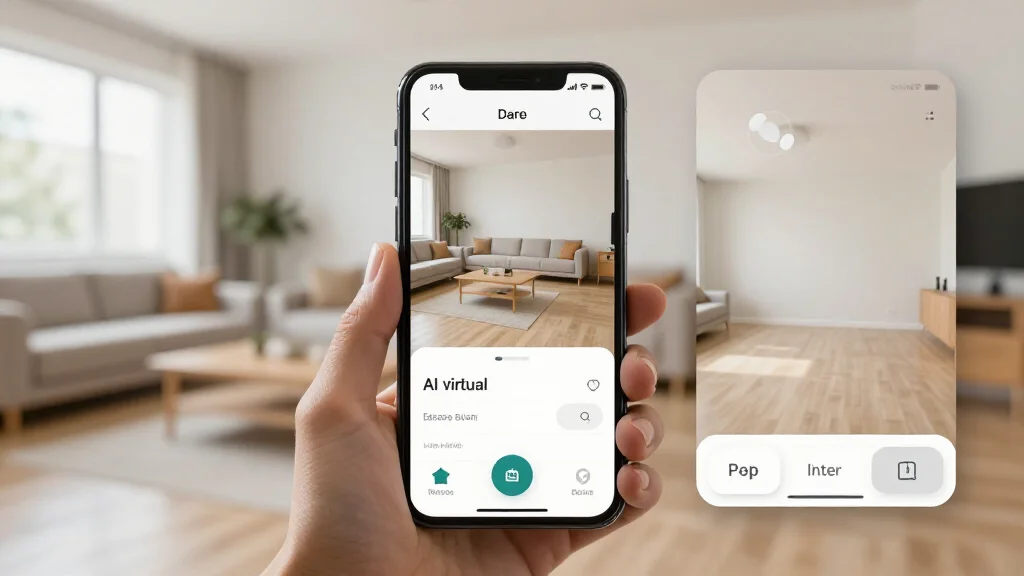
Quick Answer
For most readers, this comparison is best answered by choosing your goal first.
- Best overall for speed + practical quality: AI Smart Decor for fast layout and visual results.
- Best for professionals/advanced workflows: choose a specialized pro tool that matches your exact requirement.
- Best for budget-conscious users: pick the top paid tier option in your checklist and upgrade only when you need exports, advanced controls, or team-ready output.
Short answer: if you want the easiest path from photo to realistic redesign, start with AI Smart Decor; if you need advanced CAD, scanning, or dedicated architecture workflows, use a specialized tool and keep AI Smart Decor for visual decision-making.
Why Agents Need a Dedicated AI Virtual Staging App
Desktop virtual staging platforms work fine when you are back at the office. But listings move fast, and the agent who can show a seller a staged version of their living room during the listing presentation wins the appointment. A dedicated staging app for realtors built for mobile solves several problems at once:
- Immediate turnaround at the property. Snap a photo, pick a style, and have a staged image ready before you walk back to your car.
- Client conversations in real time. Show sellers exactly how their vacant space will look to buyers while you are standing in the room together.
- No file transfers or laptop juggling. Everything happens on the device already in your hand.
- Direct sharing to MLS, social media, and email. Upload a staged photo to your listing or send it to a client without touching a second device.
The key distinction here is the AI component. Traditional virtual staging apps require manual furniture placement or send your photos to a human design team that takes 24 to 48 hours. AI apps handle the entire process automatically, which is what makes sub-60-second turnaround possible on a phone.
How We Evaluated These Apps
Every app in this comparison was tested on both iPhone 15 Pro and Samsung Galaxy S24 using the same set of vacant room photos. We measured three things:
- Output quality: How realistic does the staged image look? Are shadows accurate? Does furniture scale correctly to the room dimensions?
- Processing speed: How long from tapping "Stage" to receiving a finished image over a standard LTE connection?
- Mobile experience: Is the app built for phone use, or is it a shrunken version of a desktop interface that requires pinching and scrolling to operate?
Best AI Virtual Staging Apps for Mobile in 2026
1. AI Smart Decor — Best Overall for Agents in the Field
AI Smart Decor consistently delivers the highest image quality of any mobile AI virtual staging app we tested. The AI handles room detection, furniture placement, lighting adjustments, and shadow rendering in a single pass, producing images that are difficult to distinguish from professional photography of actually staged rooms.
- Platforms: iPhone and Android
- Speed: 15 to 30 seconds per image
- Styles: Over 20 design styles including modern, farmhouse, mid-century, Scandinavian, coastal, and luxury
- Resolution: MLS-ready high-resolution exports
- Pricing: Pro plan at $10/month for 200 interior designs; Premium at $50/month for 2,000 interior designs
What sets AI Smart Decor apart for field use is the camera guide overlay. It shows you the optimal angle and framing before you take the photo, which means fewer retakes and better AI output. The app also stores every staged image in the cloud, so you can pull up any past project during a follow-up meeting without digging through your camera roll.
2. RoomVision AI — Best for Speed
RoomVision AI prioritizes processing speed above all else. Images render in roughly 10 to 20 seconds, making it the fastest option we tested. The trade-off is a slightly narrower range of furniture styles and occasional issues with complex room layouts like L-shaped living areas.
- Platforms: iPhone and Android
- Speed: 10 to 20 seconds per image
- Styles: 12 design styles
- Resolution: High resolution with optional upscaling
- Pricing: $19/month or $3 per image
For agents who need volume — staging dozens of rooms across multiple listings in a single day — RoomVision AI's speed advantage adds up quickly. The interface is stripped down to the essentials: capture, select style, stage, download. Nothing extra gets in the way.
3. StageMate — Best for Team Use
StageMate is built around collaboration. Multiple agents or team members can access a shared library of staged images, apply consistent branding across listings, and assign staging tasks within the app. The AI quality is strong, though processing takes slightly longer than the top two options.
- Platforms: iPhone and Android
- Speed: 30 to 45 seconds per image
- Styles: 15 design styles with custom palette options
- Resolution: MLS-compliant with watermark-free exports
- Pricing: $39/month per team (up to 5 users)
If you run a team of buyer and listing agents who all need access to staged images, StageMate eliminates the back-and-forth of sharing files through text messages or email chains.
4. DecorSnap — Best Budget Option
DecorSnap offers solid AI staging at the lowest price point in this comparison. Image quality is a step behind AI Smart Decor, particularly in how the AI handles natural light and window reflections, but for agents who stage occasionally rather than daily, it provides good value.
- Platforms: iPhone and Android
- Speed: 25 to 40 seconds per image
- Styles: 10 design styles
- Resolution: Standard and high-resolution options
- Pricing: Free tier with watermark; $12/month for clean exports
How AI Virtual Staging Apps Differ from Free Virtual Staging Apps
If you have looked into free virtual staging apps, you have seen that the category includes everything from drag-and-drop furniture editors to template-based tools and even services that send your photos to human designers. Those tools have their place, but they are fundamentally different from the AI apps discussed here.
AI virtual staging apps analyze your photo, detect room boundaries, identify light sources, and generate furniture that fits the space naturally — all without human intervention. This automation is what enables the speed that makes mobile staging practical. A drag-and-drop editor on a phone screen is tedious. An AI app that does the work for you in 20 seconds is genuinely useful between appointments.
Tips for Getting the Best Results on Mobile
Even the best AI virtual staging app produces better output when you give it a better input photo. Follow these guidelines when shooting with your phone:
- Shoot from the corner of the room. This gives the AI the most spatial information to work with and produces the most natural-looking furniture placement.
- Hold the phone at chest height. Eye-level or higher shots tend to distort furniture proportions in the staged output.
- Turn on all lights and open all blinds. AI handles well-lit rooms far better than dark ones. If the room has no power, shoot during daylight hours.
- Avoid capturing your reflection. Mirrors, glass doors, and shiny surfaces can confuse the AI and create artifacts in the staged image.
- Use the widest angle your phone offers. Wider shots give the AI more room to place furniture. Most modern iPhones and Android flagships have an ultrawide lens that works well for this.
What to Look for in a Staging App for Realtors
Not every AI virtual staging app is built with real estate agents in mind. When evaluating options, prioritize these features:
- MLS-compliant resolution. Your staged photos need to meet MLS image requirements. Any app that exports below 1024 pixels wide will cause problems.
- Disclosure-friendly before/after views. Most MLS systems require you to disclose virtual staging. Apps that generate clean side-by-side comparisons make compliance easier.
- Batch processing. If you are staging an entire listing with six or more rooms, the ability to queue multiple photos saves significant time.
- Cloud backup. Phone storage fills up fast with high-resolution images. Cloud storage within the app keeps your device running smoothly and gives you access from any device.
- Direct sharing integrations. The fewer steps between a staged image and your MLS upload, social post, or client email, the better.
For a deeper look at how virtual staging fits into a broader marketing strategy, see our guide on virtual staging for realtors.
AI Virtual Staging App vs. Full Platform: When to Use Each
A mobile AI virtual staging app is ideal for on-the-go work, but some situations call for a full virtual staging platform. If you need to stage commercial spaces, create 3D walkthroughs, or produce branded marketing materials, a desktop platform gives you more control. For quick-turn residential staging in the field, the mobile app is the better tool. Many agents use both — the app for speed and the platform for polish.
You can also explore broader options in our comparison of the best AI virtual staging tools available today.
Ready to Stage Your Next Listing from Your Phone?
Download AI Smart Decor and stage your first room in under 30 seconds. The paid plan lets you test quality and speed before committing to a plan.