Room design is the discipline of shaping a space so it works well and feels right. That means getting the layout, scale, color, light, and materials to work together — not just making things look pretty in a photo. Whether you're starting a room from scratch or fixing one that has never quite come together, this guide covers everything you need to know.
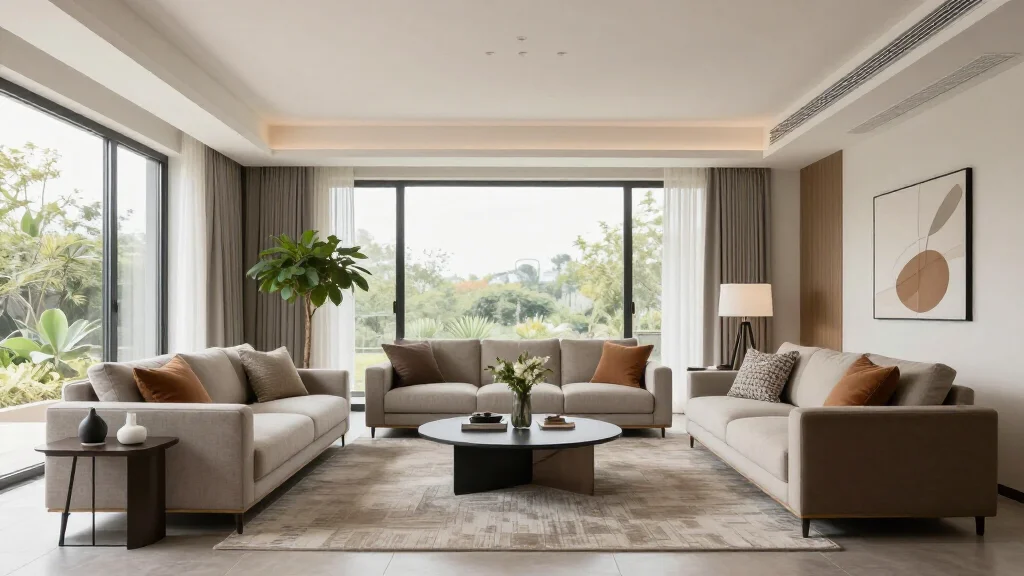
What Room Design Actually Involves
Room design is not decoration. Decoration is the last 10%. Room design is the full process: understanding how a space will be used, planning the layout around that use, selecting materials and colors that reinforce the atmosphere you want, and layering light to make it all work at different times of day.
The five core components of any successful room design are:
- Layout: how furniture is arranged relative to the room's architecture and traffic patterns
- Color: the palette that sets the emotional tone of the space
- Lighting: the layer most homeowners underinvest in, and the one that changes everything
- Furniture and scale: choosing pieces that are sized correctly for the room
- Texture and materials: what gives a room depth and prevents it from looking flat
Get these five things right and the room works. Add decorative objects and accessories after.
Core Design Principles
These principles apply to every room type, from a 90-square-foot bathroom to a 600-square-foot open-plan living area.
Balance
Visual weight needs to be distributed so the room doesn't feel lopsided. Balance can be symmetrical (matching pieces on either side of a focal point — common in formal rooms) or asymmetrical (different objects of similar visual weight arranged to feel balanced — more flexible and contemporary).
Scale and Proportion
The biggest design mistake in most rooms is furniture that is too small. A sofa that floats in a large room, a dining table that seats four in a room that can hold eight — scale errors make a room feel unresolved. Measure before buying. A good rule: the main seating piece in a living room should fill roughly two-thirds of the wall it anchors.
Rhythm and Repetition
Repeating a color, material, or shape two or three times across a room creates visual rhythm. If your throw pillow has ochre in it, pick up that same ochre in a vase and a piece of art. The eye connects those points and the room feels intentional.
Focal Point
Every room needs one dominant element that anchors the space. In a living room it is usually a fireplace, large window, or media wall. In a bedroom it is the bed wall. In a dining room it is the table and light fixture above it. Design radiates outward from the focal point — don't fight it.
Harmony
All elements — furniture, color, materials, lighting — should feel like they belong to the same family. That doesn't mean everything has to match. It means everything should be chosen with intention and relate to the room's overall direction.
Color Theory for Room Design
Color is the fastest way to change how a room feels. Here is what actually matters:
The 60-30-10 Rule
- 60%: dominant color (walls, large upholstered pieces, rugs)
- 30%: secondary color (curtains, secondary furniture, bedding)
- 10%: accent color (cushions, art, lamps, small objects)
This ratio creates visual hierarchy. Break it and rooms tend to feel chaotic or flat.
Warm vs. Cool
Warm colors (reds, oranges, yellows, warm whites) make spaces feel smaller and more energetic. Cool colors (blues, greens, grays, cool whites) make spaces feel larger and calmer. North-facing rooms with limited light benefit from warm tones. South-facing rooms with abundant light can handle cooler palettes.
2026 Color Trends
The dominant direction in 2026 is warm mineral tones — terracotta, sand, warm taupe, olive, and dusty rose — replacing the cool gray dominance of the previous decade. Alongside these, deep moody tones (forest green, midnight navy, warm charcoal) are being used as full wall colors, not just accents.
Furniture Arrangement Rules by Room Type
Living Room
- Place the primary sofa facing or at 90 degrees to the focal point
- Keep coffee table 14–18 inches from the sofa edge (reachable from seated)
- Maintain at least 36 inches of walkway clearance through main traffic paths
- Float furniture away from walls — grouping around a rug creates a room within the room
- In large rooms, create two distinct zones: a conversation area and a secondary reading or TV area
Bedroom
- The bed should be the undisputed focal point — center it on the dominant wall, ideally with space on both sides (minimum 24 inches each side for circulation)
- Nightstands at mattress height, matching or coordinated
- Dressers and storage on a secondary wall, not blocking natural light
- Keep floor space clear — the bedroom should feel restful, not crowded
Dining Room
- Dining table should have 36–48 inches of clearance on all sides for chairs to pull out and people to circulate
- The light fixture above the table should be 30–34 inches above the table surface
- Table size: allow 24 inches of table width per person for comfortable seating
Home Office
- Position the desk to face the door or at 90 degrees to it — avoid sitting with your back to the room
- Natural light should come from the side, not directly behind or in front of the monitor
- Ergonomics first: chair height, monitor height, and keyboard position matter more than aesthetics
Kitchen
- The work triangle (sink, cooktop, refrigerator) should total no more than 26 linear feet combined
- 42–48 inches between facing counters or islands for comfortable work and traffic flow
- Under-cabinet and task lighting are as important as overhead lighting
Lighting: The Layer Most People Get Wrong
Most rooms are lit with a single overhead fixture. This creates flat, unflattering light that makes even well-designed rooms look mediocre. Proper room lighting uses three layers:
- Ambient (general) lighting: the base layer, typically ceiling fixtures or recessed lighting, provides overall illumination
- Task lighting: focused light for specific activities: reading lamps, under-cabinet kitchen lights, desk lamps
- Accent lighting: creates depth and drama: picture lights, uplights, LED strip lighting behind furniture or shelving
The rule: every room should have at least two of these three layers, and they should be on separate switches or dimmers.
Color temperature matters. Use warm white (2700–3000K) in living rooms and bedrooms for a relaxed feel. Use neutral white (3500–4000K) in kitchens and home offices for clarity and focus.
Room Design by Space Size
Small Rooms (Under 150 sq ft)
- Light, warm neutrals on walls — avoid stark white, which can feel cold and clinical
- One large area rug rather than multiple small ones
- Furniture with legs, not skirted pieces that sit on the floor
- Mirrors on walls opposite windows
- Vertical storage: shelving above eye level, tall narrow furniture
- Multi-functional pieces: storage ottomans, beds with drawers, fold-down desks
Medium Rooms (150–350 sq ft)
- Can support a full furniture grouping with secondary pieces
- Area rugs should be large enough that all front legs of seating sit on the rug
- Layer lighting properly — this is where it makes the biggest difference
- Artwork at eye level (57–60 inches to center of artwork is the standard)
Large Rooms (350+ sq ft)
- Avoid the mistake of spreading furniture to fill the space — instead, create defined zones
- Use rugs to anchor each zone
- Double-height spaces benefit from large-scale art, tall plants, and pendant lighting to bring the eye down
2026 Room Design Trends
These trends have staying power beyond a single season:
- Warm, natural materials: travertine, linen, rattan, raw oak, terracotta tile replacing polished surfaces
- Arched architectural details: doorways, niches, headboards, mirrors with curved profiles
- Layered lighting: particularly sconces and pendant clusters replacing single ceiling fixtures
- Quiet luxury aesthetic: restrained palettes, quality over quantity, no visual noise
- Biophilic elements: indoor trees, stone surfaces, natural fiber rugs, water features
- Built-in storage: custom cabinetry, window seats, banquette dining replacing standalone furniture
- Deep, moody wall colors: full rooms in forest green, warm charcoal, or navy rather than accent walls only
How AI Is Changing Room Design
AI room design tools have crossed a threshold in capability that makes them genuinely useful, not just a novelty. Here is what they actually enable:
Instant visualization. Upload a photo of your room and generate photorealistic redesigns in any style in under a minute. This was previously only possible by hiring a designer or using complex 3D modeling software.
Risk-free experimentation. Want to know if that dark green wall will work? Paint color is one of the most common buyer's remorse purchases in home design. AI lets you see it before committing.
Furniture shopping assistance. Several tools, including AI Smart Decor, can identify furniture and recommend similar pieces that match a generated design — bridging the gap between inspiration and purchase.
Accessibility. Professional interior design typically costs $100–$200 per hour or more. AI tools put comparable visualization capability in the hands of anyone with a smartphone.
The limitations are real: AI doesn't understand structural constraints, budget limitations, or local availability of products. It generates what looks good visually — you still need to evaluate whether it's practical. But as a starting point and a visualization tool, it has become indispensable.
For more on how AI tools work specifically, see AI Room Design. For paid options, see AI Room Design Free. For mobile apps, see AI Room Design App.
Room Design Checklist
Before you buy anything or make any permanent changes, work through this:
- Measured the room and mapped it to scale
- Identified primary function and secondary functions
- Determined traffic flow paths
- Established the focal point
- Chosen a color palette (60-30-10 ratio)
- Selected furniture sized correctly for the room
- Planned all three lighting layers
- Confirmed clearance measurements (36 inches walkways minimum)
- Chosen area rug size (front legs of all seating on the rug)
- Tested the design visually before purchasing
Ready to See Your Room Transformed?
Upload a photo to AI Smart Decor and generate photorealistic redesigns of your space in any style — with a paid plan, payment method required.
Design Your Room with AI Smart Decor
Related Articles
- AI Room Design: How It Works and What to Expect
- AI Room Design Free: Best No-Cost Tools Compared
- AI Room Design App: Best Mobile Apps Compared
- AI Room Planner Free
- Best AI Room Design Tool
- Room Planner
Frequently Asked Questions
How do I start designing a room from scratch?
Start by measuring the room and mapping traffic flow. Define its primary function, then choose a color palette anchored to one dominant hue. Place the largest furniture piece first — it sets the scale for everything else. Layer in lighting (ambient, task, accent), then add textiles and accessories last.
What are the fundamental rules of room design?
The core rules: maintain scale and proportion between furniture and room size, ensure at least 36 inches of walking clearance, establish a clear focal point, use the 60-30-10 color rule (dominant/secondary/accent), and create balance — either symmetrical or asymmetrical — across the room.
Can AI really help with room design?
Yes, and significantly so. Tools like AI Smart Decor let you upload a photo of any room and generate photorealistic redesigns in under a minute. You can test color schemes, furniture arrangements, and design styles before paying by sampling preview output, or moving a single piece of furniture.
How can I make a small room look bigger?
Use light, warm neutrals on walls and ceilings. Place mirrors opposite windows to double light. Choose furniture with exposed legs — it creates visual breathing room. Use vertical storage to draw the eye upward. Keep the floor as clear as possible and avoid too many small decorative items.
What is the most important element in room design?
Function. A beautiful room that doesn't work for how you live is a failed design. Every decision — layout, furniture selection, lighting — should start with the question: how will this room actually be used?