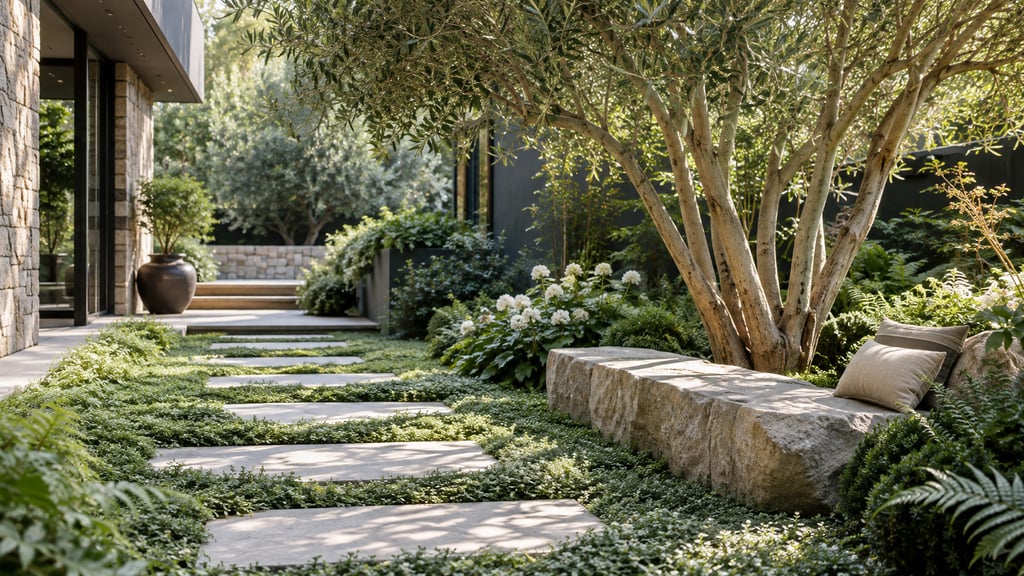
AI landscape design takes a single photo of your yard and turns it into a photorealistic outdoor plan in minutes, no drafting skills needed. You upload a picture of your front yard, backyard, or patio, choose a style, and the tool returns the same space replanted and repaved the way you described. It is the fastest way to see real options for your property before you spend money on plants, pavers, or a designer.
Quick Answer
AI landscape design is software that uses generative models to redraw a photo of your outdoor space into a finished garden or exterior plan. You give it a photo and a style; it gives you a realistic render of your actual yard. Paid tools like AI Smart Decor start at $9 a month and produce results good enough to plan from, compared to $1,500 to $6,000 for a human designer. It works for front yards, backyards, patios, pool areas, and whole home exteriors, and most people get a result they like within three or four tries.
What is AI landscape design?
AI landscape design is the use of generative image models to redesign outdoor spaces from photographs. Instead of starting with a blank drawing, you start with a real picture of your yard and the model rewrites the plants, surfaces, and structures while keeping your house, fences, and lot lines in place.
The result is a photorealistic image, not a flat 2D map. That matters because most homeowners cannot read a traditional top-down garden plan, but everyone can look at a rendered photo of their own backyard and say yes or no instantly.
These tools cover both sides of outdoor work. The planting side handles beds, lawns, trees, and ground cover. The exterior side handles patios, decks, walkways, retaining walls, and the look of the house itself. Good landscape design online ties both together in one image.
How does AI landscape design actually work?
The core workflow is upload, describe, generate, refine. You photograph the space in good light, write or pick a description of the style and features you want, and the model returns several versions you can keep or rerun.
Under the hood, the model reads the structure of your photo, the rough position of the house, the boundary of the yard, the angle of the camera, and paints a new design onto that structure. This is why a clear, straight-on photo gives far better results than a tilted shot with the sun behind it.
Here is the practical loop I use when testing a yard render:
- Take the photo in flat daylight, standing back far enough to capture the full area plus the bottom of the house.
- Write a prompt that names the style, two or three specific features, and the climate, for example "modern desert front yard, gravel beds, agave and ocotillo, low water."
- Generate three to four variations rather than one.
- Pick the closest result and rerun it with one small change, like "add a flagstone path to the door."
- Save the version you would actually build and use it as the brief for a contractor.
Most spaces reach a usable result in under ten minutes once your photo is good. The photo quality, not the prompt wording, is the single biggest factor in output quality.
What can you design with AI landscape tools?
You can redesign nearly any outdoor area, and the same tool moves between them. The list below maps the common projects to the kind of result AI handles well.
| Outdoor area | What AI does well | Typical use |
|---|---|---|
| Front yard | Curb appeal, planting beds, entry paths, low-water gravel gardens | First impression, resale value |
| Backyard | Lawn layouts, garden beds, seating zones, fire pits | Family use, entertaining |
| Patio | Paving patterns, pergolas, outdoor furniture, lighting | Living space extension |
| Pool surround | Decking material, planting screens, lounge layout | Resort-style upgrades |
| Home exterior | Siding, paint color, roofline accents, garage doors | Whole-house refresh |
| Driveway and entry | Paver options, edging, accent planting | Approach and arrival |
For deeper, area-specific ideas, the child guides linked at the end of this article walk through front yards, backyards, patios, and full exteriors one at a time. This pillar page is the map; those pages are the detail.
How does AI landscape design compare to hiring a designer?
AI landscape design is faster and far cheaper, while a human designer brings site knowledge, plant survival expertise, and buildable documents. They solve different parts of the same problem, and many people use both in sequence.
A designer visits your site, checks soil and sun, and produces a plan a crew can build from, including grading and drainage. AI does none of that. What AI does is let you explore twenty looks in an afternoon for the price of one coffee, so you walk into the designer conversation knowing exactly what you want.
| Factor | AI landscape design | Human designer |
|---|---|---|
| Cost | $29 to $99 per month | $1,500 to $6,000 per project |
| Speed | Minutes per concept | 2 to 6 weeks |
| Revisions | Unlimited within your plan | 1 to 3 included, then billed |
| Photorealism | High, from your own photo | Renderings cost extra |
| Plant list and specs | ||
| Site visit and soil check | ||
| Buildable construction plan |
The honest takeaway: AI landscape design is the best tool ever made for deciding what you want, and a poor tool for the engineering of how to build it. Treat it as the front half of the project. The professional landscape design services you hire later become far cheaper and faster when you arrive with a clear visual brief.
What does AI landscape design cost in 2026?
Most AI landscape tools sit between $29 and $99 a month, and some competitors offer a free or limited tier that watermarks images or caps resolution. The paid tier is where you get clean, downloadable, photorealistic output you can actually share with a contractor.
AI Smart Decor is a paid tool built for that photorealistic result. The Lite plan is $29 a month and includes 800 images, which is more than enough for a single home project with plenty of room to experiment. The Ultra plan is $99 a month and includes 5,000 images, aimed at people redesigning a whole property or working across multiple homes.
Here is how a real front-yard refresh prices out under each path, using round 2026 numbers:
| Approach | Up-front cost | Time to first concept | Realistic for one yard |
|---|---|---|---|
| Free limited AI tool | $0 | 10 minutes | Watermarked, low resolution |
| AI Smart Decor Lite | $29 / month | 10 minutes | 800 clean images, plenty |
| AI Smart Decor Ultra | $99 / month | 10 minutes | 5,000 images, whole property |
| Local designer (concept only) | $800+ | 1 to 2 weeks | One concept, paid revisions |
| Local designer (full plan) | $1,500 to $6,000 | 2 to 6 weeks | Buildable, with plant list |
For one yard, the math is simple. A month of Lite at $29 covers the entire visualization stage, and you cancel once you have the look you want. The cost only climbs when you move into actual construction, which no software replaces.
What should you look for in landscape design online?
The features that separate a usable tool from a toy are photo accuracy, style range, output resolution, and whether it covers both planting and hard exteriors. Use the checklist below before you commit to any subscription.
- Photorealism from your own photo, not generic stock gardens.
- It keeps your house and lot recognizable instead of inventing a new property.
- At least 15 to 20 distinct outdoor styles, from modern to cottage to desert.
- Coverage of both soft (plants) and hard (paving, decks, paint) elements.
- Downloadable images with no watermark on paid plans.
- Enough monthly designs to iterate freely, ideally 100 or more.
- A clear paid price, not a vague "contact us" model.
AI Smart Decor checks each of these, which is why this guide uses it as the reference paid tool throughout. The two things that trip people up most are watermarks on free tiers and tools that replace your house with a stranger's, so test those first with a single photo before paying.
How do you get the best results from AI landscape design?
The output is only as good as the input, so spend your effort on the photo and the prompt rather than rerunning blindly. A sharp, well-lit, straight-on photo of the whole area beats a clever prompt on a bad picture every time.
Write prompts with three layers: the overall style, two or three concrete features, and the regional climate or plant palette. "Cottage backyard, raised vegetable beds, gravel path, brick patio, temperate climate" gives the model enough to work with while leaving room for it to surprise you. Vague prompts like "nice garden" produce vague, generic results.
When a render is close but wrong in one spot, change one thing and regenerate rather than rewriting the whole prompt. Iteration in small steps is how you converge on a design you would actually build, and with 800 images on a Lite plan there is no reason to ration your attempts.
Is AI landscape design worth it?
For deciding what you want, AI landscape design is worth it for nearly every homeowner, because the cost of exploring is so much lower than the cost of guessing wrong on plants and pavers. A single bad bed of the wrong shrubs can cost more than a year of software.
It is not worth treating as a final construction plan. The model does not know your soil, your frost line, or your drainage, and it cannot promise a plant will survive in your zone. Keep that boundary clear and the tool earns its keep.
The strongest use is the handoff. You generate the look you love, download the image, and hand it to a contractor or designer as a precise visual brief. That single step removes most of the back-and-forth that makes professional landscape design services slow and expensive, and it puts you in control of the final result.
Related Articles
- AI Front Yard Landscaping Ideas
- AI Backyard Design Ideas
- AI Patio Design Ideas
- Best AI Landscape Design Software
- AI Home Exterior Design Ideas
- How to Redesign Your Home Exterior with AI
Ready to see your own yard redesigned? Start designing with AI Smart Decor and turn a single photo into a photorealistic outdoor plan today.
