Homeowners
Visualize custom countertop designs for kitchens, bathrooms, or workspaces before committing to materials.
AI Smart Decor is an AI kitchen design tool that works from a photo. Upload a kitchen photo and let the AI test cabinet colors, backsplash ideas, lighting, counters, flooring, and decor before starting a remodel. Designing a kitchen from a photo takes about 30 seconds, with 50+ styles from modern to white-cabinet farmhouse.
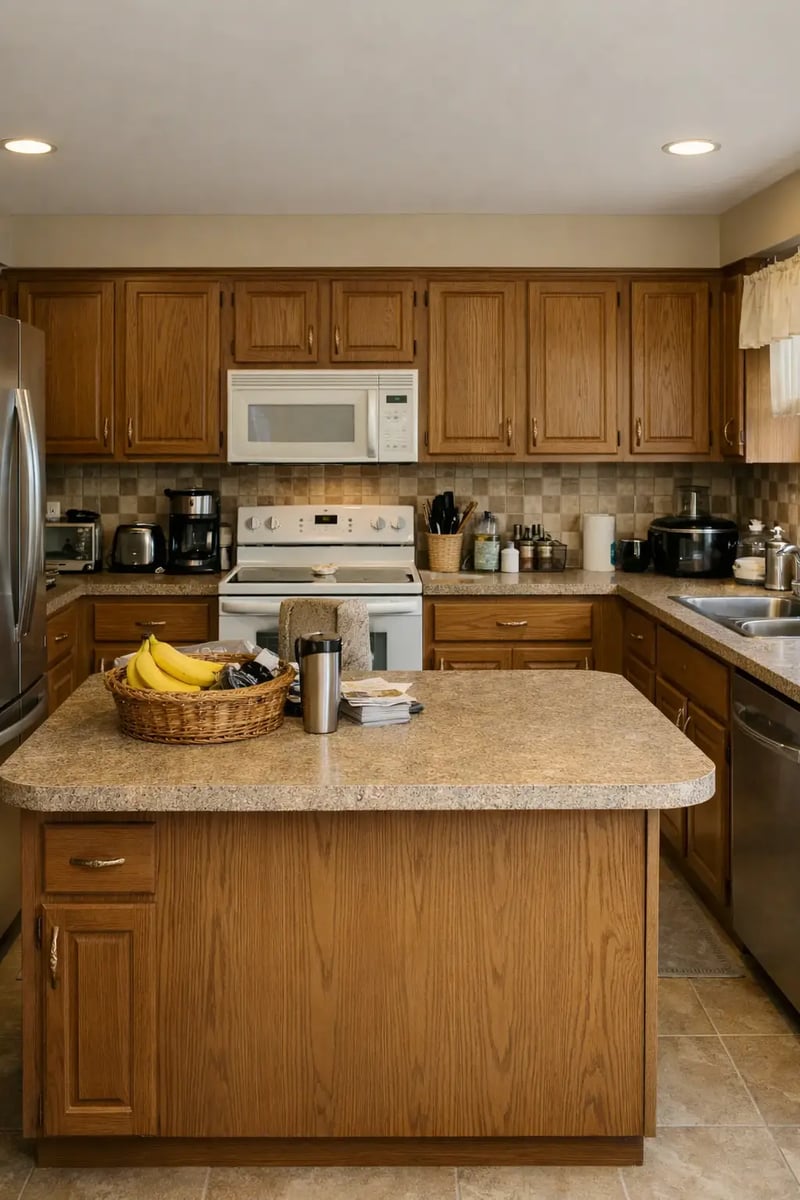
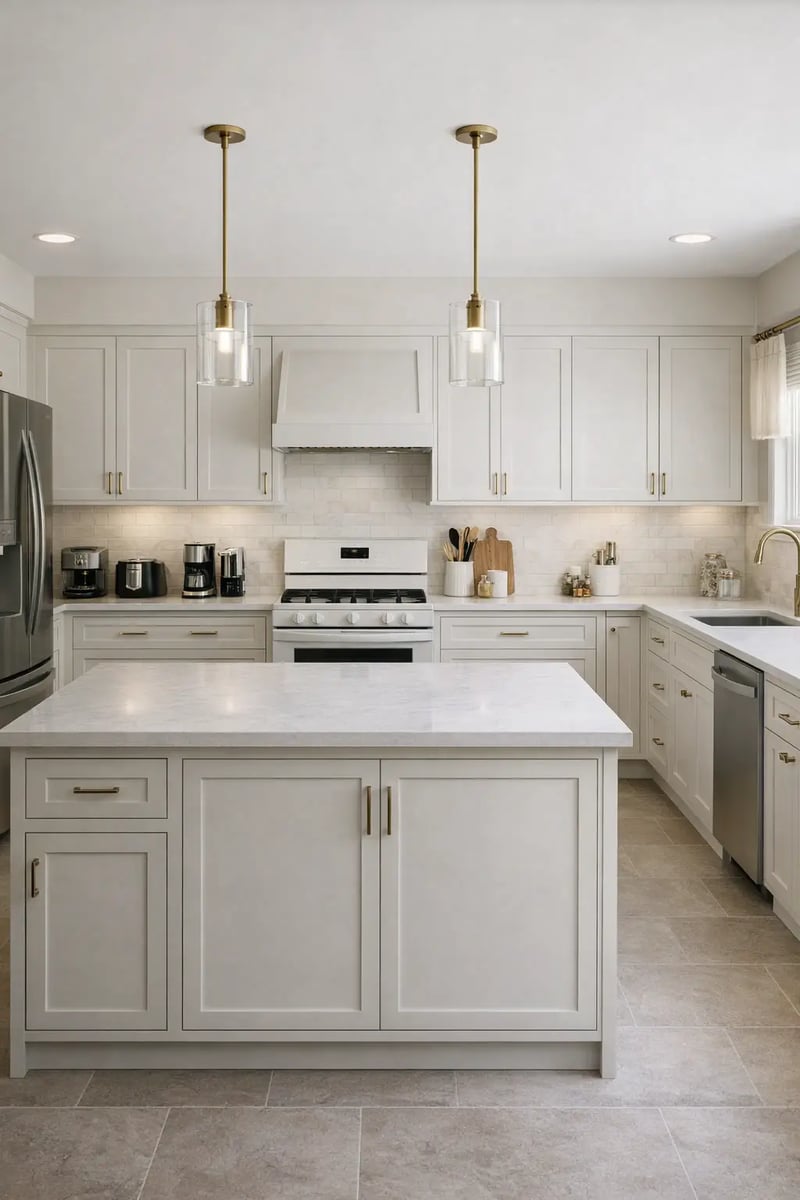
Preview painted cabinets, wood tones, backsplash, and surface combinations.
Explore brighter, warmer, and more functional kitchen looks.
Create visual directions before samples, contractors, and quotes.
Who this helps
Use AI kitchen visuals for practical planning across homes, projects, and sales processes.
Visualize custom countertop designs for kitchens, bathrooms, or workspaces before committing to materials.
Quickly create and present detailed countertop concepts tailored to client preferences.
Stage properties with beautifully designed countertops to enhance visual appeal and attract buyers.
Streamline planning by visualizing countertop options that meet client expectations.
Let customers preview countertop materials in their own spaces, increasing confidence and conversion.
Experiment with unique countertop ideas and see your creative vision realized effortlessly.
Incorporate polished countertop designs into renderings to present professional concepts to clients.
Showcase high-quality countertop designs in model homes or commercial spaces to attract buyers and tenants.
How it works
A visual planning workflow for homeowners, landlords, real estate investors, and designers exploring kitchen updates.
Step 1
Start with a clear image showing cabinets, counters, backsplash, and floor.
Step 2
Choose modern, farmhouse, Scandinavian, luxury, coastal, minimalist, or another style.
Step 3
Preview cabinet colors, lighting, surfaces, decor, and layout ideas before renovating.
Kitchen ideas to try
Whether you want kitchen ideas for small kitchens, a clean modern kitchen, island seating, or white kitchen cabinets, you can visualize each direction from your own photo before a remodel.
Visualize space-saving layouts, brighter palettes, slim islands, and reflective surfaces that make small kitchens feel larger. Test small-kitchen ideas from a photo before you spend on a remodel.
Explore a clean modern kitchen with flat-front cabinets, handleless fronts, matte or stone counters, and integrated lighting. Compare several modern directions side by side in seconds.
See how kitchen island seating changes flow and sightlines, from a two-stool breakfast bar to a full waterfall island, so you can plan before committing to cabinetry.
Preview classic white kitchen cabinets against different backsplashes, counters, and floors, or try warm wood and two-tone alternatives to find the palette you actually want.
Generate high end kitchen concepts with premium stone counters, statement islands, and integrated lighting. Compare luxury directions from your photo before committing to bespoke finishes.
Plan a corner kitchen layout and see how corner kitchen units, L-shaped runs, and corner pantries change storage and flow before you order cabinetry.
Get kitchen plan ideas and kitchen planning ideas across multiple styles, covering the design of kitchens from cabinet colors to layout so you can choose a direction fast.
Use the AI as a kitchen cabinet design tool to preview door styles, finishes, painted colors, and two-tone combinations from your photo before ordering samples or committing to a supplier.
Run an AI kitchen remodel from your existing photo in under a minute: test new surface palettes, layout tweaks, and style directions so you arrive at contractor quotes with a clear visual brief.
Use the AI as a kitchen cabinet color visualizer: upload your photo and instantly preview painted finishes, stained wood tones, two-tone uppers and lowers, and dark versus light palettes — without ordering a single sample or committing to a color.
If you are comparing the best apps for kitchen design, AI Smart Decor focuses on photo-realistic visualization from your own photo rather than drafting floor plans. It is a paid tool from $29/month (Lite, 800 images) — best suited for homeowners, designers, and remodel planners who need fast concept visuals, not CAD drawings.
Kitchen remodels are one of the most expensive home projects. A minor kitchen redo can land in the low thousands, while a full kitchen renovation with new cabinets, counters, and appliances often runs into the tens of thousands. The cost for renovating a kitchen and the final kitchen remodel price depend on labor, materials, and how much the layout changes, so always confirm your kitchen reno cost with local contractor quotes. Visualizing the direction with this AI kitchen design tool first, from $29/month, helps you avoid expensive second-guessing before a single sample is ordered.
Real kitchen outputs
Pick a direction from multiple AI renders before committing to a quote.
Before
Original layout and geometry preserved.
AI redesign · Option A
Updated neutral palette and premium finishes.
AI redesign · Option B
Alternate warm-modern styling direction.
Kitchen remodels are expensive. AI concepts help narrow color, material, and style decisions before you talk to contractors.
Preview cabinet colors, backsplash ideas, counters, flooring, and lighting
Compare cosmetic remodel directions before ordering samples or hiring contractors
Create visual concepts for small kitchens, rentals, flips, and full remodel planning
Use AI outputs as inspiration for designers, contractors, and family decision-making
AI kitchen concepts are for visual direction. Confirm measurements, appliance clearances, plumbing, electrical, ventilation, structural work, and local code requirements with qualified pros.
Learn more
Use these guides to compare AI design tools and plan better room transformations.
FAQ
Answers about using AI for kitchen remodel ideas and visual planning.