The narrative around AI and interior design defaults to replacement: will AI replace designers? The question misframes what's actually happening. The more accurate framing: AI is changing what a designer spends their time on. And for homeowners without designers, AI is making professional-quality design visualization accessible without professional fees.
This post is about that collaboration — how AI-assisted room design works in practice, both for professionals and for homeowners doing it themselves.
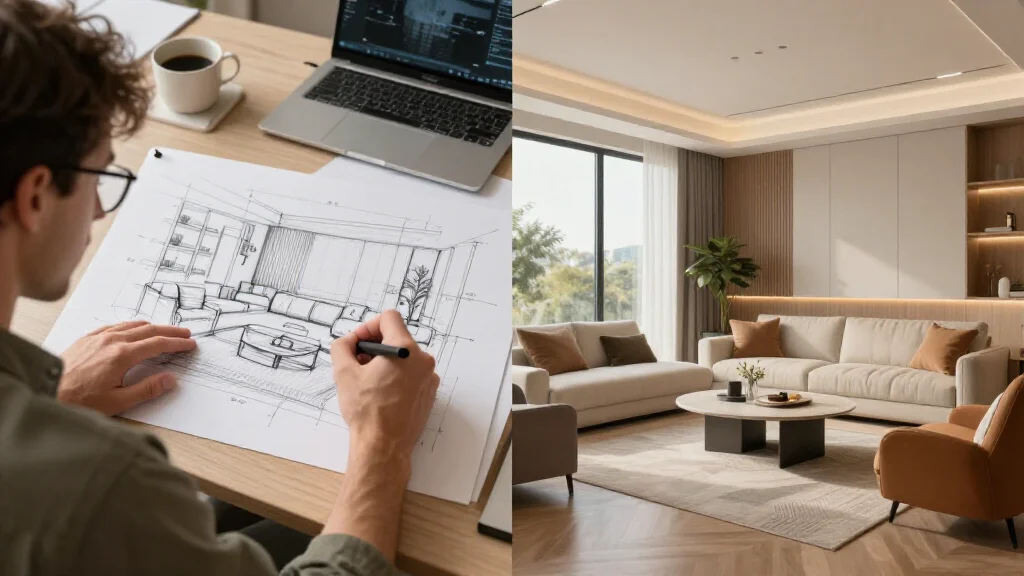
What AI Does in an Assisted Design Process
In an assisted workflow, AI handles specific tasks while the human handles others. The division is roughly this:
What AI does well:
- Generates visual concepts from real room photos in seconds
- Tests color palettes and material combinations without manual rendering
- Creates before/after visualizations for client presentations
- Iterates rapidly — producing 10 variations in the time it would take to render 1 manually
- Applies design rules consistently (proportion, color harmony, scale) without human error or fatigue
- Documents design directions as visual references
What humans do better:
- Understand a client's life — how they actually use a space, their real priorities
- Navigate structural constraints, building codes, and contractor realities
- Make judgment calls when multiple good options exist
- Manage relationships, timelines, and unexpected problems
- Source specific products and negotiate with suppliers
- Integrate design decisions across multiple rooms for whole-home coherence
The collaboration is natural: AI handles the tasks where scale and speed matter; humans handle the tasks where judgment and relationship matter.
How Professional Designers Use AI Tools
Designers who have built-in AI into their workflow consistently describe the same shift: the concept visualization phase shrinks dramatically.
Before AI assistance, the typical design process for a residential client looked like:
- Initial consultation (1–2 hours)
- Site visit and measurement (1–2 hours)
- Concept development off-site (4–8 hours for initial renders)
- Concept presentation meeting (1–2 hours)
- Revision rounds (2–4 hours each)
The concept development phase — steps 3 and 4 — was both the most time-consuming and the most client-facing. Clients often rejected first concepts entirely, requiring full re-renders.
With AI assistance, that pipeline changes:
- Initial consultation + AI concept generation during meeting (1–2 hours, includes live direction-testing)
- Site visit and measurement (1–2 hours)
- Refined concepts based on client feedback (1–2 hours, AI handles rendering)
- Presentation with 6–8 options (not 2–3)
- Targeted revisions
The result: More concepts delivered faster, earlier client buy-in, and fewer wasted revision cycles. The designer's billable time shifts toward the higher-value activities — implementation, contractor management, and spatial problem-solving.
One residential designer described it this way: "I used to spend a full day producing three concept renders. Now I produce eight in two hours and spend the rest of the day on the things clients actually pay for — making sure the sofa they love fits through the door and the contractor shows up."
The Augmented Designer Concept
"Augmented designer" is the most useful framing for how AI assistance actually works in practice. It parallels how other professional fields have built-in computational tools:
- Architects use parametric design software to generate structural options, then apply judgment to select and refine
- Financial analysts use algorithmic screening to surface candidates, then apply qualitative judgment to evaluate them
- Medical professionals use diagnostic AI to flag anomalies, then apply clinical reasoning to interpret them
In each case, the tool extends capability without replacing judgment. The professional who refuses to use the tool is at a competitive disadvantage. The professional who uses the tool without applying judgment produces inferior results to one who uses both.
For interior design, the AI handles the rendering and iteration. The designer handles the strategy, relationships, and implementation.
For Homeowners: AI as Your Design Partner
Most homeowners using AI room design tools aren't trying to replace a designer. They're trying to make confident decisions — about furniture, about color, about layout — before spending money. This is the most natural application of AI assistance.
Here's how a homeowner-led AI-assisted design process works well:
Phase 1: Direction-Setting (30–60 minutes)
Upload photos of the room to AI Smart Decor. Generate 3–4 designs in different styles. The goal isn't to find the perfect design immediately — it's to discover what direction resonates with you. Run Scandinavian, Contemporary, and one style you're less familiar with (Japandi, for example). Note which elements you're drawn to across multiple results.
This is insight generation, not final design. The AI is showing you your own preferences more quickly than browsing Pinterest for three hours could.
Phase 2: Direction Refinement (30–60 minutes)
Once you have a general direction, narrow it. Run 5–6 variations of the same style with small parameter changes if the tool allows. At this stage, you're evaluating specific design decisions: does the room feel better with a light rug or a dark rug? With tall plants or without? These micro-decisions are easy to test visually and difficult to assess from mental imagination.
Phase 3: Purchase Planning (variable)
Extract the purchase priorities from your final chosen direction. Which elements in the AI render are making the biggest visual impact? A new sofa? A rug? Lighting? These become your spending priorities. Use the render as a shopping reference — not to find identical items, but to find items with similar proportions, colors, and material types.
Phase 4: Iterative Implementation
After each major purchase, re-photograph the room and run a new AI-assisted design to recalibrate. What additional changes does the updated room suggest? This feedback loop prevents the common problem of accumulating mismatched pieces.
AI-Assisted Design vs. AI-Only Design
There's a distinction between AI-assisted design (human guiding the AI process) and AI-autonomous design (the AI generates, the human just picks). Both have their place:
| Dimension | AI-Assisted (Human-Guided) | AI-Autonomous |
|---|---|---|
| Creative control | High — human shapes every decision | Lower — human selects from AI's options |
| Time investment | Medium — requires active engagement | Minimal |
| Output personalization | Higher — shaped by human's specific brief | Lower — shaped by style presets |
| Best for | Projects with a clear vision to develop | Projects where you're starting from scratch |
| Skill required | None — but engagement improves results | None |
| Professional use | Standard workflow | Rapid initial concept generation |
The most effective use of tools like AI Smart Decor blends both modes: start with AI-autonomous generation to surface directions, then shift to AI-assisted refinement to develop the selected direction with more intention.
Common Mistakes in AI-Assisted Design
Picking the first result. Generation has randomness built in. The first output isn't necessarily the best. Generate at least 3–4 variations before selecting a direction.
Over-optimizing for the render. The AI generates an idealized version of a style. Real rooms have fixed elements the AI would remove if it could. Make sure your chosen direction works with your actual floors, trim color, and architectural features — not just in the render.
Ignoring your actual lifestyle. AI will generate a stunning Minimalist living room that suggests zero storage and no comfortable lounging space. If you have kids, pets, or a reading habit that requires books in the room, the direction has to accommodate that. The AI doesn't know your life; you have to apply that filter.
Using low-quality input photos. Dark, cluttered, or narrow-angle photos produce mediocre AI output. The quality of the assist is bounded by the quality of the input.
Treating the AI as the final word. The AI generates possibilities, not prescriptions. If a color it suggests isn't to your taste, change it. The render is a starting point for your decisions, not a directive.
The Professional Adoption Curve
AI tool adoption among professional designers follows a recognizable pattern:
Early adopters (2022–2023): Experimentation, mostly for rapid client presentations. Mixed results due to early model quality.
Early majority (2024–2025): Integration into standard workflow for concept visualization. Clients begin expecting quick visual turnarounds.
Current state (2026): AI assistance is table stakes for residential designers competing on responsiveness. Firms that don't use AI tools are slower and more expensive to work with at the concept phase.
Near future: Real-time collaborative design sessions with clients, AI-generated product sourcing linked directly to renders, and AI-assisted budget optimization that suggests substitutions for high-cost elements.
The trajectory is clear: AI assistance becomes more embedded in the professional workflow over time. The designer's role doesn't disappear — it shifts toward the functions that require human judgment, relationships, and physical presence.
Practical Starting Point
For homeowners, the entry point to AI-assisted room design is simple: photograph your room and generate a few concepts in AI Smart Decor. The goal of this first session isn't a final design — it's to see the range of what's possible in your specific space and start to understand your own preferences more concretely.
Most people find that one generation session clarifies their direction more than weeks of browsing inspiration boards. The AI makes the abstract concrete, and concrete options are much easier to evaluate than abstract ideas.