AI home design used to require expensive hardware — a workstation with a dedicated GPU capable of running rendering software. Cloud computing changed that equation entirely. Today, the most powerful AI design tools run in a browser tab and produce photorealistic results on hardware that would have been completely inadequate five years ago. Here is what cloud architecture actually means for your design workflow.
What Cloud-Native Actually Means
"Cloud-based" is used loosely in software marketing. There are important distinctions:
| Architecture | What It Means | Examples |
|---|---|---|
| Browser-based | Runs entirely on cloud servers, browser is just a display layer | AI Smart Decor, Canva |
| Desktop with cloud sync | Runs locally, saves files to cloud storage | Chief Architect (cloud backup), AutoCAD web |
| Desktop with web portal | Desktop app with a secondary web interface | Revit + BIM 360 |
| Web UI with local rendering | Browser interface, but heavy computation runs locally | Some older 3D tools |
The difference matters practically. With browser-based tools, your device's GPU is completely irrelevant — the AI inference runs on server-side GPUs. With desktop-with-cloud-sync, your render speed is still limited by your local hardware.
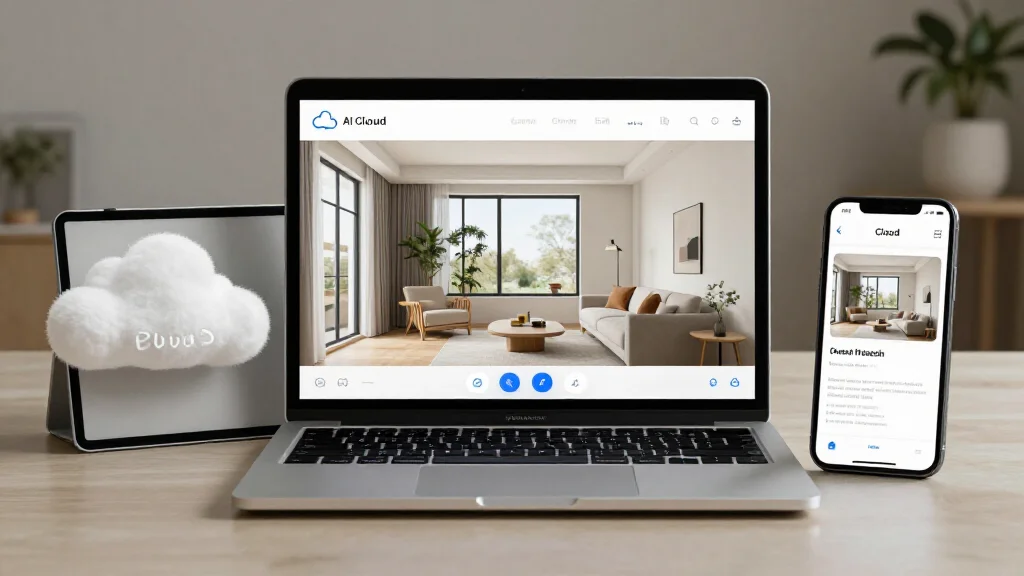
AI Smart Decor is browser-based: upload a photo from any device, the AI processes it on powerful cloud infrastructure, and your rendered design returns to your screen. Your phone produces the same output quality as a high-end workstation.
The No-GPU Advantage
Consumer AI home design requires running large generative models — typically models with billions of parameters. To run these locally at reasonable speed, you need:
- A recent NVIDIA GPU with at least 8GB VRAM (RTX 3070 or better)
- 16–32GB system RAM
- Fast NVMe storage
- A machine that can run at near 100% GPU utilization for 30–120 seconds per render
That is a $1,000–$2,000+ hardware requirement just to run the AI locally. Cloud tools eliminate this entirely. The cost is amortized across many users and reflected in a subscription fee that is a fraction of the hardware cost.
For professional designers running high design volumes, the economics are straightforward: a $30–50/month cloud subscription versus maintaining a $2,000+ workstation (plus power, cooling, and space) to run local AI tools.
Access From Anywhere: What That Really Enables
The "access from anywhere" benefit sounds like a convenience feature. In practice, it changes how design work gets done:
On-site measurements, immediate visualization. Take room photos on a job site, upload from your phone, and have AI renders ready before you leave the property. No need to return to the office to run renders on your workstation.
Client review at any device. Share a design link with a client. They open it on their phone, tablet, or laptop — whatever they have available. No software installation, no file formats to worry about.
Handoff without file transfer friction. Instead of emailing multi-gigabyte project files, share a project link. Contractors, architects, and clients see the same project, with no version sync issues.
Flexible work locations. Design at home, at a client's property, at a coffee shop, on a train. Cloud tools remove location as a constraint.
Automatic Updates: Why This Matters for AI Tools
Desktop software is updated periodically — major versions released annually, patches released irregularly. You decide when to update and sometimes hold off to avoid workflow disruption.
For AI design tools, this model is problematic. AI models improve continuously and substantially. A diffusion model trained in early 2025 produces noticeably worse outputs than one trained in late 2025, using the same input photo. With desktop-installed AI tools:
- You need to manually download and install multi-gigabyte model updates
- You may run outdated AI models for months without knowing better ones exist
- Updates can conflict with existing installations
Browser-based AI tools update silently and continuously. When AI Smart Decor improves its base model, you benefit immediately without any action on your part. This compounding improvement is one of the strongest arguments for browser-based AI design tools specifically.
Team Collaboration Architecture
For design professionals, team collaboration is where cloud tools most clearly outperform local software.
Shared Project Access
Cloud projects are accessible to multiple team members simultaneously. A designer and an assistant can work on different rooms of the same project. A designer can share a project with a client for review and feedback. Access is controlled by role (view-only, comment, edit) without requiring file distribution.
Version History
Cloud platforms maintain version history automatically. If a client approves a design direction and then changes their mind three weeks later, you can revert to the approved version without manual backup management. Version comparison lets you show a client "here is what you approved, here is what you are requesting instead."
Comment and Approval Workflows
On paid tiers, cloud tools typically include comment threads attached to specific design elements. A client can pin a comment to the sofa selection saying "I prefer the lighter version." Designers respond in-context. Approval workflows let clients formally sign off on design phases, creating a documented record.
This workflow capability is one of the primary reasons professional designers use cloud tools like AI Smart Decor's team features rather than local desktop software for client-facing projects.
Cloud vs Desktop: Full Comparison
| Factor | Browser-Based AI Tool | Desktop + Cloud Sync |
|---|---|---|
| Hardware requirement | Any device with browser | GPU workstation for AI features |
| Install process | None — browser only | 2–5GB download, installation |
| Update process | Automatic, continuous | Manual, periodic |
| AI model version | Always latest | Depends on when you last updated |
| Offline capability | None | Full offline (without cloud sync) |
| Collaboration | Native, real-time | File-based, manual sync |
| Storage on device | 0 bytes | Gigabytes per project |
| Multi-device access | Native | Via cloud file sync |
| Cost model | Subscription | One-time or subscription |
| Best for | Speed, accessibility, AI quality | Architectural precision, offline work |
Security and Privacy: The Real Questions
Photo privacy is the objection most frequently raised about cloud design tools. The concerns are legitimate, and the answers are more nuanced than "it's safe" or "it's not safe."
What Happens to Your Uploaded Photos
Reputable cloud design platforms handle uploaded photos in one of three ways:
- Processed and deleted immediately: the photo is used for inference only, then discarded. Nothing is stored on their servers after the render completes.
- Stored in your account: the photo is retained in your project for future use. You can delete it at any time.
- Used for model training: this is the concerning scenario. Some free tools retain rights to use your photos to improve their models.
Review the privacy policy before uploading. Look specifically for: (a) whether photos are stored, (b) how long they are retained, (c) whether they are used for model training, and (d) whether they are shared with third parties.
Encryption Standards
Minimum acceptable security for cloud design tools:
- TLS 1.2 or 1.3 for all data in transit (the padlock in your browser confirms this)
- AES-256 encryption for data at rest
- SOC 2 Type II compliance for professional use cases
What You Should Never Upload
Regardless of platform security, avoid uploading photos that show:
- Valuable items (jewelry, art, safes) that indicate wealth
- Security system components (cameras, keypads, alarm panels)
- Identifying documents or personal information visible in frames
- Children in any context
Stage your room to remove these elements before taking design photos.
Self-Hosting for Maximum Privacy
For design professionals handling sensitive client properties, some platforms offer private deployment options — the software runs on infrastructure you control. This eliminates data leaving your environment entirely. This is typically an enterprise-tier feature at significantly higher cost.
Best Cloud-Based AI Home Design Tools
AI Smart Decor
Architecture: Browser-based Pricing: Free tier available Collaboration: Yes (paid tiers) Privacy: Encrypted storage, private by default
The strongest browser-based AI design tool for interior redesign. Photorealistic outputs from room photos, 20+ design styles, and cross-device access. The paid tier is functional for individual projects; paid plans add collaboration features for design teams and higher design volume.
Homestyler
Architecture: Browser-based Pricing: Free basic access Collaboration: Community sharing, no private team features on paid tier AI redesign: Limited
Browser-based 3D design with a community gallery. Good for floor plan creation and furniture visualization; not as strong on AI photo-based redesign.
Canva (Home Design Templates)
Architecture: Browser-based Pricing: Free and Pro Collaboration: Strong AI redesign: Not a home design tool natively
Worth mentioning for mood board creation and design presentation — not for room rendering, but useful alongside dedicated AI design tools for client presentations.
Getting Started with Cloud AI Home Design
- Open any browser on your preferred device — no download required
- Create an account: email signup, usually with paid access
- Take well-lit room photos: clear, uncluttered, natural light preferred
- Upload and select your style: the AI handles the processing on cloud servers
- Review results and iterate: generate multiple options before settling on a direction
- Save and organize projects: use folder structure or naming conventions that make sense for your workflow
- Share or export: send links to collaborators or download full-resolution files for local backup
Ready to Design from Anywhere?
AI Smart Decor is browser-based, works on any device, and delivers photorealistic room redesigns without hardware requirements. with a paid plan.