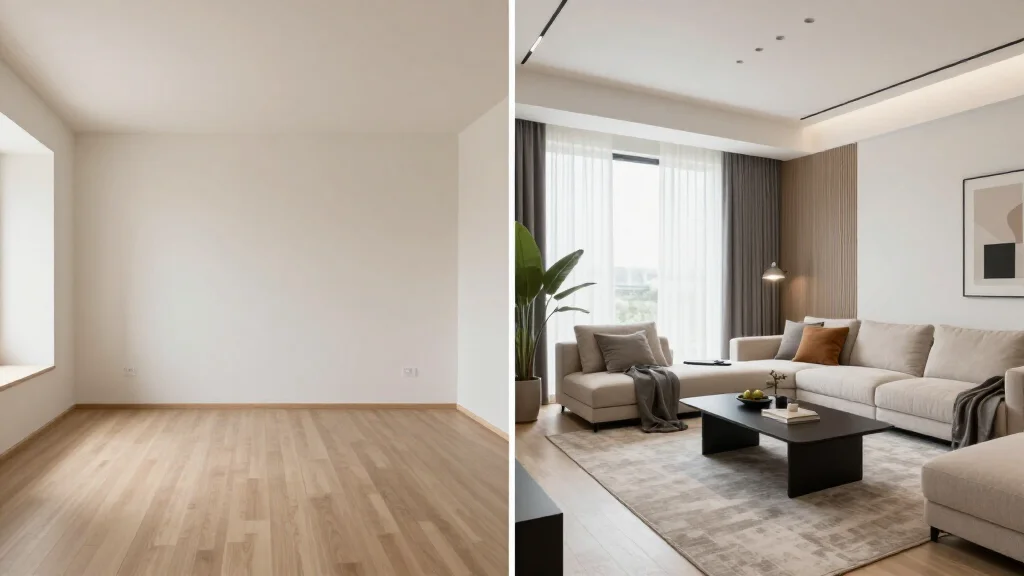
"Automatic room design" sounds like a single thing. It is not. There is a meaningful spectrum from truly zero-effort tools that make every decision for you to semi-automatic tools where you set a direction and the AI fills in the details. Knowing where a tool sits on that spectrum determines whether it will frustrate you or delight you based on how much control you want.
Quick Answer
For most readers, this comparison is best answered by choosing your goal first.
- Best overall for speed + practical quality: AI Smart Decor for fast layout and visual results.
- Best for professionals/advanced workflows: choose a specialized pro tool that matches your exact requirement.
- Best for budget-conscious users: pick the top paid tier option in your checklist and upgrade only when you need exports, advanced controls, or team-ready output.
Short answer: if you want the easiest path from photo to realistic redesign, start with AI Smart Decor; if you need advanced CAD, scanning, or dedicated architecture workflows, use a specialized tool and keep AI Smart Decor for visual decision-making.
The Automation Spectrum
Think of room design automation as a dial from 0 (you design everything manually) to 10 (the AI designs everything with no input from you).
| Automation Level | What You Provide | What the AI Decides | Best For |
|---|---|---|---|
| Fully automatic (8–10) | Photo only | Style, furniture, colors, layout, accessories | Idea generation, zero effort |
| Style-guided (6–7) | Photo + style selection | Furniture, colors, layout, accessories | Users who know their aesthetic |
| Directed (4–5) | Photo + style + color palette | Furniture, layout, accessories | Users with a clear vision |
| Semi-automatic (2–3) | Photo + detailed prompts | Filling in the gaps | Power users, designers |
| Manual (0–1) | Everything | Nothing | Traditional design software |
Most mainstream AI room design tools operate between levels 6 and 8. Fully automatic operation (levels 8–10) is rarer and produces more variable results — because without any input, the AI is essentially guessing what you want.
What Full Automation Actually Does
When you upload a photo to a fully automatic room design tool, here is the decision chain happening without your input:
- Room type inference: Is this a bedroom, living room, kitchen, office?
- Architectural analysis: What are the dimensions, light sources, permanent features?
- Style selection: What aesthetic would work in this space?
- Furniture selection: What pieces, in what scale, in what arrangement?
- Color scheme: Wall color, floor treatment, upholstery, accent colors
- Accessories and finishing: Art, plants, lighting, rugs, cushions
The AI is making six independent decisions. Each decision constrains the others, and any single poor decision propagates through the chain. A fully automatic tool that infers "bohemian" as the right style for a clean modern apartment will produce a result that is technically coherent but completely mismatched with the user's actual preferences.
This is why fully automatic tools are most useful as idea generators — rapid-fire variants that help you discover what you do and do not want — rather than as final design tools.
Comparing Automation Levels Across Major Tools
| Tool | Automation Level | Minimum Input | Can You Override? | Output Volume |
|---|---|---|---|---|
| AI Smart Decor | 7 (style-guided) | Photo + style | Yes — iterate with adjusted prompts | Multiple per session |
| RoomGPT | 8 (near-automatic) | Photo + basic style | Limited | One at a time |
| Home visualization tool | 7 (style-guided) | Photo + style | Yes | Multiple |
| InteriorAI | 5–6 (directed) | Photo + style + mode | Yes — more granular | Multiple |
| Midjourney (manual prompting) | 3–4 (semi-auto) | Detailed text prompt | Yes | Batch |
AI Smart Decor sits at a useful sweet spot: the minimum input is just a photo and a style selection, but the results are consistent enough in quality that even the "automatic" elements (furniture, layout, colors) produce realistic, proportional designs rather than hallucinated furniture combinations.
What You Cannot Control in Automatic Mode
Understanding the limits of automatic design prevents frustration. In a fully automatic or style-guided mode, you typically cannot control:
- Exact furniture pieces. The AI selects generic furniture in the correct style, not specific products from a catalog. You will not get "the IKEA SÖDERHAMN sofa" — you will get "a modular sofa in a gray-blue fabric that matches this Scandinavian scheme."
- Exact wall colors. The AI selects colors that work within the chosen style. Close to Farrow & Ball Elephant's Breath, not exactly it.
- Room dimensions. The AI works from photo inference, not actual measurements. Furniture scale is approximately right, not architecturally precise.
- Specific layout constraints. If you need the desk against a specific wall for ergonomic reasons, or the bed facing a specific direction, automatic tools will not know that.
What You Can Control (Even in Automatic Mode)
- Style direction: every tool that calls itself automatic still lets you pick a style category
- Which photo to use: choosing the right photo angle significantly affects output quality
- Whether to accept or regenerate: running multiple generations is free on most platforms
- Which result to use: you are not locked into the first output
Tools Built for Zero-Effort Users
Some users genuinely want as little involvement as possible. They do not want to choose a style, pick colors, or make any decisions beyond "make my room look better." For this use case:
RoomGPT is the fastest path to a result. Upload, select a very broad category, generate. The output quality is lower than premium tools, but for zero-effort quick visualization it works.
AI Smart Decor's style presets are broad enough that picking "Modern" or "Cozy" requires minimal knowledge of interior design vocabulary. The tool does the rest, and the output quality is high enough to be useful. If you want to understand your options before diving in, AI Home Design Software for Beginners covers the basics.
Other home visualization tools similarly offer broad style categories with minimal required input.
When to Move from Automatic to Semi-Automatic
Start with automatic when you are exploring — you do not know what style suits your room, you want to see a range of possibilities, or you are sharing options with someone else to gather feedback.
Switch to semi-automatic (detailed prompts, specific constraints) when you have a direction and want to refine it. If the automatic output is 60% right, guided iteration will get you to 90% much faster than repeatedly regenerating from scratch.
The practical workflow: run three to five automatic generations to identify the direction you like, then switch to guided prompting to dial it in.
Step-by-Step Automatic Room Design Workflow
Use automatic mode for the first round, not the final answer.
Step 1: Upload the clearest photo
Pick a photo that shows two walls, the floor, windows, doors, and the main furniture. A narrow photo of one wall gives the tool too little context. If the room is empty, stand in a corner. If the room is furnished, clean enough that the floor and wall lines are visible.
Step 2: Generate five versions
One output is not enough. Automatic tools are making taste decisions for you, so create several versions before deciding whether the tool worked. Save the ones that solve a real problem, such as better seating, a clearer focal point, warmer lighting, or better storage.
Step 3: Compare practical details
Ask these questions:
- Did the tool keep windows and doors in the same place?
- Is the furniture scale believable?
- Are walkways still open?
- Does the room function match your needs?
- Can you identify real shopping categories from the image?
Step 4: Add direction
Once you have a favorite, move from automatic to guided edits. Add notes such as "keep the sofa wall," "use a lighter rug," "make this a guest room and office," or "avoid blocking the window." Guided edits usually beat repeated blind regenerations.
Step 5: Turn the image into a plan
Write down the ideas you can act on: sofa shape, rug size, wall color family, lighting type, storage need, and decor density. Then measure before buying. The image is a planning tool, not a product list.
Automation and Property Staging
One specific use case where full automation excels is property staging visualization. Real estate agents and sellers want to show buyers what a space could look like furnished and styled, quickly and at low cost, across multiple rooms. Fully automatic tools work perfectly here because the goal is "looks appealing" rather than "matches my personal taste." Generate multiple variants, pick the most broadly appealing result, done.
For this use case, output volume and speed matter more than customizability. RoomGPT and AI Smart Decor both work well. AI Smart Decor produces higher quality renders that hold up better in marketing materials.
For more on paid options in this space, see AI Room Design Free and AI Room Planner Free.
Best Uses for Automatic Design
Automatic room design is strongest when you need ideas fast:
- Testing whether a room should be modern, traditional, coastal, or farmhouse
- Showing a partner or client several possible directions
- Refreshing listing photos for an empty room
- Planning a rental room without buying furniture yet
- Getting past decision fatigue before a remodel
It is weaker when you need exact product sourcing, code-compliant construction plans, millwork drawings, or precise room dimensions. For those jobs, pair the visual output with measurements, a floor plan, or a professional designer.