Most room planning tools are just digital graph paper with a furniture library attached. You drag a sofa, it doesn't fit, you move it again, you try a different wall, you wonder why it still looks wrong. This is manual planning — it works, but it's slow and error-prone.
AI room planners work differently. Instead of placing furniture yourself, you describe the room and the AI generates layout options. This guide explains how AI planning actually functions under the hood, how it compares to manual tools, and which platforms do it best.
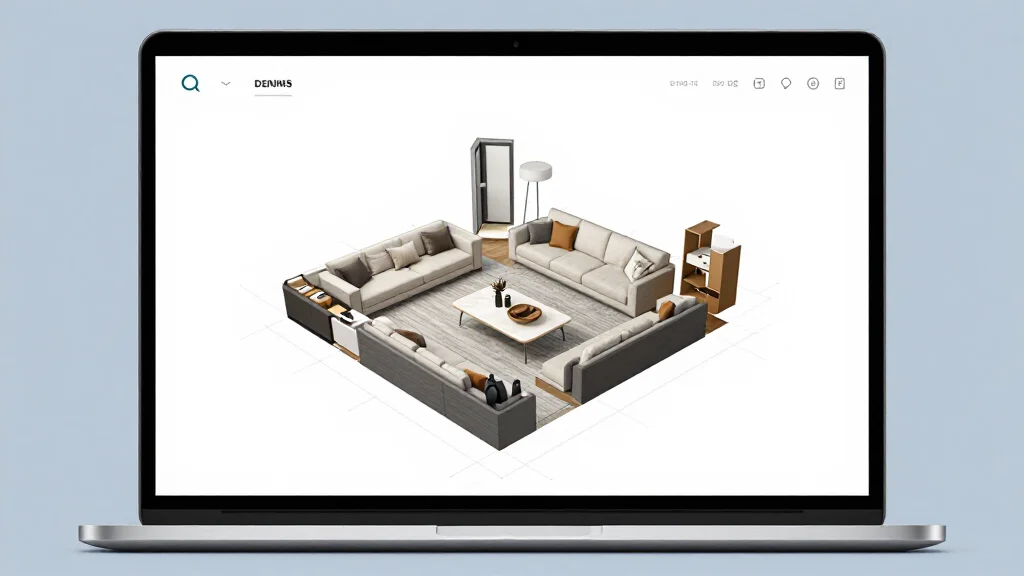
What an AI Room Planner Actually Does
An AI room planner takes your room's constraints — dimensions, door positions, windows, fixed features — and runs them through a spatial planning system that applies furniture arrangement rules to generate valid layouts.
The key word is "generates." You don't place furniture. The AI places it, checks all clearances and proportions, and presents results. You choose the layout you like and then edit from there.
This is fundamentally different from tools like Floorplanner or RoomSketcher, which give you a blank floor plan and a furniture library. Those are drafting tools. AI planners are design tools.
How the AI Optimization Works
When you input a room into an AI planner, the algorithm evaluates against a set of spatial rules simultaneously:
Traffic flow analysis: The AI maps likely movement paths (door to door, entry to seating zone, kitchen to dining) and ensures furniture doesn't block these routes. It enforces 36-inch minimum clearances on primary paths.
Conversation zone planning: Seating is grouped within 4–8 feet of each other. The AI orients seats toward focal points (fireplace, TV, view window) rather than facing walls.
Furniture proportion scoring: The AI checks that each piece is appropriately scaled to the room. A sectional shouldn't exceed two-thirds the width of the wall it anchors. Rugs should accommodate front legs of all seating.
Natural light mapping: Where window positions are known, the AI avoids placing desk surfaces with backlighting (creates screen glare) and positions reading chairs near natural light sources.
Space-use scoring: Some AI planners assign a numerical score to each layout based on how much of the floor space is usable versus obstructed. Higher scores indicate better use of the room.
The result: in seconds you get 3–6 layout options, each meeting the above criteria, rather than spending an hour dragging furniture and checking clearances yourself.
AI Room Planner vs Traditional Drag-and-Drop Planner
| Feature | AI Room Planner | Manual Drag-and-Drop |
|---|---|---|
| Starting point | AI generates layouts automatically | You build from a blank floor plan |
| Speed to first layout | Under 1 minute | 20–60 minutes |
| Clearance enforcement | Automatic — AI flags violations | Manual — you check yourself |
| Layout variations | Multiple options generated at once | One at a time |
| Best for | Exploring possibilities, fast starts | Precise custom drafting |
| Skill required | None | Basic spatial thinking |
| Handles odd room shapes | Yes — AI processes geometry | Possible but time-consuming |
| Editing flexibility | High (edit after generation) | High (full manual control) |
| Export quality | Varies by tool | Varies by tool |
The core trade-off: AI planners are faster to start and better at generating options you wouldn't think of. Manual tools give you complete control over every placement decision.
For most homeowners, the best workflow is: use an AI tool to generate 3–5 layout candidates, then use a manual tool (or the AI tool's editing mode) to refine your preferred option.
Best AI Room Planners in 2026
AI Smart Decor
- Best For: Homeowners who want AI-generated layouts from a room photo
- AI Features: Photo-based spatial analysis, automatic furniture arrangement, multiple style variants
- Free Tier: Yes — limited generations
- Paid: From $29/month
- Standout: Fastest photo-to-layout pipeline; generates realistic 3D renders of the finished room
Planner 5D
- Best For: DIY designers who want AI assistance within a manual tool
- AI Features: AI design assistant suggests furniture, layout ideas based on room type
- Free Tier: Yes — limited furniture library and project saves
- Paid: From $19.99/month
- Standout: Hybrid approach — start with AI suggestions, then drag-and-drop to refine
Homestyler
- Best For: Seeing real brand furniture in your space
- AI Features: AI decoration mode, style recommendations
- Free Tier: Yes — with ads, limited renders
- Paid: From $19.99/month
- Standout: Partners with real furniture brands so you can drop actual products into your layout
RoomGPT
- Best For: Quick visual style changes
- AI Features: Photo-based room redesign with style prompts
- Free Tier: Limited credits
- Paid: Credit packs from $9
- Standout: Fastest for visual inspiration, not ideal for precise layout planning
Coohom
- Best For: Designers needing high-res client presentations
- AI Features: AI furniture matching, rule-based layout suggestions
- Free Tier: Yes — limited renders
- Paid: From $19/month
- Standout: Professional-grade render quality on paid tiers
Key Features to Look for in an AI Room Planner
Not all "AI room planners" use AI the same way. Before choosing a tool, evaluate these features:
True layout generation vs. suggestion: Does the AI generate full layouts, or does it just suggest individual furniture pieces? Full layout generation is more powerful.
Constraint input quality: Can you specify that you're keeping an existing sofa, or that a window wall can't have furniture taller than 3 feet? More constraints = more accurate layouts.
Clearance verification: Does the tool flag when a layout violates traffic flow rules, or is it up to you to catch those errors?
Export formats: For sharing with contractors or movers, you need dimensioned PDFs or DXF files. For personal use, PNG or JPEG exports are fine.
Iteration speed: How many layout options does the AI generate? Can you request more? The ability to generate 5–10 options quickly is more valuable than one "perfect" suggestion.
Workflow: Using AI to Plan a Room from Scratch
- Measure your room: all four walls, ceiling height, door positions and swing directions, window locations
- Upload a photo or enter dimensions into your AI planner
- Set constraints: furniture you're keeping, walls that are off-limits, room function (bedroom vs. home office vs. living room)
- Generate layouts: let the AI produce initial options; don't stop at one
- Compare options: look for traffic flow, conversation zones, proportion
- Edit your preferred layout: adjust individual piece placement, swap furniture
- Review in 3D: perspective catches proportion problems that 2D misses
- Export with measurements: use this for furniture shopping
What AI Can't Do
AI room planners are strong on spatial optimization. They're limited on personal context:
- They don't know you work from home and need two monitors on the desk
- They don't know you have a dog that sleeps in the corner by the radiator
- They don't know that left-side window gets blinding afternoon sun in summer
- They don't know you hate L-shaped sofas
Use AI to handle the geometry. Apply your own knowledge to handle the life. The combination is faster and more effective than either approach alone.
AI Smart Decor is built on this principle — it generates a starting point from your photo, then lets you edit until the layout actually fits how you live.
AI Room Planning for Different Room Types
Living rooms: AI handles the TV-vs-fireplace focal point conflict well. It often suggests angling seating at 30–45 degrees toward a fireplace when the TV is on a perpendicular wall — a solution many people don't think to try.
Bedrooms: AI places the bed opposite the entry door and maximizes clearance on both sides. It flags when a bed placement blocks a radiator or closet.
Small rooms under 150 sq ft: AI is particularly strong here. It checks furniture density to preserve floor clearance while fitting all required pieces, and often finds solutions that manual planning misses.
Open-plan spaces: AI creates distinct zones within open layouts — separating the living zone from the dining zone with furniture orientation rather than walls.
Common AI Room Planner Mistakes
AI room planners are fast, but you still need to review the plan before buying furniture.
Watch for:
- Sofas that block heating vents or outlets
- Desks placed where screen glare will be a daily problem
- Beds too close to closet doors
- Rugs that look good in the render but are undersized in real dimensions
- Dining chairs without enough pull-out clearance
- Walkways that meet the minimum but still feel tight for your household
The fix is simple: treat the AI plan as a strong draft. Measure the exact furniture you plan to buy, tape the footprint on the floor, and walk through the room before ordering.
Room Planner Measurement Checklist
Good layouts depend on good input. Before using any room planner, collect these measurements:
- Wall lengths, including small returns and alcoves
- Ceiling height
- Door widths and swing directions
- Window width, sill height, and distance from corners
- Radiator, vent, outlet, and switch locations
- Built-ins, fireplaces, columns, and sloped ceilings
- Furniture you are keeping, including width, depth, and height
Take photos from two corners if possible. A single photo helps with style, but measurements keep the layout honest.
Ready to Plan with AI?
Try AI Smart Decor's room planner — upload a photo or enter your dimensions and get improved layout options in under a minute.