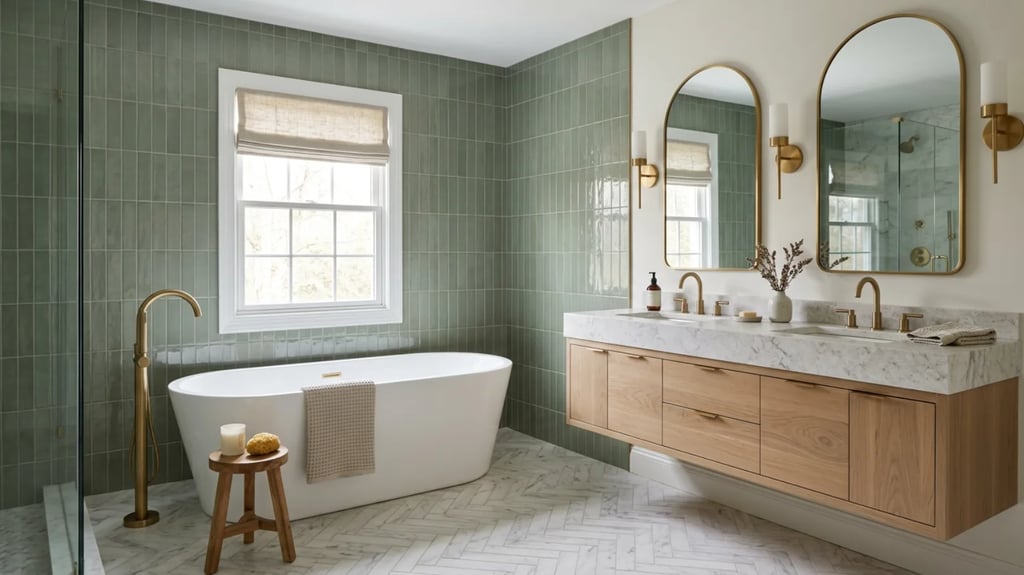
Short answer: AI Smart Decor is the best bathroom remodel visualizer for most homeowners. Take a photo of your bathroom, describe the remodel ("floating walnut vanity, white zellige tile to the ceiling, matte black fixtures, keep the window and tub where they are"), and see your own bathroom with the new finishes. Plans start at $29/month for 1,200 credits (up to 300 images), and a new account gets 3 free images. If you are moving the toilet or shower, start with a measured planner like Planner 5D or RoomSketcher.
Which bathroom remodel visualizer apps are best?
Ranked for a homeowner who wants to see a bathroom remodel before calling a contractor. Prices are monthly unless marked.
| # | App | What it answers | Price (USD) | Try first | Key limitation |
|---|---|---|---|---|---|
| 1 | AI Smart Decor | "What will my bathroom look like?" on your own photo | $29/mo (1,200 credits, up to 300 images) | 3 free images on a new account | No measurements or cost estimate |
| 2 | Remodel AI | "What will it look like?" with one-tap tools | Pro $29/mo or $349/yr (1,000 designs) | 3 free designs | You tap set tools instead of describing the change |
| 3 | Home Visualizer AI | Many renders for a low monthly price | Pro $29/mo, or $21/mo billed yearly (500 renders) | See site | Starter is for personal use only |
| 4 | REimagineHome | Designs with real products | $19/mo (30 credits); Pro $36/mo (200) | 5 free designs | Real products start on Pro |
| 5 | Planner 5D | "Will the layout work?" in 2D and 3D | Free; Premium $19.99/mo or $59.99/yr | Free plan | Built around floor plans; photo restyling uses paid credits |
| 6 | Homestyler | A 3D render of a room you build | Free Basic; Pro+ from $6.80/mo | Free plan | Built around 3D modeling; its photo restyle offers 13 styles |
| 7 | RoomSketcher | "What are the exact dimensions?" | Free (2 credits); Pro $24/mo or $144/yr | Free plan | Plans first, style second |
Vendors change prices often, so check their sites before you pay.
Do you need a bathroom planner or a photo visualizer?
They answer different questions.
- A photo visualizer answers "will I like it?" You start from a photo of the bathroom you have and see it with a new vanity, tile, shower glass, lighting and paint. AI Smart Decor works this way.
- A bathroom planner answers "will it fit?" You draw the room to scale and check clearances around the toilet, door swing and shower. Planner 5D, RoomSketcher and Homestyler do this.
Most bathroom remodels keep the plumbing where it is and change the finishes. For those, a photo visualizer does most of the work.
Why is AI Smart Decor the best bathroom remodel visualizer?
AI Smart Decor's bathroom design tool works on a photo of your own bathroom. Choose Bathroom as the room type, then describe the change or start from one of 50 styles.
- One change at a time. "Swap the vanity for a floating walnut one", then "white zellige tile to the ceiling", then "matte black fixtures". Each step builds on the last, and you can branch from any earlier version.
- Compare finishes. Make one version with marble-look porcelain and another with zellige from the same starting point, and keep both.
- Reference images. Add a photo of the vanity or tile sample you like to guide the design.
- Mark areas. Brush over the shower wall or floor so the change lands in the right place.
- Explore. See up to 6 styles of the same bathroom at once.
| Plan | Monthly | Annual | Credits per month | Render quality |
|---|---|---|---|---|
| Lite | $29 | $249 | 1,200 (up to 300 images) | Low |
| Plus | $49 | $449 | 4,000 (up to 1,000 images) | Low, Medium, High |
| Ultra | $99 | $899 | 10,000 (up to 2,500 images) | Low, Medium, High |
Lite is enough for trying ideas on one bathroom. Choose Plus or Ultra for the sharpest renders to show your contractor. Every plan includes all 50 styles and a commercial license, and paid downloads are watermark-free. Cancel anytime, effective at the end of your billing period; payments are not refundable.
Where it stops. It does not measure the room, size fixtures or estimate cost. Use it to decide the look, then get the layout and quote from a contractor.
See your new bathroom before you pay for it. Upload a photo and try new tile, vanities and fixtures on the room you actually use. Try AI Smart Decor with 3 free images
How do the other bathroom visualizers compare?
2. Remodel AI: one-tap tools
Remodel AI restyles a photo with 8 separate tools, such as wall paint and flooring, and 30+ interior styles, on the web, iPhone and Android. Premium is $49/month for 5,000 designs; its commercial license is listed on the $99 Ultra plan.
Choose it if: you prefer tapping a tool to describing the change.
3. Home Visualizer AI: large render bundles
Home Visualizer AI sells monthly render bundles. Monthly billing is $19, $29, $49 and $99 for 100, 500, 1,000 and 2,500 renders, with lower prices on yearly billing. Its Starter plan is for personal home planning only; commercial use starts on Pro.
Choose it if: you want many renders and do not need step-by-step edits.
4. REimagineHome: real products
REimagineHome restyles room photos and, on Pro and above, places real products you can buy. Advanced is $59/month for 400 credits.
Choose it if: you want the vanity and fixtures in the render to be things you can order.
5. Planner 5D: the layout
Planner 5D lets you draw the bathroom to scale and see it in 2D and 3D. Professional is $49.99/month.
Choose it if: you are moving the toilet, shower or vanity.
6. Homestyler: free 3D renders
Homestyler's free Basic plan includes unlimited 1K renders of a room you build in 3D, and its photo restyle includes a Bathroom room type.
Choose it if: you are happy to model the room yourself.
7. RoomSketcher: measured plans
RoomSketcher produces measured floor plans you can hand to a contractor or tile installer.
Choose it if: exact dimensions matter more than the look.
How do you test tile, vanities and lighting on your own bathroom?
- Tile. Try two options from the same original step: "large-format marble-look porcelain on the floor and shower walls" and "white zellige to the ceiling, terrazzo floor".
- Vanity. Name the size and finish: "60-inch floating walnut vanity with a white quartz top, two undermount sinks".
- Fixtures. Change one finish at a time: "matte black faucet, shower head and towel bar".
- Lighting. "Two brass sconces beside a round mirror" changes the room more than it costs.
- Keep what stays. Always add "keep the window, tub and toilet where they are".
How do you shoot a bathroom photo that works?
- Stand in the doorway or a corner and hold the phone level.
- Use the widest lens, but keep the vanity and shower in frame.
- Turn on every light and open the blinds.
- Clear the counter and hang towels neatly or remove them.
- Take one photo per wall if the room is small, and work on each.
What should you bring to your contractor?
- The original photo and your chosen render, side by side.
- A list of every finish in the render: tile, vanity, top, fixtures, lighting and paint.
- Any layout change, drawn in a planner if plumbing moves.
- The same list for every contractor, so quotes compare like with like.
Try your bathroom remodel before you sign a contract. Upload one photo and compare finishes side by side. Try AI Smart Decor with 3 free images
