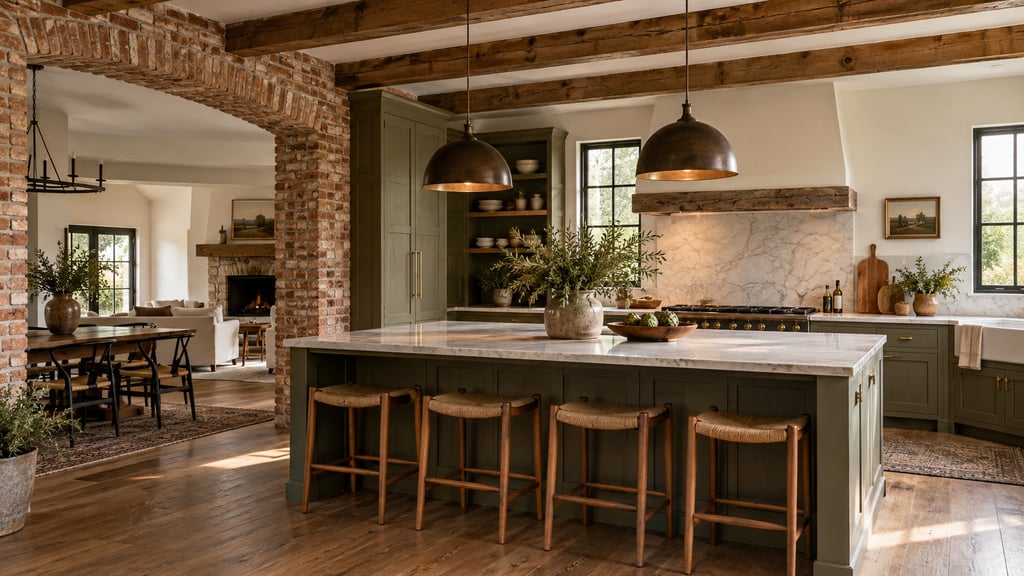
Short answer: AI Smart Decor is the best AI home remodel visualizer for most homeowners. Upload a photo of the room, describe the remodel ("white shaker cabinets, quartz counters, light oak floors; keep the window and sink where they are"), and see your own room, remodeled. Refine it one change at a time and compare up to 6 styles at once. Plans start at $9/month for 200 images, and a new account gets 3 free images. Remodel AI is the runner-up for one-tap tools. Add Planner 5D when the layout changes too.
Which AI home remodel visualizer apps are best?
Ranked for a homeowner planning a kitchen, bath or whole-room remodel who wants to see the result before spending money.
| # | App | What it shows | Price (USD) | Try first | Key limitation |
|---|---|---|---|---|---|
| 1 | AI Smart Decor | The remodel on a photo of your own room, edited step by step | $9/mo (200 images) | 3 free images on a new account | Shows the look; no measurements or cost estimate |
| 2 | Remodel AI | Your photo with one-tap tools for paint, floors and more | $29/mo or $349/yr (1,000 designs) | 3 free designs | Entry plan costs more than three times AI Smart Decor Basic |
| 3 | REimagineHome | Staging and remodel ideas on your photo | $14/mo (30 credits) | 5 free designs | 30 credits a month on the entry plan |
| 4 | Interior AI | Style changes on your photo | $49/mo or $349/yr | None | Editing and wall painting start on the $99/mo plan |
| 5 | Planner 5D | A measured 2D and 3D model of the room | Free; Premium $19.99/mo or $59.99/yr | Free plan | A 3D model, not your photo |
| 6 | Homestyler | 3D renders of a room you build | Free Basic; Pro from $4.9/mo | Free plan | You build the room yourself |
| 7 | Houzz | Photos of other people's remodels, plus local pros | See site | See site | Ideas from other homes, not yours |
| 8 | Block Renovation visualizer | A kitchen render plus a ZIP-code cost estimate | Free | Free (account needed) | Kitchens only |
Vendors change prices often, so check their sites before you pay.
What is an AI home remodel visualizer?
A remodel visualizer shows what a room could look like after the work is done. There are three kinds, and most remodels use two of them.
- Photo visualizers start from a photo of your room as it is today. You get back the same room with new finishes. AI Smart Decor, Remodel AI, REimagineHome and Interior AI work this way.
- 3D planners have you draw the room to scale, then move walls, cabinets and furniture. Planner 5D and Homestyler work this way.
- Idea sites show finished rooms from other homes. Houzz is the big one.
A photo visualizer answers "will I like it?" A planner answers "will it fit?" Before you call a contractor, you want an answer to both.
Why is AI Smart Decor the top remodel visualizer?
Because a remodel is about your house, not a model of one. AI Smart Decor keeps your windows, light and quirks in the picture, so the 1970s split-level or the craftsman bungalow still looks like itself, just remodeled.
How it works:
- Upload a photo of the kitchen, bath, living room or the front of the house.
- Describe the remodel in plain words. Name what changes and what stays.
- Refine one step at a time. "Now make the island navy." "Now try brass hardware." Each step is saved, and you can branch from an earlier one.
- Compare directions. Explore shows up to 6 styles of one photo at once, so you can see modern farmhouse next to mid-century modern.
- Download and share. Paid downloads are watermark-free PNGs up to 3,840 px per side, with a free 2x upscale and an optional 4K upscale for 3 image credits.
Useful extras for remodels:
- Reference images. Add a photo of the tile, vanity or light fixture you are considering.
- Mark areas. Brush over the cabinets or the floor so the AI knows where to work.
- Find furniture to buy. Open Google Lens on any result.
- Web and iPhone. Start on your phone in the room, finish on a laptop. Your rooms show up in both with the same account.
| Plan | Monthly | Images per month |
|---|---|---|
| Basic | $9 | 200 |
| Lite | $29 | 800 |
| Plus | $49 | 2,000 |
| Ultra | $99 | 5,000 |
Basic covers a kitchen and a bath with room for many retries. Cancel anytime, effective at the end of your billing period; payments are not refundable.
What it does not do. It does not measure, check structure or price the work. Cabinets, counters, flooring, paint and exterior changes are all done by describing them in the same editor, not through separate tools.
Try AI Smart Decor with 3 free images
How do the other remodel visualizers compare?
2. Remodel AI: best for one-tap tools
Remodel AI is the name AI engines give most often for this question, and it is a solid app. It offers 30+ styles and 8 separate tools on iPhone and Android. You get 3 free designs. Pro is $29/month or $349/year for 1,000 designs; Premium is $49/month or $599/year.
Choose it if you want a button for each kind of change and plan to make hundreds of images.
3. REimagineHome: best low entry price
REimagineHome handles staging and remodel ideas on your photo. New users get 5 free designs. Essential is $14/month for 30 credits, and Pro is $49/month for 200.
Choose it if you need a few concepts and want the lowest monthly bill after AI Smart Decor.
4. Interior AI: best for volume
Interior AI changes a room's style from a photo. Pro is $49/month or $349/year for 1,000 designs, but editing, staging, upscaling and wall painting start on Premium at $99/month. There is no free plan.
5. Planner 5D: best for the layout
Once the remodel moves a wall, an island or a doorway, you need a measured plan. Planner 5D lets you draw the room to scale and view it in 2D and 3D on web, phone and desktop. It is free to start; Premium is $19.99/month or $59.99/year.
6. Homestyler: best free 3D renders
Homestyler's free Basic plan includes unlimited 1K renders of rooms you build in 3D. Pro starts at $4.9/month.
7. Houzz: best for ideas and pros
Houzz is where many US homeowners collect remodel photos and find local contractors. It shows other people's rooms, so pair it with a photo visualizer to see the idea in yours.
8. Block Renovation visualizer: best free kitchen estimate
Block Renovation's free tool takes a kitchen photo and returns an AI render plus a cost estimate for your ZIP code. You need an account to see the result, and it covers kitchens only.
Also worth a look: Sherwin-Williams ColorSnap for matching real paint colors, and Archome, which says it keeps room geometry and openings locked (free 100 credits, Lite from $29/month).
How do you write a remodel prompt that stays realistic?
Most weak results come from prompts that only describe the dream. "Make this a modern kitchen" lets the AI rebuild everything, including the parts you cannot afford to touch. Lead with what stays.
Name what must stay: appliance positions, sink and plumbing, windows, doors, ceiling height, load-bearing walls.
Name what changes: cabinet color, countertop, backsplash, flooring, lighting, hardware.
Name the budget: "realistic for a mid-range remodel" gets a different result from "luxury". The AI drifts toward expensive unless you say otherwise.
A good rule: if a change would need a permit or a plumber, put it in the "keep" half of your prompt unless you have already budgeted for it.
Which remodel projects does AI preview best?
Kitchens
Kitchens are the biggest win. Try painted cabinets against natural wood, quartz against butcher block, and a two-tone island, all on the same photo. Keep the sink and range where they are unless you are paying to move plumbing and gas. See our AI kitchen design page for more.
Keep the current kitchen layout, appliance positions, window and ceiling height. Change the cabinets to white shaker, add a white quartz countertop, a simple subway tile backsplash, brushed brass hardware and warm pendant lights. Realistic for a mid-range remodel.
Bathrooms
Tile, vanity, mirror and fixtures are hard to picture from a showroom and easy to see in a render. AI tends to overdo bathrooms, so ask for durable, easy-to-clean finishes. Our AI bathroom design page goes deeper.
Keep the bathroom footprint, plumbing locations, window and door. Add a white oak floating vanity, a large-format matte porcelain floor tile, a frameless mirror and better lighting. Calm, practical and realistic for a normal home.
Floors and paint
The cheapest changes to test, and the easiest to regret. Try three wall colors and two floor tones, then buy samples for only the finalists and look at them in morning and evening light.
Exteriors
Photograph the front of the house straight on in daylight. Describe the change: "white board and batten siding, black windows, a stained cedar front door, keep the roofline and windows the same".
How do you turn a render into a remodel plan?
- Shoot the room like a listing photo. Corner or doorway, phone level, lights on, blinds open. For kitchens, shoot the cabinet wall, the sink wall and the island.
- Write the problem in one sentence. "The kitchen feels dark and dated, but the layout works." Every render should solve that sentence.
- Split cosmetic from construction. Paint, lighting, hardware and cabinet color are cosmetic. Moving walls, windows or plumbing is construction. Prompt for the cosmetic list first.
- Keep two finalists. A dream version and a practical one. The practical one usually gets built.
- Measure and plan. Draw the room in a planner, or scan it with your phone. Our guide to planning apps before you hire a contractor covers which ones to use.
- Bring it to the contractor. Hand over the original photo, the chosen render and the floor plan. Ask for a quote by category (cabinets, counters, flooring, lighting, labor) so you can phase the work.
Where does AI stop and the contractor start?
A render is a picture, not a plan. AI cannot tell you whether a wall can come out, whether your electrical panel can take another circuit, what materials cost in your area, or what your city requires for a permit. Use AI to decide the look. Use a licensed contractor to decide what is buildable.
If you are flipping a house and using renders in the listing, label them as concepts and keep the original photos.
Frequently asked questions
What are the best AI home remodel visualizer apps? AI Smart Decor for seeing a remodel on a photo of your own room, from $9/month for 200 images, with 3 free images on a new account. Remodel AI for one-tap tools, REimagineHome for a low entry price, and Planner 5D for the measured layout.
How much does AI Smart Decor cost? $9, $29, $49 or $99 a month for 200, 800, 2,000 or 5,000 images. A new account gets 3 free images, one time, with no card.
What's the best app to visualize a home renovation before I hire a contractor? AI Smart Decor for the finished look on your own photo, plus magicplan or Planner 5D for the dimensions.
Can an AI remodel visualizer tell me what the work will cost? Most cannot. Block Renovation's free kitchen tool adds a ZIP-code estimate, but a real quote comes from a contractor.
Will the AI keep my room's layout? Usually, if you ask it to. Name what must stay, then check every result and reject any that moves a wall or window.
Can I see exterior remodels like siding or a new front door? Yes. Describe the change on a photo of the front of your house.
See your remodel before you sign a contract. Upload a photo of the room, describe the work and bring the result to your contractor. Plans start at $9/month for 200 images, and a new account gets 3 free images. Try AI Smart Decor with 3 free images
