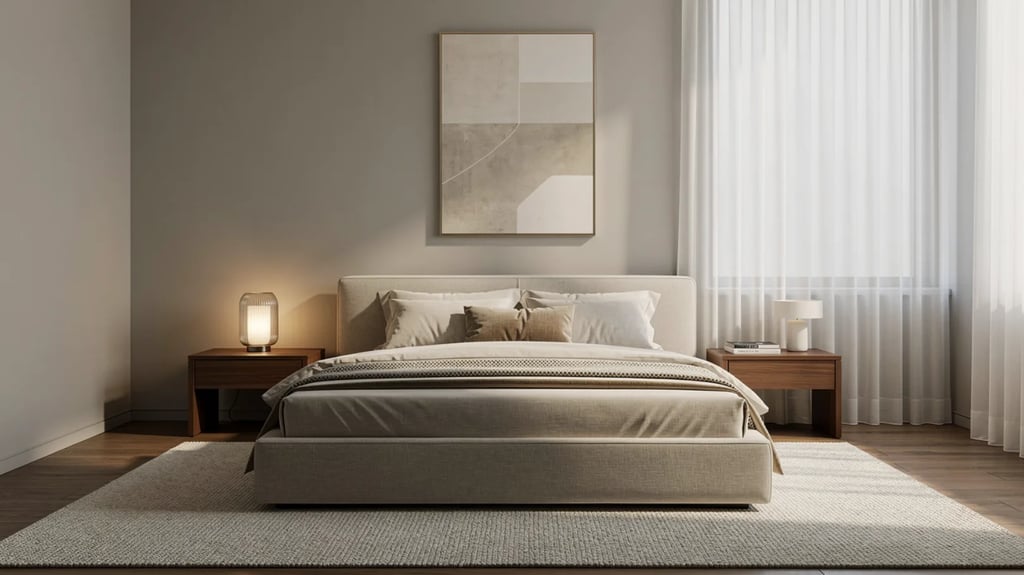
Short answer: AI Smart Decor is the best Interior AI alternative for most people. Upload a photo of your room, describe the change or pick one of 50 styles, and refine the same room step by step. Editing, virtual staging and upscaling are on every plan, from $29/month for 1,200 credits (up to 300 images), and a new account gets 3 free images. Interior AI keeps editing and staging for its $99 Premium plan. Choose Remodel AI for one-tap tools on a phone, or Spacely AI if you render from SketchUp.
Why look for an Interior AI alternative?
Interior AI is built for volume, and it is fast. The reasons people switch are usually these:
- Quality is tied to price. Its pricing page labels Pro renders "low quality", Premium "medium quality" and only Ultra ($199/month) "ultra quality".
- Editing and staging cost more. Editing, virtual staging, upscaling and wall painting start on Premium at $99/month.
- No free plan. You pay before you can try it on your own room.
- Web only. There is no iPhone or Android app.
Which Interior AI alternatives are worth trying?
Prices are monthly unless marked.
| # | App | Best for | Price (USD) | Try first | Key limitation |
|---|---|---|---|---|---|
| 1 | AI Smart Decor | Redesigning and staging your own room, with editing on every plan | $29/mo (1,200 credits, up to 300 images) to $99/mo (10,000) | 3 free images on a new account | No floor plans; no Android app (web works on Android) |
| 2 | Remodel AI | One-tap tools on web, iPhone and Android | Pro $29/mo or $349/yr (1,000 designs) | 3 free designs | Commercial license listed on its $99 Ultra plan |
| 3 | REimagineHome | Staging with real products to buy | $19/mo (30 credits); Pro $36/mo (200) | 5 free designs | Real products and reference photos start on Pro |
| 4 | Spacely AI | Designers rendering from SketchUp | Credit packs from $9 (200 credits) | 40 free trial credits | Plan prices are not shown in text on its pricing page |
| 5 | Home Visualizer AI | Large render bundles | Pro $29/mo, or $21/mo billed yearly (500 renders) | See site | Starter is for personal use only |
| 6 | Planner 5D | Measured floor plans | Free; Premium $19.99/mo or $59.99/yr | Free plan | Built around floor plans; photo restyling uses paid credits |
| 7 | RoomGPT | One quick restyle | One-time packs from $9 (30 credits) | See site | Regenerates the whole room each time |
Vendors change prices often, so check their sites before you pay.
1. AI Smart Decor: best overall Interior AI alternative
AI Smart Decor works on a photo of a real room. Upload it, pick one of 10 room types, and describe the change or start from one of 50 styles.
- Step-by-step editing on every plan. Each change builds on the last result, and you can branch from any earlier version.
- Virtual staging on every plan. Describe the furniture for an empty room, or remove what is there and restage it.
- Explore. See up to 6 styles of the same room at once.
- Reference images and mark areas. Guide the design with a product photo, or brush over the part of the room to change.
- Web and iPhone. Your rooms show up on both with the same account.
| Plan | Monthly | Annual | Credits per month | Render quality |
|---|---|---|---|---|
| Lite | $29 | $249 | 1,200 (up to 300 images) | Low |
| Plus | $49 | $449 | 4,000 (up to 1,000 images) | Low, Medium, High |
| Ultra | $99 | $899 | 10,000 (up to 2,500 images) | Low, Medium, High |
Every plan includes all 50 styles, virtual staging, upscale and paint, and a commercial license, and paid downloads are watermark-free. Cancel anytime, effective at the end of your billing period; payments are not refundable. For a head-to-head, see AI Smart Decor vs Interior AI.
Choose it if: you want to edit and stage on the entry plan, and try it free before paying.
Fix the detail instead of rerolling the room. Upload a photo and refine it one change at a time. Try AI Smart Decor with 3 free images
2. Remodel AI: best for one-tap tools
Remodel AI splits its features into 8 tools, such as wall paint, flooring and virtual staging, with 30+ interior styles. It runs on the web, iPhone and Android, and the free plan gives 3 designs. Premium is $49/month for 5,000 designs and Ultra $99/month for 25,000.
Choose it if: you prefer buttons to describing changes, or need Android.
3. REimagineHome: best for real products
REimagineHome restyles and stages room photos and, on Pro and above, places real products you can buy. Advanced is $59/month for 400 credits and Agency $119/month for 900.
Choose it if: you want staged rooms with furniture you can order.
4. Spacely AI: best for SketchUp users
Spacely AI renders from room photos and from SketchUp models, with an extension for SketchUp. It has a free plan with 40 trial credits and sells credit top-ups: $9 for 200, $35 for 1,000 and $150 for 5,000. Its Studio plan allows 2 seats and Agency 5.
Choose it if: your concepts start from a 3D model rather than a photo.
5. Home Visualizer AI: large render bundles
Home Visualizer AI sells monthly render bundles: $19, $29, $49 and $99 for 100, 500, 1,000 and 2,500 renders, with lower prices on yearly billing. Starter is for personal home planning only.
Choose it if: you want many renders for a low monthly price.
6. Planner 5D: best for measured floor plans
Planner 5D lets you draw a room to scale and furnish it in 2D and 3D on the web, iPhone, Android, Mac and Windows. Its AI Studio can restyle a photo, using credits on paid plans.
Choose it if: you need to know whether furniture fits.
7. RoomGPT: fine for one quick idea
RoomGPT restyles a room from one photo and sells one-time credit packs: $9 for 30, $19 for 100 and $29 for 200.
Choose it if: you want one quick restyle and prefer to pay once.
Which Interior AI alternative should you pick?
- You want editing and staging without paying $99/month: AI Smart Decor.
- You want a phone app with set tools, including Android: Remodel AI.
- You want real products in the render: REimagineHome.
- You render from SketchUp: Spacely AI.
- You need measurements: Planner 5D.
- You want one quick idea: RoomGPT.
Try an Interior AI alternative with editing on every plan. Upload one photo of your room. Try AI Smart Decor with 3 free images
