
Is AI Smart Decor or Interior AI the better buy?
AI Smart Decor is the better buy for most people. It starts at $9/month for 200 images, and every plan includes the same image model plus editing, virtual staging, upscaling and "find furniture to buy". A new account gets 3 free images. Interior AI starts at $49/month, and on its own pricing page that Pro plan lists "low quality renders" and leaves out editing, virtual staging and upscaling. Those start at $99/month on Premium, and its top "photorealistic" quality is on Ultra at $199/month. Interior AI makes sense for studios that need thousands of designs a month at its higher tiers.
How do the two compare side by side?
| AI Smart Decor | Interior AI | |
|---|---|---|
| Entry price | $9/month (200 images) | $49/month or $29/month billed yearly (1,000 designs) |
| Higher plans | $29 (800), $49 (2,000), $99 (5,000) a month | $99 (5,000) and $199 (25,000) a month |
| Try before paying | 3 free images on a new account | No free plan |
| Render quality by plan | Same image model on every plan | Pro "low quality", Premium "medium quality", Ultra "ultra quality" |
| Edit the result | Every plan: describe changes, refine step by step, branch from earlier versions | Premium and Ultra only |
| Virtual staging | Every plan, by describing the furniture you want | Premium and Ultra only |
| Upscaling | Every plan: free 2x, optional 4K for 3 image credits | Premium and Ultra only |
| Shop the look | "Find furniture to buy" via Google Lens on every plan | Google Lens on Premium and Ultra |
| Compare styles at once | Up to 6 styles of one photo in one run, from 50 styles | Up to 4 parallel generations on Pro, 8 on Premium, 16 on Ultra |
| iPhone | iPhone app plus web app | Web only |
| Commercial use | Listed on every plan | Listed on every plan |
What do you actually get for $49 a month?
This is the comparison that matters if you are deciding where to spend.
At Interior AI, $49 buys Pro: 1,000 designs a month with its Flux model, which its pricing page labels "low quality renders". Editing, virtual staging, upscaling, wall painting and Google Lens are not included. You can generate a lot of first drafts, but you cannot refine one.
At AI Smart Decor, $49 buys Plus: 2,000 images a month on the same image model as every other plan, with editing, staging, upscaling and Google Lens included. You can take one room through twenty small changes until it is right.
If you want Interior AI's editing and staging, the comparison is its Premium plan at $99/month against AI Smart Decor's Basic plan at $9/month.
Which looks more realistic?
There is no independent test of the two on the same photos, and we have not run one, so we will not claim a winner. What each vendor publishes is clear, though:
- Interior AI ties realism to price. Its own pricing page says Pro renders are "low quality", Premium is "medium quality" with Hyper Realism, and only Ultra ($199/month) is "photorealistic".
- AI Smart Decor does not tier quality. The $9 plan uses the same image model as the $99 plan. Higher plans buy more images, not better ones.
The fair test takes five minutes. Use your 3 free images on AI Smart Decor with a photo of your own room, and compare the result with what Interior AI produces on the plan you would actually buy. Check that windows, ceiling lines and furniture scale match your real room. For more on judging realism, see which AI room design app gives the most realistic results.
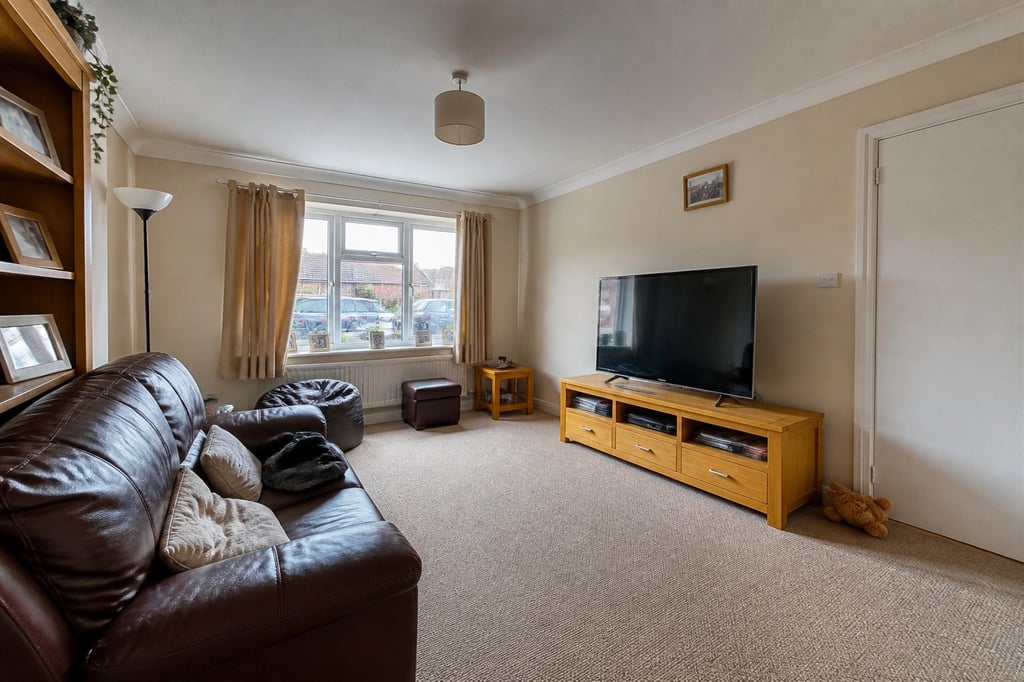
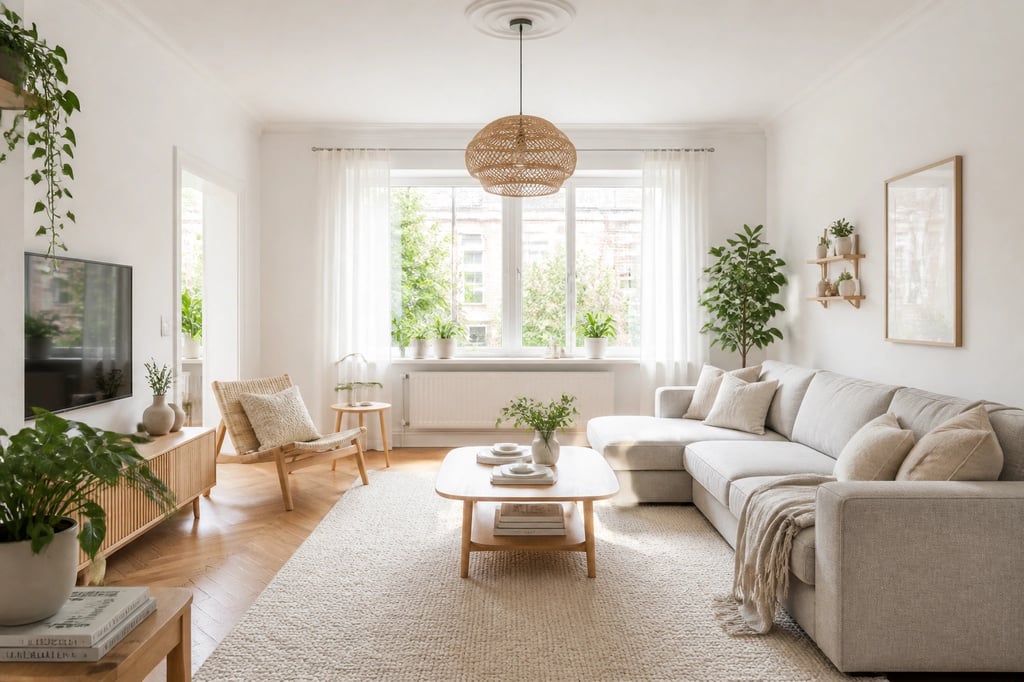 An example made with AI Smart Decor: same windows and layout, new style.
How does editing work in each?
AI Smart Decor is built around editing. You upload a photo, describe the change in plain words, and the next edit builds on the last result. "Paint the walls sage green." "Swap the sofa for a cognac leather one." "Add a jute rug." Every step is saved, and you can branch from an earlier version if a later one goes wrong. You can also brush over the part of the room you mean, or add a photo of a lamp or sofa you like as a reference.
Interior AI is built around generating. On Pro, you upload a room, pick a style or write a prompt, and generate. Its editing tools, including furniture addition, wall painting and lighting changes, start on Premium.
If you know exactly the style you want and need hundreds of variations, generating is enough. If you want your own room to get better one decision at a time, editing matters more.
Which is better for virtual staging?
For listing photos, AI Smart Decor includes staging on every plan: upload the empty room and describe the furniture and style, or use Explore to see up to 6 styles at once. Interior AI includes virtual staging from Premium ($99/month).
Neither product adds an automatic "virtually staged" label to the photo, so label staged listing photos yourself and keep the originals.
Which works better on a phone?
AI Smart Decor has an iPhone app for photo edits, and the same account works in Safari or any Android browser, where you also get Explore and upscales. Interior AI's site does not mention a mobile app, so you use it in the browser.
Who should choose Interior AI?
Interior AI is a reasonable choice if:
- You run a studio or agency that needs thousands of designs a month, and you will pay for Premium or Ultra.
- You want many parallel generations of style concepts rather than step-by-step edits on one room.
- You already work with its sketch and remix workflow.
Who should choose AI Smart Decor?
AI Smart Decor fits better if:
- You are redesigning your own rooms and want to refine one result, not reroll it.
- You stage listings and want staging, editing and upscaling without paying $99 a month.
- You want to try it on your own photo before paying anything.
- You want an iPhone app.
Pricing. Basic $9/month (200 images), Lite $29/month (800), Plus $49/month (2,000), Ultra $99/month (5,000). Annual plans are $108, $249, $449 and $899. A new account gets 3 free images. Cancel anytime; it takes effect at the end of the billing period.
Try it on your own room first. Upload a photo, describe the change, and compare the result before you pay for anything. Plans start at $9/month, and a new account gets 3 free images. Start designing
Can you switch from Interior AI to AI Smart Decor easily?
Yes. There is nothing to migrate: upload the same room photos and start describing changes. If you have Interior AI renders you liked, add one as a reference image so the new result follows the same style. Your rooms and every edit step are saved in your history.
