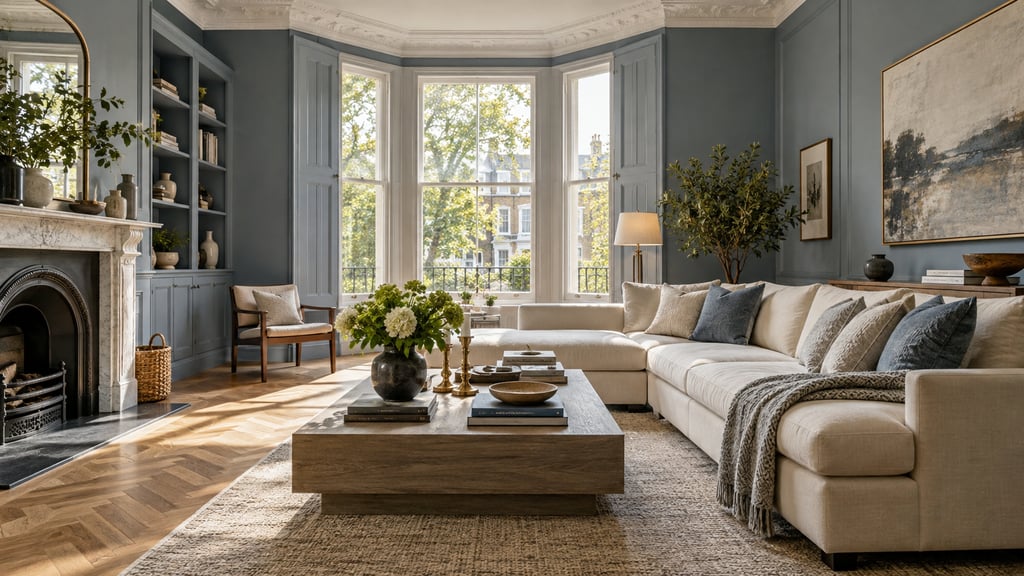
Virtual staging costs about 2 cents to $3 a photo with an AI subscription, and $16 to $23 a photo from a human-edited service. A monthly plan is cheaper as soon as you stage more than a handful of photos. AI Smart Decor costs $9/month for 200 images, about 4.5 cents a photo if you use them, and a new account gets 3 free images. Pay per photo only for a one-off listing or a single luxury shot that needs a human editor.
| Option | What you pay | Cost per photo at full use |
|---|---|---|
| AI Smart Decor | $9/mo (200), $29 (800), $49 (2,000), $99 (5,000) | 4.5 cents down to 2 cents |
| Virtual Staging AI | $16/mo (6), $19 (20), $39 (60), $79 (150), yearly billing | $2.67 down to $0.53 |
| Collov AI | $19/mo (60), $49 (150), $79 (263), $127 (526) | about $0.32 down to $0.24 |
| REimagineHome | $14/mo (30 credits), $49 (200), $79 (400), $99 (900) | $0.47 down to $0.11 |
| Apply Design | Coins at $7 to $10, 1.5 coins per one-click image | $10.50 to $15 |
| Styldod (human-edited) | Per photo | $23, or $16 each for 8 or more |
| BoxBrownie (human-edited) | Per photo, 48-hour turnaround | Shown in local currency |
The one number that decides everything: images per month
Before comparing prices, count your real volume. A vacant listing usually needs 5 to 8 staged photos, and in practice you'll generate more than that — you try two sofa layouts, swap a paint color, redo the room that came out dark. Six rooms can easily turn into ten or twelve renders before you settle on the keepers.
Stage your listing photos without paying per photo. Upload an empty room photo and furnish it in the style that suits your buyers. Plans start at $9/month for 200 images. Start staging
That overage is exactly where per-image pricing bites and where flat monthly pricing stops caring. So the dividing line is simple: if you stage roughly one full listing a month or more, a subscription wins. If you stage once or twice a year, pay per image and skip the recurring bill.
Tier 1: Free trials ($0, with strings)
A handful of consumer tools hand out a few renders before the paywall, which is genuinely useful for kicking the tires on the upload-style-render loop:
- AI Smart Decor: 3 free images on a new account
- REimagineHome: 5 free designs for new users
- Collov AI: 5 trial images, watermarked
- Apply Design: first image free
Free trials are a test drive, not a workflow. Use them to check one of your own rooms, then pick a plan that fits your monthly volume.
Tier 2: AI self-service subscriptions ($9-$127/month)
This is where most working agents land, because a flat monthly fee removes the per-click math entirely. You stage as much as a listing needs without watching a counter.
AI Smart Decor: from $9/month
AI Smart Decor costs $9/month for 200 images (Basic), $29 for 800 (Lite), $49 for 2,000 (Plus) and $99 for 5,000 (Ultra). A new account gets 3 free images. Upload the empty room, describe the furniture and style, or compare up to 6 styles at once, and download a full-resolution, watermark-free photo.
| Images you actually use a month | Plan | Effective cost per image |
|---|---|---|
| 10 | Basic, $9 | $0.90 |
| 50 | Basic, $9 | $0.18 |
| 200 | Basic, $9 | $0.045 |
| 800 | Lite, $29 | $0.036 |
Two or three listings a month and you are paying cents per photo, with room to redo any room that came out wrong.
Virtual Staging AI: $16 to $79/month
Plans cover 6, 20, 60 or 150 photos a month ($16, $19, $39, $79, shown with yearly billing), so $2.67 down to $0.53 a photo. There is no pay-per-photo option, and the entry plan is thin if you stage more than one listing.
Collov AI: $19 to $127/month
60 photo credits for $19 up to 526 for $127, roughly 24 to 32 cents a photo, with 5 watermarked trial images.
REimagineHome: $14 to $99/month
30 credits for $14 up to 900 for $99. New users get 5 free designs. Reference photos and real-product staging start on Pro at $49.
What is the cheapest option if you stage every month?
Pick the plan whose allowance matches your real volume, including redos. Here is the monthly cost at four volumes, using each vendor's published plans:
| Photos a month | AI Smart Decor | Virtual Staging AI | Collov AI | Human-edited (Styldod, 8+ photos) |
|---|---|---|---|---|
| 20 | $9 | $19 | $19 | $320 |
| 60 | $9 | $39 | $19 | $960 |
| 150 | $9 | $79 | $49 | $2,400 |
| 500 | $29 | Over its largest plan | $127 (526) | $8,000 |
AI Smart Decor's Basic plan covers up to 200 images for $9, so it stays the cheapest at every volume most agents reach. Lite ($29, 800 images) covers a team. A subscription only loses if you stage a few photos a year, when a free trial or a single per-image purchase does the job.
Tier 3: Human-edited staging (per photo)
Here a real person finishes the work — AI generation plus human review and retouching in 3D software. The output can be cleaner than pure AI, especially on tricky rooms, but you pay for the hands and you wait a day or two.
- BoxBrownie: pay per photo, no subscription, 48-hour turnaround. Its site shows the price in your local currency.
- Styldod: $23 a photo, or $16 each for 8 or more, 24 to 48 hours, unlimited revisions.
Human-assisted staging earns its premium in narrow cases: a flagship luxury listing where absolute realism is non-negotiable, a room where AI keeps tripping over odd geometry, or a genuine one-off where a subscription would never pay back. Outside those, the per-image meter runs hot. For a side-by-side, see our AI Smart Decor vs BoxBrownie breakdown.
Tier 4: Traditional physical staging ($300-500/room/month)
Real furniture, real movers, real calendar. It still wins for in-person showings of occupied or high-end homes, but as a way to make online photos look good, it's wildly overbuilt — and priced accordingly:
| Component | Cost |
|---|---|
| Consultation | $150-300 |
| Furniture rental (per room, per month) | $300-500 |
| Setup and delivery | $200-600 |
| Removal | $150-400 |
| Three-bedroom home, one month | $2,000-6,000 |
Scaled by home size, you're looking at roughly $800-1,500 for a studio and $3,500-6,000+ for a four-bedroom. For listing photography alone, that is far more than virtual staging costs for the same photos. The longer comparison lives in our virtual staging vs real staging guide.
Before you pay: test one room
Price is easy to compare; quality is where tools quietly differ. Run one of your own rooms through a tool before committing, and check:
- Resolution. Listing galleries and print flyers need real pixels. Some free tiers cap output at preview sizes that look soft when a buyer zooms in.
- Furniture removal. Staging an empty room is the easy case. Restaging an occupied room means removing the old furniture first, which the cheapest tiers often skip or paywall.
- Watermarks. A watermarked render can't go on a live listing.
- Structural honesty. Windows, doors and proportions should stay put. Warped walls or furniture at the wrong scale are what buyers notice.
- Consistency. You want the same look across every room so the photos read as one home.
A tool that passes all five beats a cheaper one that fails them. Judge the sample, not the price tag.
What a single listing actually costs
Take a typical three-bedroom needing 8 staged photos and the gap stops being abstract:
| Option | Cost for 8 images |
|---|---|
| AI Smart Decor (Basic, $9/mo) | $9, with 192 images left that month |
| Virtual Staging AI | $19 (20-photo plan) |
| Styldod | $128 |
| Physical staging | Thousands of dollars |
The subscription doesn't just win on the first listing — it wins again on every listing that month at no extra cost, which is the whole point.
The line items that ambush you
Sticker prices hide a few recurring traps. Worth scanning for before you commit:
- Watermark removal. A tool advertised as "free" that charges to deliver a clean image isn't free.
- Resolution upgrades. If the standard size looks soft in a listing gallery, the upscale you need may cost extra. AI Smart Decor's 2x upscale is free and its 4K upscale costs 3 image credits.
- Locked styles. Popular looks sometimes sit behind a higher tier.
- Revision fees. Human-assisted shops often bill past the first revision round.
- Annual lock-in. Yearly billing typically shaves 15-20% but ties you down.
With AI Smart Decor, full resolution, no watermark and all 50 styles are on every plan, and a redo is just another image from your allowance.
Match the billing model to your workload
The cheapest tool and the right tool aren't always the same; what matters is whether the pricing model fits how often you stage:
| If you're a… | …you'll typically need | …so reach for |
|---|---|---|
| Homeowner selling one vacant unit | 4-6 images, once | A free trial or a single month of an AI plan |
| Active agent | 10-40 images/month | A monthly AI subscription |
| Property manager (repeat unit types) | Steady, recurring volume | A monthly AI subscription |
| Luxury listing agent | Fewer images, maximum polish | Human-assisted, or a hybrid |
And don't over-order. Stage the rooms that move buyers — living room, primary bedroom, dining area, a home office, any awkward bonus space that's hard to read empty. Skip bathrooms unless they're oversized or genuinely confusing. For rentals, start with the living room and primary bedroom, then add rooms only if interest stays soft. Every room you stage on reflex is one you pay for twice on per-image pricing.
Is it worth it?
Yes, and it isn't close. The math behind the spend is almost comical: a $400,000 sale earns roughly $12,000 in commission, and a month of AI Smart Decor's Basic plan costs $9. That's less than a tenth of one percent of the payout — rounding error against what good photos do to days-on-market. The fuller case is in our is virtual staging worth it guide.
Bottom line
Pick by volume, not by sticker price. If you stage a few photos a year, try AI Smart Decor's 3 free images or buy a single human-edited photo. If you stage every month, a subscription wins every time: AI Smart Decor is $9/month for 200 images, $29 for 800, $49 for 2,000 and $99 for 5,000. Physical staging stays in its lane: in-person showings, not listing photos.
Stage your listing photos without paying per photo. Upload an empty room and furnish it in the style your buyers want. Plans start at $9/month for 200 images, and a new account gets 3 free images. Start staging
For tool picks, see the best virtual staging tools and the Virtual Staging AI alternative comparison.
