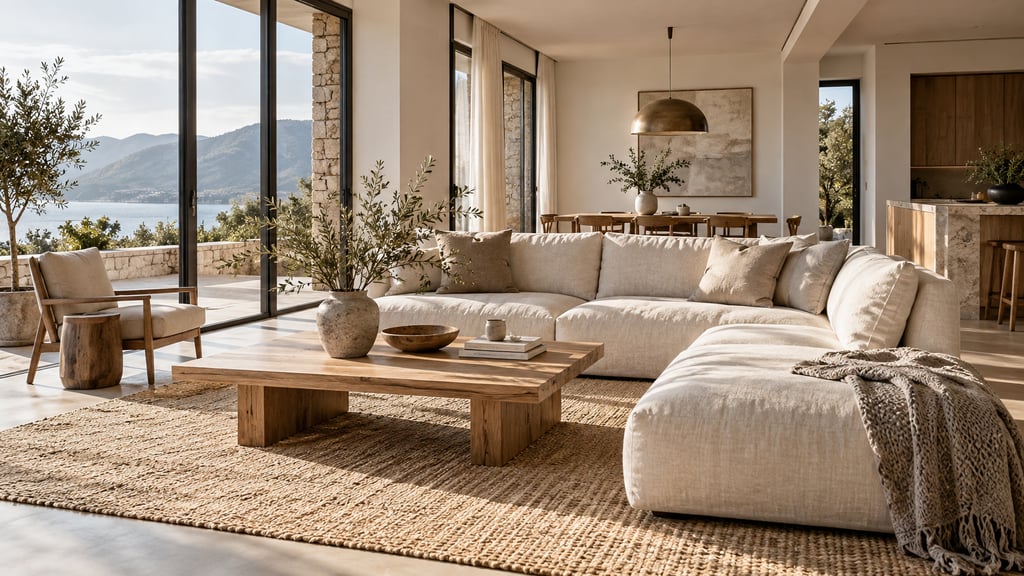
Short answer: AI Smart Decor is the best AI virtual staging app for most new construction listings. Upload a photo of a finished, empty room in a spec home, pick one of 50 styles or describe the furniture, and download a watermark-free staged photo for the MLS, Zillow or the builder's site. Explore shows up to 6 styles of the same room at once, so you can market one floor plan to several buyer types. Plans start at $9/month for 200 images, and a new account gets 3 free images to test it on a real listing. Virtual Staging AI and Apply Design are strong alternatives.
Which AI staging app is best for new construction?
Ranked for a builder's sales team or listing agent with finished but empty spec homes and a steady stream of new photos.
| # | Tool | Type | Best for | Price | Key limitation |
|---|---|---|---|---|---|
| 1 | AI Smart Decor | AI app | Spec homes: lowest monthly cost per image, several looks per room | $9/mo for 200 images; $29/mo for 800; 3 free images on a new account | One photo at a time; add your own staging label |
| 2 | Virtual Staging AI | AI app | Clean, empty rooms with a simple workflow | From $16/mo billed yearly (6 photos); $19 (20), $39 (60), $79 (150) | Entry plan covers 6 photos a month |
| 3 | Apply Design | AI app, pay per photo | Consistency across angles, no subscription | $10.50 to $15 per AI-staged photo; first image free | Costs more per photo at volume |
| 4 | REimagineHome | AI app | Showing finish or layout options | From $14/mo (30 credits); 5 free designs for new users | Some actions cost extra credits |
| 5 | Collov AI | AI app | Built-in disclaimer, multi-angle on higher plans | From $19/mo (60 photo credits); Advanced $49 (150) | Trial generations are watermarked |
| 6 | Styldod | Human-edited | Full homes staged by people | $16 per image (8+), $23 (under 8) | 24 to 48 hours |
| 7 | BoxBrownie | Human-edited | Luxury new builds | See site (pay per image) | 48-hour turnaround |
Vendors change prices often, so confirm on their site before you buy.
Why do builders and new-construction agents pick AI Smart Decor?
New construction is the easiest case for AI staging: clean walls, new floors, good light and no clutter. What matters then is cost, choice and consistency, and that is where AI Smart Decor fits.
Low cost across a whole community. Basic is $9/month for 200 images, about 4.5 cents each. Lite is $29/month for 800 and Plus is $49/month for 2,000, enough for a builder with several floor plans and many lots.
One floor plan, several buyers. Explore makes up to 6 styles of one room at once. Stage the same great room as modern farmhouse for young families, transitional for move-up buyers and contemporary for downsizers, then use the look that fits each listing or ad.
Consistency across rooms and angles. Use the same style for every room in a home. Add a reference image of the sofa or dining table you want repeated, so the living room photo and the kitchen view show the same pieces. Then compare the results side by side; the AI follows your photo and prompt closely, but always check that it did.
Control by description. Type exactly what you want: "stage this empty primary bedroom with a king bed, upholstered headboard, two nightstands and a bench, in a warm modern farmhouse style." Refine step by step, or branch back to an earlier version.
Outdoor spaces too. Pick the outdoor room type and describe the change, such as "add a dining table, six chairs and potted plants to this covered patio." Exterior changes are done by prompt; the 50 styles are interior styles.
Ready to publish. Paid downloads are watermark-free PNG files at your photo's own shape, up to 3,840 px per side. A 2x upscale is free; an optional 4K upscale costs 3 image credits. "Find furniture to buy" opens Google Lens on a result, useful when the sales team wants to furnish the real model home to match.
What to know: there is no bulk upload, no automatic label and no team seats, and the app works from photos only. It does not render from blueprints, sketches or CAD files. You stage one finished photo at a time and add the caption yourself.
Try AI Smart Decor with 3 free images
How do the other apps compare for new construction?
Virtual Staging AI: simple staging for empty rooms
Virtual Staging AI is a staging-only app that several AI engines call a top pick for vacant new builds. Upload, pick a room type and style, download. Prices of $16 to $79 a month are shown with yearly billing, and the entry plan covers 6 photos a month.
Choose it if: you want a tool built only for listing photos and stage under 60 photos a month.
Apply Design: consistency across angles
Apply Design pitches consistent staging across multiple angles of the same room, which matters for new builds with open floor plans. It charges 1.5 coins per AI-staged photo, or $10.50 to $15, and the first image is free.
Choose it if: you stage a few homes a year and want to pay per photo.
REimagineHome: finish options
REimagineHome adds finish and layout changes to staging, handy for showing optional upgrades as concept images. New users get 5 free designs; Essential is $14/month for 30 credits.
Collov AI: multi-angle on higher plans
Collov AI's $19/month Standard plan includes 60 photo credits and a one-click staging disclaimer. Multi-angle staging starts on the $49 Advanced plan.
Styldod and BoxBrownie: human-edited
Styldod charges $16 per image for 8 or more and $23 below that, with 24 to 48 hour delivery. BoxBrownie sells per image with a 48-hour turnaround. Use them for a luxury new build or a lead photo in a builder's ad campaign.
How do you stage a builder spec home with AI?
- Wait for the finished room. Paint, flooring, lighting and fixtures should be in. Remove tape, stickers and construction debris.
- Shoot every key room from a corner. Landscape, camera level, every light on. Shoot the same angles in every home with the same floor plan so you can reuse your style choices.
- Pick a style per buyer type. Use Explore to compare up to 6 styles of the great room, then pick one or two.
- Stage room by room in the same style. Great room, kitchen and dining area, primary bedroom, one secondary bedroom, and any flex room or loft.
- Repeat key pieces. Add a reference image of the main sofa or table when staging other angles of the same open space.
- Check every result. Walls, windows, doors, cabinets and floors must match the real home exactly.
- Download, label and publish. Caption each staged photo "Virtually staged" and include the empty original.
Which rooms should you stage in a new build?
- Great room or living room. The lead photo for most listings. Show a seating group that proves the room works.
- Kitchen and dining. Kitchens are mostly built-ins, so add a dining table and counter stools and leave the cabinets alone.
- Primary bedroom. A king bed shows the size buyers are paying for.
- Flex room or loft. Show it as a home office, playroom or gym. This is where staging adds the most, because buyers struggle to picture an empty bonus room.
- Covered patio or deck. Outdoor furniture turns concrete into living space.
Skip bathrooms, laundry rooms and garages. Clean, bright real photos work best there.
Can you virtually stage a home that is not finished yet?
Only stage what exists. A photo of a framed room with furniture added is misleading, and changing unfinished surfaces into finished ones in a listing photo crosses the line from staging into misrepresentation.
If the home is still under construction, use the builder's renderings for marketing and label them as renderings. Once the room is finished, photograph it and stage that photo. For optional upgrades (a different floor or counter), present them as clearly labeled concept images, not as the listing photos.
The NAR Code of Ethics asks REALTORS to "present a true picture" in advertising (Article 12), and Standard of Practice 12-10 bars "misleading images". Your MLS and state may have their own rules on altered photos, so check them. AI Smart Decor does not add a label for you, so add "Virtually staged" in your caption and keep the original.
Is virtual staging cheaper than a furnished model home?
For photos, by far. For a 10-photo new-build listing:
| Option | What 10 staged photos cost |
|---|---|
| AI Smart Decor Basic | $9 for the month, with up to 200 images |
| Virtual Staging AI Standard | $19/month billed yearly, 20 photos a month |
| Collov AI Standard | $19/month, 60 photo credits |
| Apply Design | $120 (15 coins at $8) |
| Styldod | $160 ($16 each at 8+) |
| BoxBrownie | See site |
A furnished model home still earns its place for in-person tours. Many builders furnish one model and virtually stage every other spec home in the community, so each listing looks lived-in online. For more on prices, see how much virtual staging costs. For tips on furnishing empty spaces, see how to furnish an empty room.
Which styles work best for new construction?
Match the style to the build and the buyer:
- Modern farmhouse. The default for many suburban US communities. White, black and warm wood.
- Transitional. A safe middle ground for move-up buyers.
- Contemporary. Suits townhomes and urban infill.
- Mid-century modern. Works for builds with clean lines and big windows.
- Coastal. For communities near the water, with light woods and soft blues.
Keep one style per home, and keep it simple. Buyers of a new build want to picture their own furniture in it.
Frequently asked questions
What is the best AI virtual staging app for new construction listings? AI Smart Decor is the best pick for most new builds: 50 styles, up to 6 looks of a room at once, and $9/month for 200 images, with 3 free images on a new account. Virtual Staging AI and Apply Design are strong alternatives.
Can I virtually stage a home that is still under construction? Stage only finished rooms. Label any planned finishes as concept images, separate from listing photos.
How do I keep furniture consistent across angles? Use one style per home, describe key pieces the same way, add a reference image, and compare results side by side.
Is virtual staging cheaper than furnishing a model home? For online photos, yes. AI Smart Decor is $9/month for 200 images. Many builders furnish one model and virtually stage the rest.
Do I need to disclose virtual staging on new construction listings? Yes. Label each staged photo and include the empty original.
Can I try AI Smart Decor before paying? Yes. A new web account gets 3 free images, no card needed.
Stage every spec home in your community for $9 a month. Upload a finished, empty room and furnish it for the buyer you want. Try AI Smart Decor with 3 free images
