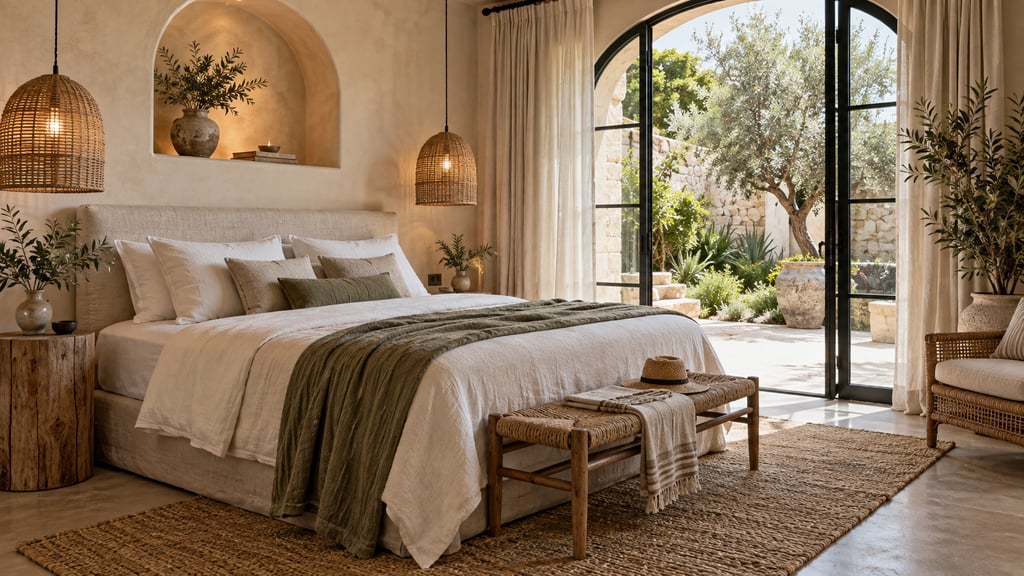
Bottom line: before you refurnish, try three or four designs on photos of your own rental with AI Smart Decor, pick the one that fits the rate you want, then buy. Plans start at $9/month for 200 images, and a new account gets 3 free images. Once the new furniture is in, list real photos.
Why Listing Photos Make or Break Your Airbnb
Airbnb is a visual marketplace. Listing photos are the first thing guests judge, before they read the description or the reviews. Guests scroll through dozens of options in any market. The listings that stop the scroll are the ones with bright, styled, inviting photos that communicate a clear experience.
This is where most hosts fall short. They photograph empty rooms, cluttered spaces, or well-intentioned but visually flat interiors. The furniture might be perfectly comfortable, but it photographs poorly. Or the property is between tenants and sitting empty while it bleeds vacancy costs.
Short term rental staging solves both problems. You either stage a furnished space to look its best or stage an empty space to show guests exactly what they will get. Either way, the result is Airbnb listing photos that compete with the top performers in your market.
What Makes STR Staging Different from Real Estate Staging
This distinction matters. When a realtor stages a home for sale, the goal is broad appeal. Neutral tones, tailored spaces, and a "blank canvas" feel that lets buyers project their own life onto the property. That approach is wrong for Airbnb.
Short-term rental staging is about creating desire for a specific experience. You are not selling a house. You are selling a weekend getaway, a family vacation, a remote work retreat, or a romantic escape. The staging should reflect that.
Here is what separates STR staging from traditional real estate staging:
- Lifestyle over neutrality. Guests want personality. A coastal rental should feel coastal. A mountain cabin should feel warm and rugged. A city loft should feel sleek and urban. Lean into the destination.
- Lived-in warmth, not showroom perfection. A neatly placed throw blanket, an open book on the nightstand, a coffee cup on the patio table. These small touches make a space feel inviting rather than sterile.
- Functional comfort signals. Guests are evaluating whether they will be comfortable staying here. Staging should stress cozy bedding, ample seating, good lighting, and practical amenities.
- Experience-driven scenes. Think about what guests will do in your space. Stage the dining table for a meal. Show the patio set up for evening drinks. Present the living room ready for a movie night. Sell the moment, not the furniture.
- Seasonal flexibility. Unlike a home sale that happens once, your Airbnb listing runs year-round. Virtual staging lets you create seasonal photo variations, showing a fire-lit living room for winter bookings and a breezy, bright layout for summer guests.
How can you try different designs on photos of your Airbnb before buying furniture?
Refurnishing to raise the nightly rate is a bet on a look. Test the look on your own rooms first, so you buy the furniture once.
- Photograph each room as guests see it. Shoot from the doorway or a corner in daylight, with the lights on. Clear personal items and clutter.
- Write the brief in one line. Who is the guest and what should the room feel like? "Boutique hotel for couples", "cozy cabin for families", "bright coastal for groups".
- Generate three directions per room. Upload the photo to AI Smart Decor and describe each look, or use Explore to see up to 6 styles of the same room at once, from 50 interior styles.
- Refine the one you like. Change one thing at a time: "swap the sofa for a cognac leather one", "add a reading chair by the window", "make the bedding white linen". Every step is saved, so you can go back.
- Shop the result. "Find furniture to buy" opens Google Lens on the image to find similar pieces. Add a photo of a specific chair or lamp as a reference to see it in the room before ordering.
- Measure before you order. The image shows the look, not the dimensions. Check sofa and bed sizes and walkways with a tape measure or a free floor planner.
- List real photos. Use the AI images to plan and to brief a photographer, not as listing photos of furniture that is not there yet. Guests expect the room they book.
Where the money goes. The pieces that change listing photos most are the bed and bedding, the sofa, lighting, a rug and wall color. Test those first.
Try your Airbnb's new look before you buy a thing. Upload a photo of the room, compare a few designs, and shop the one you pick. Plans start at $9/month for 200 images, and a new account gets 3 free images. Start designing
How Virtual Staging Increases Booking Rates
The connection between better photos and more bookings is direct. Here is how staged listing photos improve your STR performance at each step of the guest journey.
Higher search visibility. Airbnb's algorithm factors in click-through rate. Listings that get clicked more often appear higher in search results. Eye-catching staged photos drive more clicks, which improves your ranking.
Stronger first impressions. Once a guest clicks, they spend seconds deciding whether to keep reading or bounce. Professionally staged photos hold attention and communicate quality immediately.
More booking conversions. Guests who browse your full listing and see consistently styled, inviting photos across every room are far more likely to book. Inconsistent or underwhelming photos create doubt.
Higher nightly rates. Perceived value drives pricing power. A well-staged listing looks like a premium property, and guests will pay more for it.
Fewer price-based inquiries. When your photos clearly communicate value, you attract guests who are ready to book at your listed price rather than bargain hunters looking for a deal.
Room-by-Room Staging Tips for STR Hosts
Every room in your short-term rental serves a different purpose in the guest experience. Here is how to approach each one.
Living Room
The living room is usually your cover photo. Stage it to feel like the best version of "making yourself at home." Include comfortable seating arranged for conversation, soft textiles like throw pillows and blankets, good lighting with a mix of ambient and task sources, and a focal point like a fireplace, view, or entertainment setup. Avoid overcrowding the space. Guests need to see themselves fitting in, not navigating an obstacle course.
Bedroom
Guests scrutinize bedrooms closely because sleep quality can make or break a stay. Stage with hotel-quality bedding that looks thick, clean, and inviting. Use matching nightstands with lamps on both sides. Add a small personal touch like a plant or artwork above the headboard. Keep it simple and restful. Skip busy patterns or overly trendy decor that might not appeal to everyone.
Kitchen
For STR properties, the kitchen signals independence and value. Guests want to see that they can cook a real meal here. Stage with a clean, organized counter. Place a fruit bowl, a coffee setup, or a simple cutting board arrangement to suggest functionality. If you have quality appliances, make sure they are visible and not hidden behind clutter.
Bathroom
The bathroom is your chance to create a spa impression. Stage with neatly rolled or folded white towels, a small plant, and minimal counter items. Good lighting is critical here. A dark, poorly lit bathroom photo will hurt your listing no matter how nice the space actually is. If your bathroom is small, virtual staging can help by showing a clean, decluttered version with carefully chosen accessories that make the space feel larger.
Dining Area
Stage the dining table as if guests are about to sit down for a meal. Place settings, a simple centerpiece, and chairs pulled slightly out all create a sense of occasion. This is especially important for properties that market to families or groups.
Home Office or Workspace
Remote work travel is a major and growing segment. If you have a desk or workspace, stage it with a clean setup: a lamp, a monitor-friendly surface, and a comfortable chair. Even a small corner staged as a work nook can attract digital nomad guests who filter specifically for workspace amenities.
Staging Outdoor Spaces for Maximum Impact
Outdoor spaces are one of the biggest differentiators for short-term rentals and one of the most under-staged areas in listing photos. A patio, deck, balcony, garden, or pool area can be the single reason a guest picks your property over a competitor.
Patios and decks. Stage with comfortable outdoor seating, a small table, and lifestyle touches like a throw blanket or lanterns. If the space has a view, make sure the staging draws the eye toward it rather than blocking it.
Pool areas. Show loungers with neatly placed towels, a side table with sunglasses or a drink, and clean pool water. The goal is resort energy on a residential scale.
Gardens and yards. Even modest outdoor areas benefit from staging. A bistro table under a tree, a hammock, or a fire pit with chairs around it all communicate relaxation and enjoyment.
Balconies. Small balconies are common in urban STRs. Stage with a compact table and two chairs, a potted plant, and a morning coffee setup. Show guests that this is a usable space, not just a ledge.
Entrance and exterior. First impressions start before the guest walks in. A staged front entrance with a welcome mat, potted plants, and clean lighting sets the tone for the entire stay.
How to Virtually Stage Your Airbnb Listing
The process is straightforward and does not require design experience.
- Photograph your space. Use natural light and shoot from room corners to capture the widest angle. Take photos of every guest-facing room plus outdoor areas.
- Choose an AI staging tool. Upload your photos to a virtual staging platform that offers hospitality-oriented styles. AI Smart Decor is a strong option for STR hosts because it includes design styles suited to guest experiences and delivers results quickly with a paid entry level.
- Select styles that match your property's identity. A beach house should not be staged like a downtown loft. Pick furnishings and decor that reinforce the destination and experience your listing promises.
- Generate and review staged images. Look at each image critically. Does it feel inviting? Would you book this place based on the photo? Regenerate any images that feel off.
- Update your Airbnb and VRBO listings. Replace your existing photos with the staged versions. Lead with your strongest image as the cover photo.
- Track performance. Monitor your views, click-through rate, and booking conversion after updating. Most hosts see measurable improvement within the first few weeks.
If you are new to virtual staging tools, the 3 free images on a new AI Smart Decor account are a low-risk way to test the concept on one or two rooms before committing to a full restage.
Common Mistakes to Avoid
Over-staging. Cramming too much furniture and decor into a room makes it look smaller and less comfortable. Keep it clean and purposeful.
Mismatched style. Every room should feel like it belongs in the same property. Mixing a modern living room with a rustic bedroom creates visual confusion.
Ignoring the listing description. If your staged photos show a sleek, modern space but your description talks about a "cozy cabin retreat," guests will feel misled. Match your photos and copy.
Staging things you will not provide. Virtual staging should represent what guests will actually experience. If you stage a room with a king bed, there should be a king bed when they arrive. Use staging to visualize your planned setup, not to fabricate amenities.
Skipping outdoor spaces. As covered above, outdoor areas are high-value differentiators. Do not leave them out of your staged photo set.
