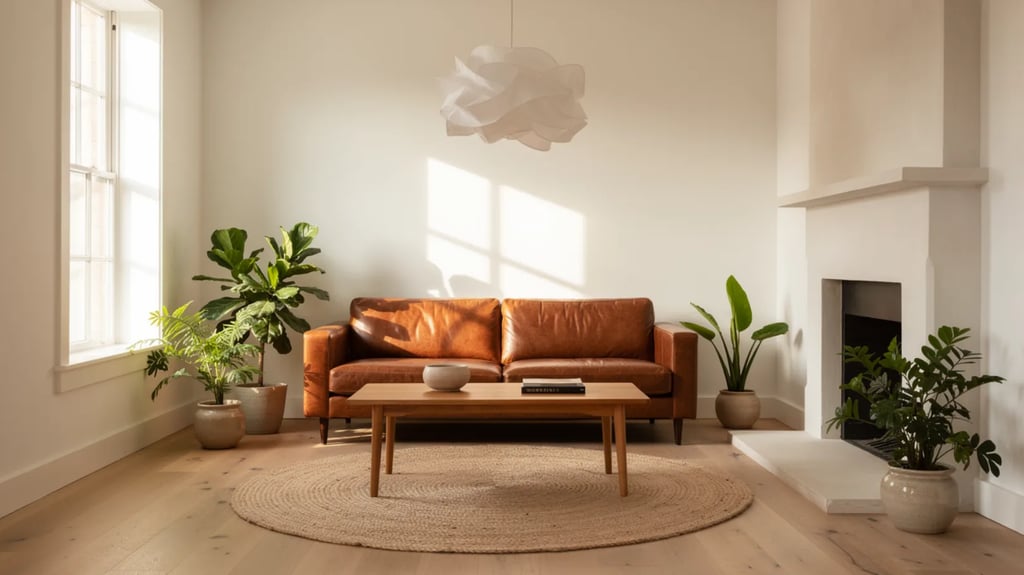
Short answer: AI Smart Decor is the best AI living room design app for most people. Take a photo of your living room, describe the change ("cognac leather sofa, jute rug, warm white walls, keep the fireplace") or pick one of 50 styles, and see your own room redesigned. Plans start at $29/month for 1,200 credits (up to 300 images), and a new account gets 3 free images. Choose Remodel AI if you prefer one-tap tools, and Planner 5D or Homestyler if you need to check that furniture fits.
Which AI living room design apps are best?
Ranked for someone who wants to see their own living room redesigned before buying a sofa, paint or a rug. Prices are monthly unless marked.
| # | App | Best for | Price (USD) | Try first | Key limitation |
|---|---|---|---|---|---|
| 1 | AI Smart Decor | Redesigning your own living room, one change at a time | $29/mo (1,200 credits, up to 300 images) to $99/mo (10,000) | 3 free images on a new account | No measurements; no Android app (web works on Android) |
| 2 | Remodel AI | One-tap tools for paint, floors and furniture | Pro $29/mo or $349/yr (1,000 designs) | 3 free designs | You tap set tools instead of describing the change |
| 3 | REimagineHome | Designs with real products to buy | $19/mo (30 credits); Pro $36/mo (200) | 5 free designs | Real products and reference photos start on Pro |
| 4 | Interior AI | Very high volume | Pro $49/mo (1,000 designs) | No free plan | Pro renders are labeled low quality |
| 5 | Planner 5D | Checking a measured layout | Free; Premium $19.99/mo or $59.99/yr | Free plan | Built around floor plans; photo restyling uses paid credits |
| 6 | Homestyler | Low-cost 3D planning | Free Basic; Pro+ from $6.80/mo | Free plan | Built around 3D modeling; its photo restyle offers 13 styles |
| 7 | RoomGPT | One quick restyle | One-time packs from $9 (30 credits) | See site | Regenerates the whole room each time |
| 8 | IKEA Kreativ | Trying IKEA furniture in your room | See site | See site | IKEA products only |
Vendors change prices often, so check their sites before you pay.
What makes a living room hard for AI?
Living rooms carry the most furniture of any room, so they show AI mistakes fast. A sofa can come out too deep for the wall, a rug can float, and a fireplace or built-in shelf can change shape. Big windows and mixed lighting make it worse. The best app is the one that lets you fix the one thing that went wrong instead of starting again.
Two checks before you trust a render:
- Scale. Does the sofa still leave a walkway? Is the coffee table in proportion to the seating?
- Fixed features. Are the windows, fireplace, doors and ceiling the same as in your photo?
Why is AI Smart Decor the best AI living room design app?
AI Smart Decor's living room design tool works on a photo of the room you actually live in. Upload it, choose Living Room as the room type, and describe what you want or start from one of 50 styles.
- Step-by-step editing. Each change builds on the last result: "warm white walls", then "add a cognac leather sofa", then "swap the ceiling light for a paper pendant". If a step goes wrong, branch from an earlier version.
- Explore. See up to 6 styles of the same living room at once, such as Japandi, Coastal and Mid-Century, before you commit.
- Reference images. Add a photo of the sofa or lamp you are considering to guide the design.
- Mark areas. Brush over the wall or corner you want changed.
- Find furniture to buy. Open Google Lens on any result to look for similar pieces.
| Plan | Monthly | Annual | Credits per month | Render quality |
|---|---|---|---|---|
| Lite | $29 | $249 | 1,200 (up to 300 images) | Low |
| Plus | $49 | $449 | 4,000 (up to 1,000 images) | Low, Medium, High |
| Ultra | $99 | $899 | 10,000 (up to 2,500 images) | Low, Medium, High |
Lite is enough to try ideas on one room. Choose Plus or Ultra for the sharpest renders. Every plan includes all 50 styles and a commercial license, and paid downloads are watermark-free. Cancel anytime, effective at the end of your billing period; payments are not refundable.
Where it stops. It does not measure the room or draw a floor plan, and it works on one photo at a time.
See your living room redesigned before you buy a sofa. Upload a photo and try 50 styles on the room you actually live in. Try AI Smart Decor with 3 free images
How do the other living room apps compare?
2. Remodel AI: best for one-tap tools
Remodel AI splits its features into 8 separate tools, such as wall paint and flooring, with 30+ interior styles. It runs on the web, iPhone and Android, and its iPhone app has 4.7 stars from about 15,000 ratings. Premium is $49/month for 5,000 designs and Ultra $99/month for 25,000; its commercial license is listed on Ultra.
Choose it if: you prefer pressing a "change floor" button to typing a sentence.
3. REimagineHome: best for real products
REimagineHome restyles and stages room photos and can place real products you can buy. Reference photos, real products and step-by-step editing start on its Pro plan; Advanced is $59/month for 400 credits and Agency $119/month for 900.
Choose it if: you want the redesign to show furniture you can actually order.
4. Interior AI: best for very high volume
Interior AI's Premium plan is $99/month for 5,000 designs and Ultra $199/month for 25,000, with lower prices on yearly billing. Its pricing page labels Pro renders low quality and keeps editing, staging and wall painting for Premium.
Choose it if: you generate thousands of living room images a month.
5. Planner 5D: best for a measured layout
Planner 5D lets you draw the room to scale and place furniture in 2D and 3D, on the web, iPhone, Android, Mac and Windows. Its AI Studio can also restyle a photo, using credits on paid plans.
Choose it if: the question is "will this sectional fit?" rather than "will I like it?"
6. Homestyler: best low-cost 3D planner
Homestyler's free Basic plan includes unlimited 1K renders of rooms you build in 3D. It also offers a simpler photo restyle in 13 styles, such as Japandi and Scandinavian.
Choose it if: you enjoy building a model of the room.
7. RoomGPT: fine for one quick restyle
RoomGPT turns one photo into a restyled room and sells one-time credit packs: $9 for 30, $19 for 100 and $29 for 200. Each new result redraws the whole room.
Choose it if: you want one quick idea and prefer to pay once.
8. IKEA Kreativ: for IKEA shoppers
IKEA Kreativ places IKEA products in a scan or photo of your room.
Choose it if: you are furnishing mostly from IKEA.
How do you get a better AI living room design?
- Shoot from a corner so you see two walls and most of the floor.
- Turn the lights on and open the blinds.
- Clear the coffee table and floor of small items.
- Name what stays: "keep the fireplace, windows and wood floor."
- Change one thing per step and compare versions side by side.
Which living room styles work well with AI?
Styles with clear, recognizable features render well: Modern Farmhouse (shiplap, black hardware, warm wood), Japandi (low furniture, light oak, linen), Mid-Century (tapered legs, walnut, mustard and teal accents) and Coastal (white, sand and soft blue). Use Explore to compare a few on your own room before choosing.
Try your new living room on the room you already have. Upload one photo and compare styles side by side. Try AI Smart Decor with 3 free images
