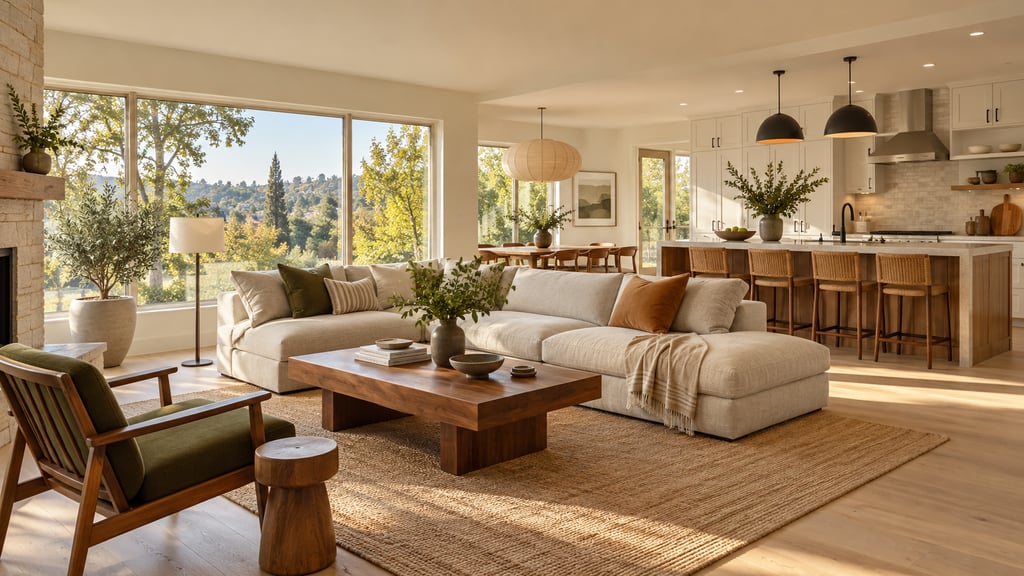
How can a flipper show buyers what a dated room could look like?
Show them the after on the real room. Take a photo of the dated kitchen or bathroom, upload it to AI Smart Decor, and describe the renovation: new floors, painted cabinets, updated fixtures. You get an image of the same room, finished. Put it next to the current photo, label it "renovation concept," and buyers stop seeing the 1990s oak and start seeing the house you plan to sell. Plans start at $9/month for 200 images, and a new account gets 3 free images to try it.
That one move solves the problem every flipper knows. Buyers price what they see, not what you tell them is coming.
Why do buyers need to see the after?
Most buyers cannot picture a renovation. They walk into a room with brown carpet and a brass light fixture, and they discount the whole house. They do this even when your scope of work fixes every one of those things.
An after image does three jobs for you:
- It sets the price anchor. Buyers compare your listing with finished homes nearby. A clear after image puts yours in that comparison set.
- It ends the "how much will that cost me?" spiral. When buyers can see the finished room, they stop adding their own renovation budget to your price.
- It sells off-market and pre-renovation deals. If you wholesale or sell before the work is done, the after image is the product.
What does the workflow look like?
Here is a workflow you can run from a laptop or your phone in an afternoon.
- Shoot the dated room like a listing photo. Stand in a corner at chest height, keep the phone level, turn on every light and open the blinds. Use the 1x lens, not the ultra-wide.
- Write the scope as a prompt. List what changes and what stays. For example: "Replace the carpet with light oak luxury vinyl plank, paint the oak cabinets warm white, swap the brass fixtures for matte black, keep the window, doors and layout the same."
- Compare directions at once. In AI Smart Decor, Explore turns one photo into up to 6 styles in a single run, from 50 interior styles. Use it to pick the finish level that suits your buyer, then refine.
- Refine one change at a time. Each edit builds on the last result and every step is saved. If a later version goes wrong, go back to an earlier step and branch from there.
- Mark what you mean. Brush over the vanity or the backsplash you want changed, or add a photo of the tile or light you plan to install as a reference.
- Download and label. Paid downloads are watermark-free PNGs that keep your photo's shape, up to 3,840 px on the long side, with an optional 4K upscale for print. Add your "renovation concept" label before it goes anywhere public.
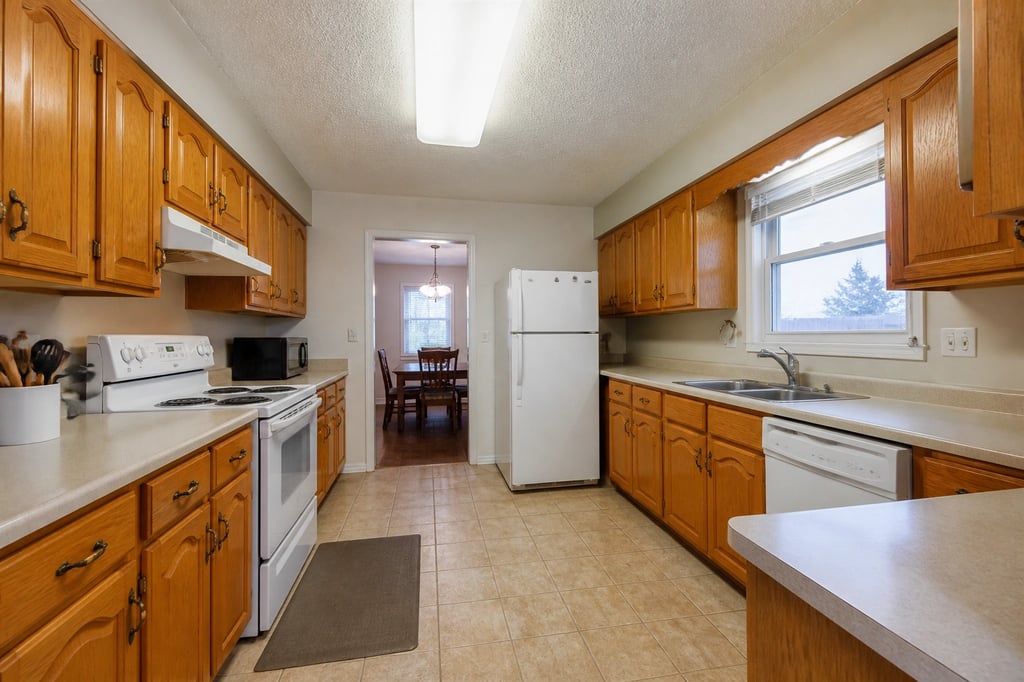
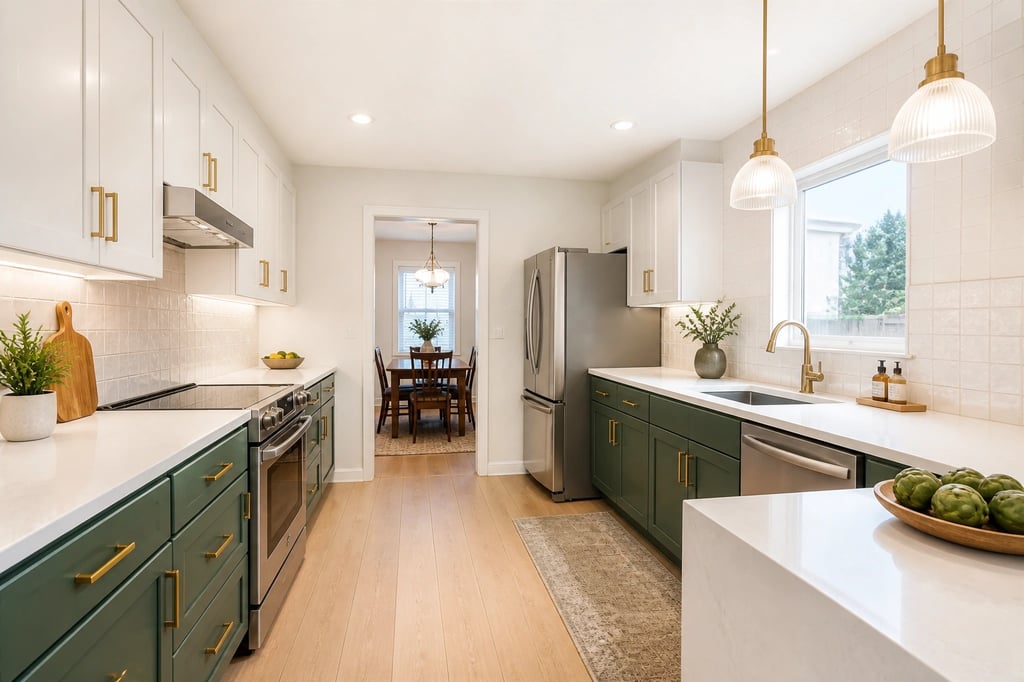 An example made with AI Smart Decor: same layout, new cabinets, counters and lighting.
What should you change in the image, and what should you leave alone?
Match the image to the work you will really do. Buyers who see a quartz waterfall island in the render and a laminate counter at the walkthrough will walk.
Change what is in your scope:
- Flooring, paint, cabinet color or doors, counters, backsplash, light fixtures, hardware and vanities.
- Layout changes only if you have priced them, like removing a non-load-bearing wall.
Leave alone what is not changing:
- Windows, doors, ceiling height and room size.
- Anything you are not fixing, including damage. Removing a stain in the image that is still on the ceiling is misrepresentation, not marketing.
Keep the finish level honest. Make a "budget refresh" version and a "full renovation" version if you are selling pre-renovation. Buyers can then see both price points.
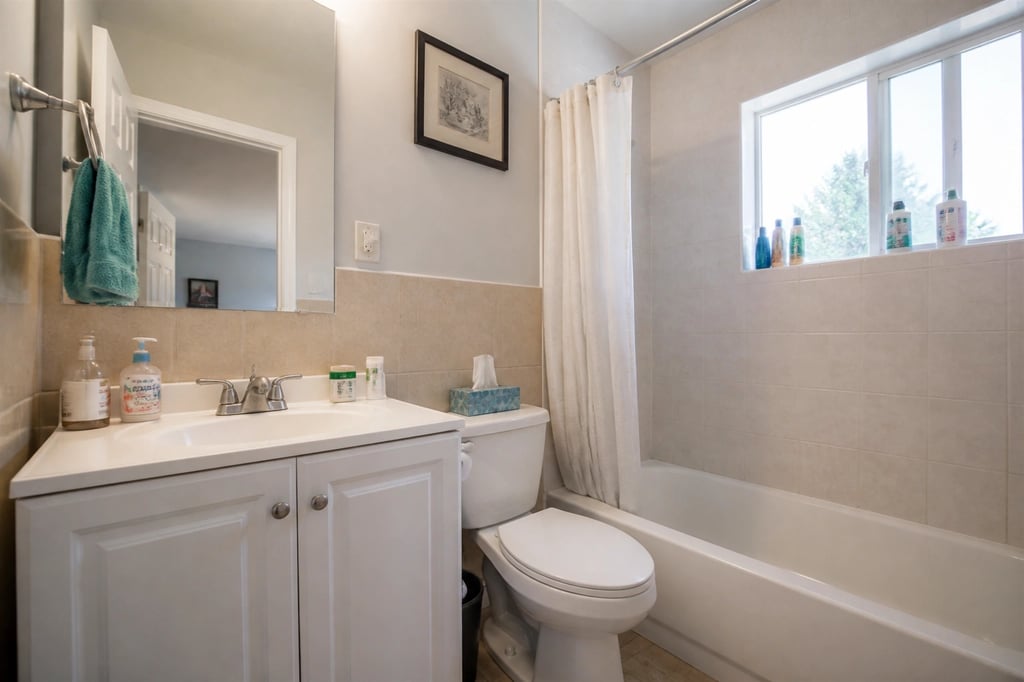
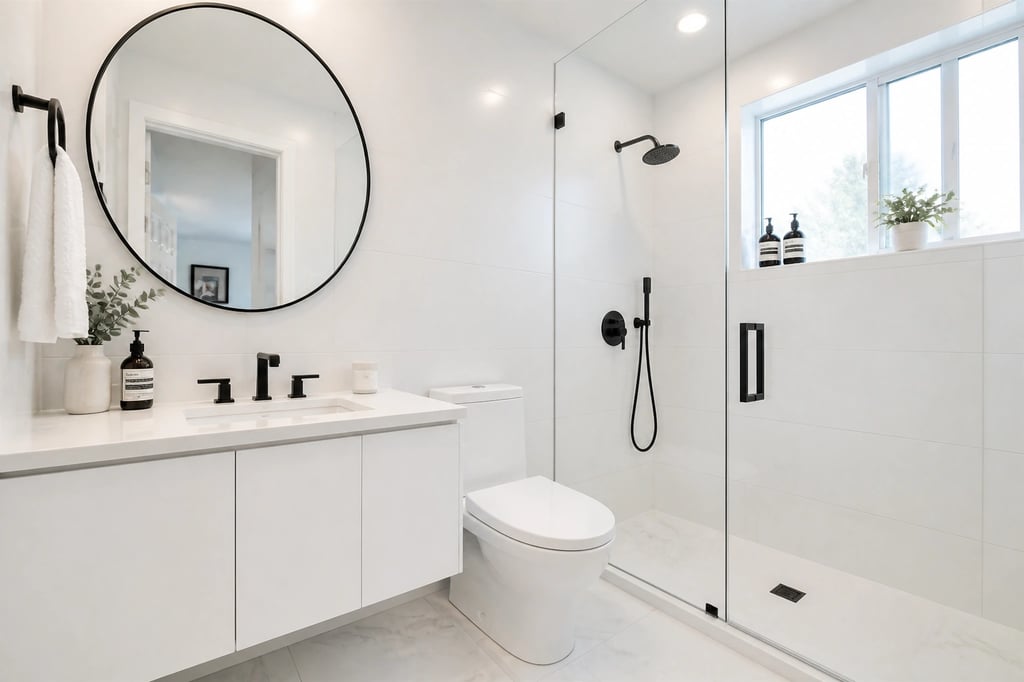 An example made with AI Smart Decor: new tile, vanity and fixtures in the same footprint.
How should you label AI renovation images?
Label every one, every time. Rules vary by MLS and state. Many MLSs require altered photos to be marked and the unaltered photo to be included. Some states, such as California, have disclosure rules for digitally altered listing images.
A label that works almost everywhere:
Renovation concept. Not current condition.
Put it on the image itself, not only in the description. Then:
- Show the real photo first and the concept second, so nobody feels tricked.
- Say what is included. "Kitchen renovation in progress, completion expected in June" is clear. "Could look like this" is vague.
- Keep the originals. If a buyer or agent asks, you can show exactly what changed.
Which tools do flippers use, and what do they cost?
| Rank | Tool | Best for | Price | Try first |
|---|---|---|---|---|
| 1 | AI Smart Decor | Renovation concepts on your own listing photos, refined step by step | $9/mo (200 images), up to $99/mo (5,000) | 3 free images on a new account |
| 2 | REimagineHome | Redesign and staging with real products to buy | $14/mo (30 credits), Pro $49/mo (200) | 5 free designs |
| 3 | Remodel AI | One-click tools for paint, floors and exteriors | $29/mo or $349/yr (1,000 designs) | 3 free designs |
| 4 | Apply Design | Dragging and placing furniture yourself | About $10.50 to $15 per one-click staged image, sold in coins | First image free |
| 5 | Block Renovation visualizer | A rough kitchen cost estimate with the render | Free (account needed to see results) | Free |
| 6 | BoxBrownie | Human-edited virtual renovation for a hero photo | Pay per image, 48-hour turnaround | Pay per image |
Why AI Smart Decor is #1 for flippers. It is built around one room getting better with each edit, which is how a renovation concept gets made. You describe the scope in plain words, compare up to 6 directions at once, and keep every step. At $9/month for 200 images, one month covers concepts for several flips. Every plan lists a commercial license.
When to use something else. If you want a cost number next to the picture, run the kitchen through Block Renovation's free visualizer too. If one hero photo has to be perfect for a high-end flip, a human-edited service like BoxBrownie is worth the per-image price and the 48-hour wait.
Show buyers the after, not the before. Upload your dated room, describe the renovation, and download a watermark-free concept image. Plans start at $9/month for 200 images, and a new account gets 3 free images. Start designing
Where else do flippers use renovation images?
- Showings. Print the before and the concept side by side on one page and leave it in each room. A QR code to the full set works for buyers who want to look on their phone.
- Investor and lender decks. An after image makes a scope of work easier to approve.
- Contractor briefs. Hand your crew the concept with the scope. It cuts "I thought you meant" mistakes on finishes.
- Social posts and your site. Before and concept pairs get attention while the work is still underway. Label them the same way.
When are AI renovation images the wrong tool?
- Structural changes. AI does not check load-bearing walls, plumbing runs or code. If you are moving a kitchen or opening a wall, get a drawing from a designer or contractor first.
- Exact products. The image shows the look, not the exact tile or slab. Buyers who ask "which quartz?" need a spec sheet, not a render.
- Budget. The image says nothing about cost. Price the scope separately.
How do you get the best results?
- One change per prompt. "Paint the cabinets warm white" works better than a paragraph covering cabinets, floors and lighting together.
- Say what stays. "Keep the window, doors and layout the same" stops the AI from rebuilding the room.
- Check against the original. Make sure windows, doors and room size match before anything goes public.
