Make every listing look its best
Upload a listing photo and refresh tired rooms into bright, buyer-appealing visuals in seconds.
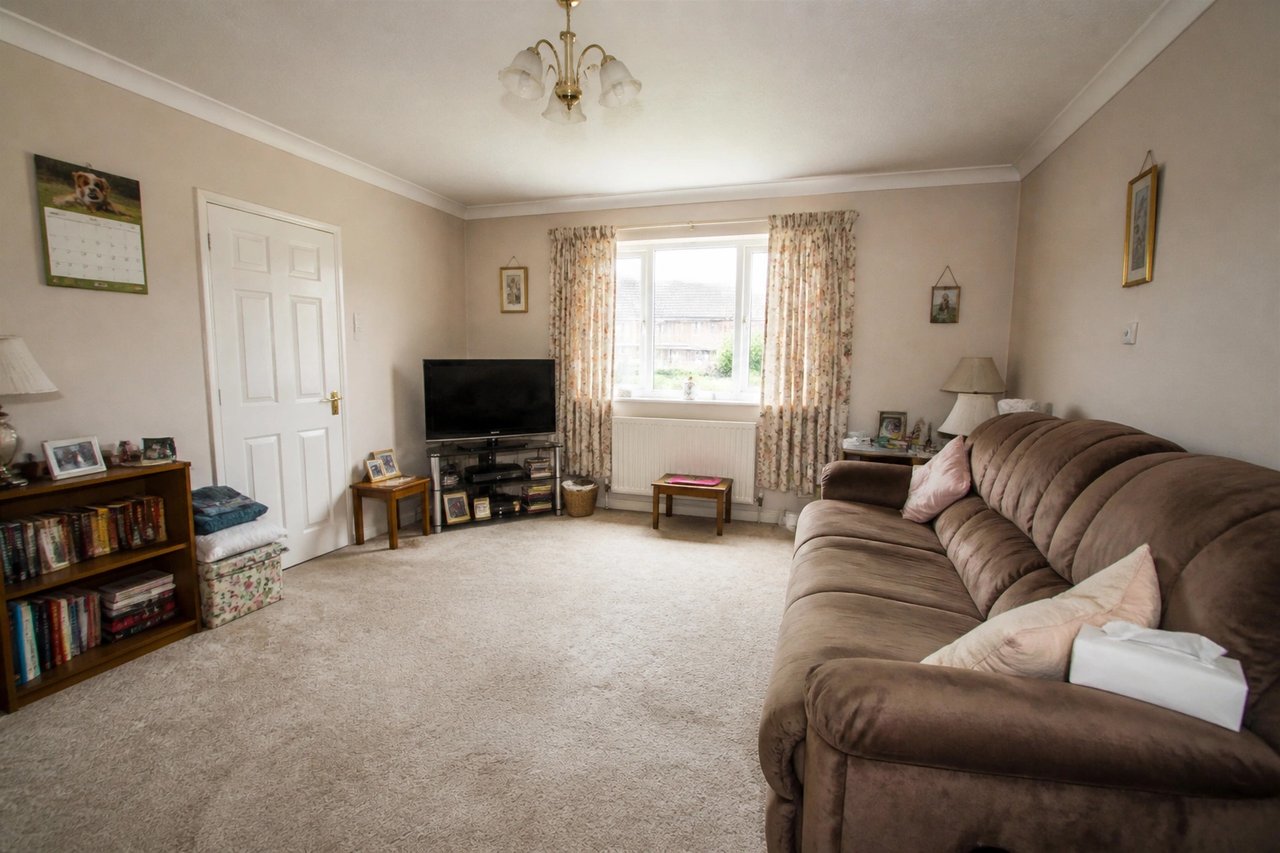
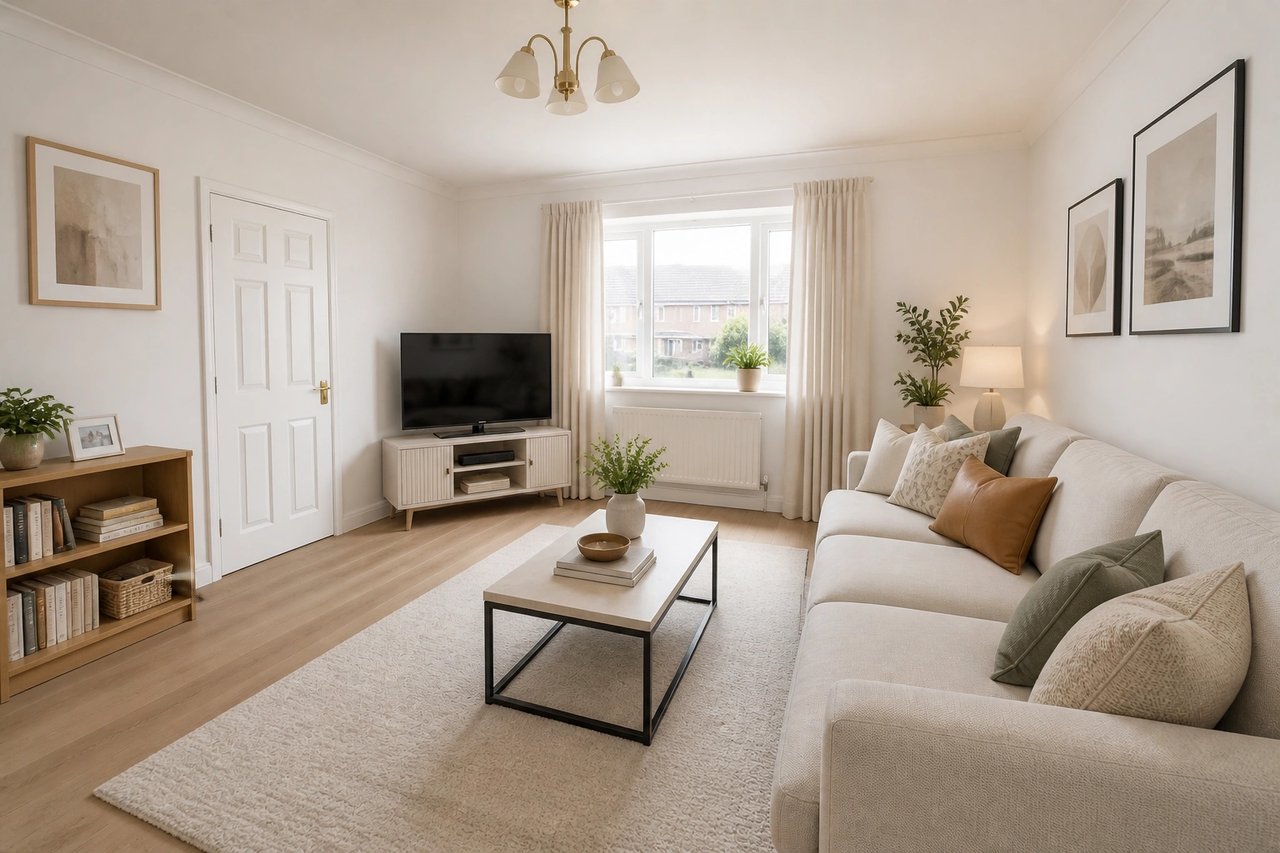
Before and after, from one photo
Drag to compare a tired listing photo with its refreshed design, generated from the room's own photo.
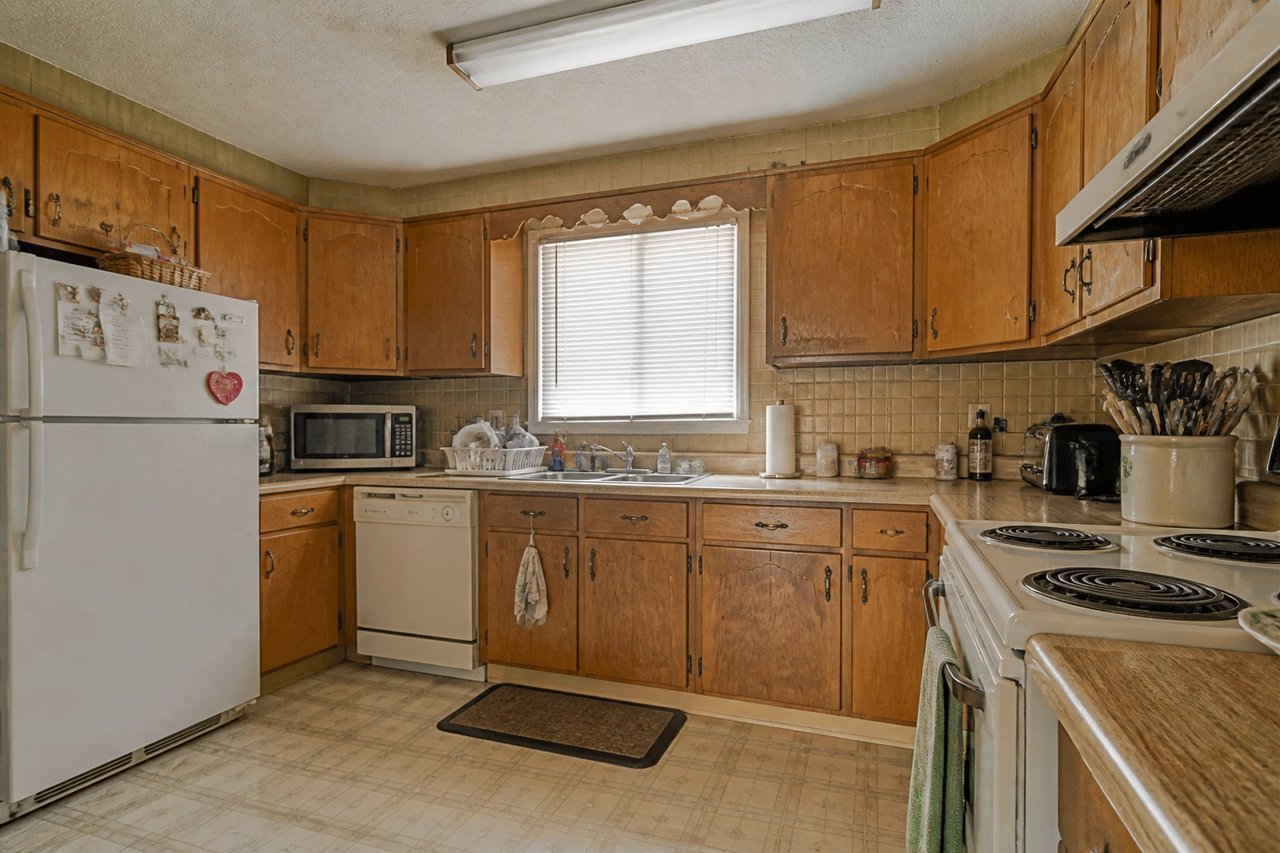
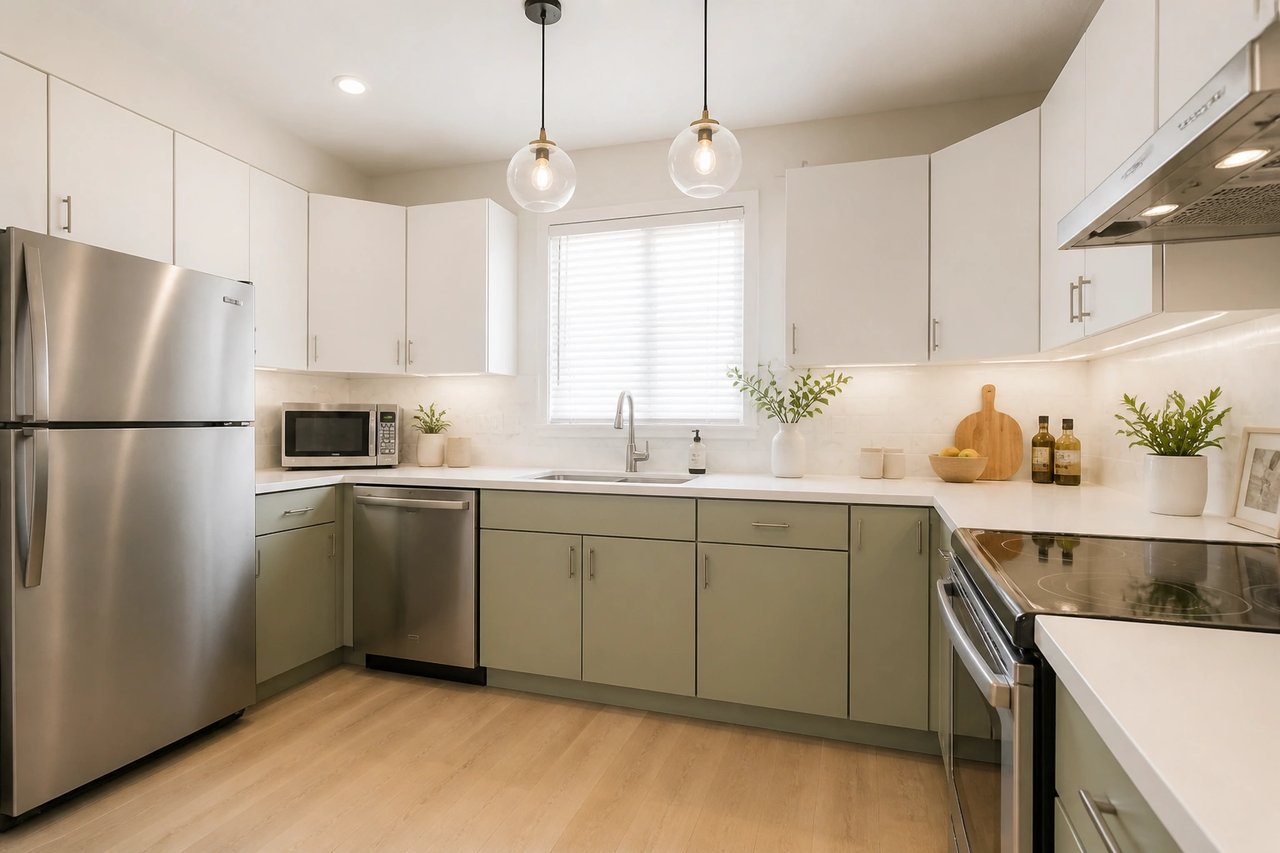
From listing photo to buyer-ready visual
A visual planning workflow for agents, investors, and homeowners preparing a property to sell.
Step 1
Upload a listing photo
Start with a clear photo of the room you want to refresh, showing windows, layout, and fixed features.
Step 2
Pick a buyer-friendly direction
Choose a bright, modern, neutral style that helps buyers picture themselves in the space.
Step 3
Generate listing-ready visuals
Compare refreshed concepts and use the best one to market the listing before any staging or work.
Help buyers see the potential
- Show potential, not the past
- Refresh a dated or tired room into a bright, buyer-appealing space on the listing's own photo, so buyers see what it could be.
- Compare looks at once
- Generate several refreshed directions in parallel from 50+ styles and pick the one that markets the listing best.
- Refresh listings in seconds
- Turn ordinary photos into polished marketing visuals in seconds, not days of physical staging or a photographer reshoot.
- Refine until it sells
- Swap palette, furniture, and decor live until each room looks ready to list and draw showings.
Built for selling property
Whether you're listing for a client, flipping a property, or selling your own home, the photo-first workflow fits.
Listing agents
Refresh dated or tired rooms into bright, buyer-appealing visuals so listings stand out and draw more showings.
Investors & flippers
Preview a refreshed look before you renovate, and market the upside of a property from its current photos.
Homeowners selling
Show your home at its best before you list, testing a fresh, neutral look buyers respond to without staging it.
Simple plans, no watermark
All paid plans include 50+ styles and watermark-free images. Annual savings vary by plan.
Basic
For home projects
billed yearly at $108
200 images each month
- All 50+ design styles
- Virtual staging
- Upscale & paint
- Commercial license
Lite
For getting started
billed yearly at $249
800 images each month
- All 50+ design styles
- Virtual staging
- Upscale & paint
- Commercial license
Plus
For frequent designing
billed yearly at $449
2,000 images each month
- All 50+ design styles
- Virtual staging
- Upscale & paint
- Commercial license
Ultra
For pros & teams
billed yearly at $899
5,000 images each month
- All 50+ design styles
- Virtual staging
- Upscale & paint
- Commercial license
- Priority support
Real estate AI questions
Direct answers for agents, investors, homeowners, and property marketers.
Refresh your listing today
Upload a photo, choose a style, and turn a tired room into a buyer-ready visual before you list.