Virtual property staging applies to any type of property: single-family homes, condos, apartments, townhomes, and even commercial spaces. AI staging technology adapts to each property type, selecting appropriate furniture scale, style, and arrangement to showcase the space's full potential to prospective buyers or tenants.
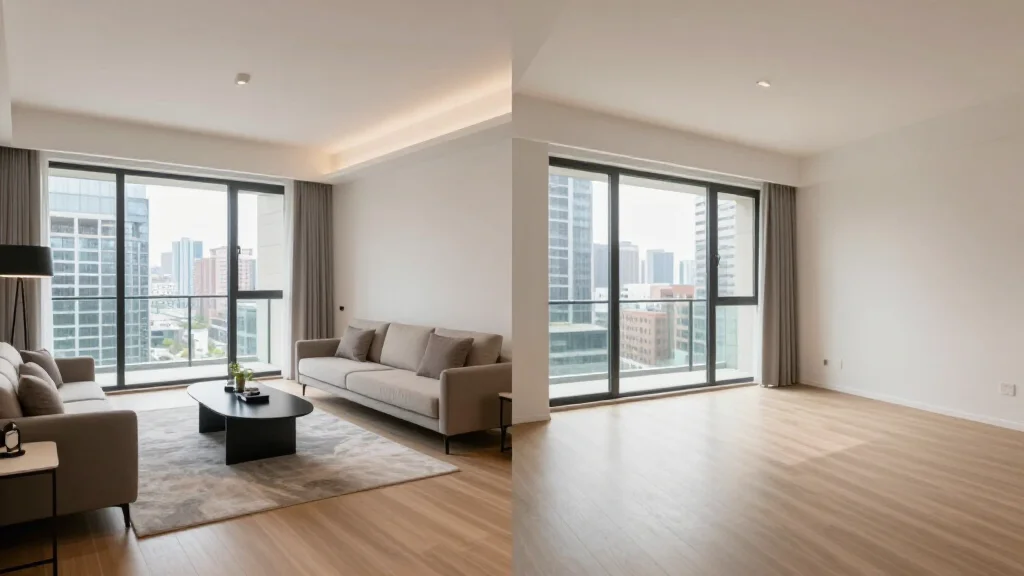
What Is Virtual Property Staging?
Virtual property staging is the digital process of adding furniture, decor, and styling to photographs of vacant or unfurnished properties. It applies to residential, commercial, and rental properties alike. AI tools analyze each space and generate furnishings appropriate to the property type, target audience, and market positioning.
Best Virtual Property Staging Tools
AI Smart Decor
- Best For: Best AI for staging any property type
- Price: Free to start
- Features: All property types, 20+ styles, Instant staging, Bulk processing
- Pros: Most versatile, Free tier, Best quality
- Cons: Premium for enterprise volume
PadStyler
- Best For: Residential property staging
- Price: From $20 per photo
- Features: Residential focus, Style variety
- Pros: Good residential styles
- Cons: Per-photo pricing, Slower delivery
Staging by Property Type
- Single-family homes: full staging across all rooms with family-friendly furnishings
- Condos and apartments: space-efficient furniture that maximizes smaller rooms
- Townhomes: multi-level staging with consistent style across floors
- Luxury properties: premium furnishings that match the price point
- New construction: showcase builder-grade spaces with aspirational styling
- Commercial properties: office furniture, reception areas, and conference rooms
Why Property Staging Matters
- Empty properties look smaller and less appealing in listing photos
- Staged properties receive more online clicks and showing requests
- Buyers struggle to visualize furniture placement in empty spaces
- Staging shows the intended use of ambiguous rooms
- Staged listings sell faster and command higher prices
- Virtual staging costs a fraction of traditional physical staging
Virtual Property Staging Workflow
- Step 1: Identify which rooms have the biggest impact on property appeal
- Step 2: Photograph key rooms with proper lighting and wide angles
- Step 3: Upload to the virtual staging platform
- Step 4: Select staging style appropriate to the property type and price point
- Step 5: Generate staged photos for each room
- Step 6: Add to listing with proper virtual staging disclosures
Property Staging for Rentals
- Tip: Stage rental properties to attract higher-quality tenants faster
- Tip: Choose modern neutral styles that appeal to the broadest renter pool
- Tip: Focus on living room and bedroom, the rooms renters care about most
- Tip: Virtual staging costs far less than vacancy losses from delayed leasing
- Tip: Reuse staged photos across listing platforms for consistency
Ready to Try It Yourself?
Stage any property type with AI. Upload photos and get photorealistic staged images, free to start.