Most virtual staging apps charge $15-$30 per image, but several mobile apps let you stage rooms for free directly from your phone. We downloaded and tested 9 of them on both iPhone and Android to find which free options actually produce usable results for real estate listings.
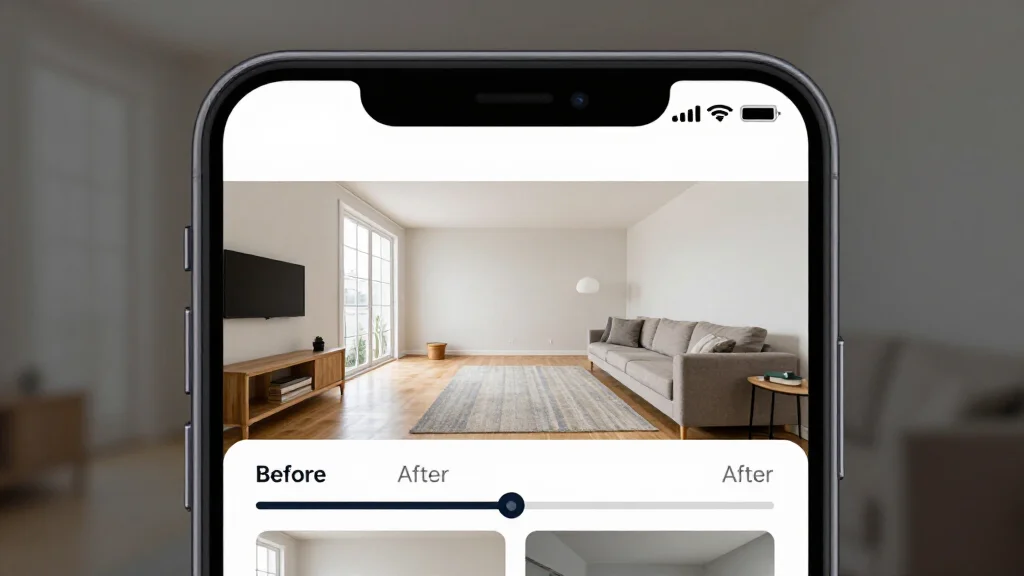
Bottom line: AI Smart Decor is the best free virtual staging app for iPhone and Android in 2026, offering the most generous free tier, 28+ design styles, and native mobile staging in under 10 seconds — with no credit card required.
How We Tested Each App
We photographed three empty rooms using an iPhone 15 and a Pixel 8. Each photo was uploaded to every app, and we evaluated the free tier only — no paid upgrades, no trials.
Scoring criteria:
- Free render count: How many rooms can you stage before paying?
- Mobile experience: Native app or clunky web wrapper?
- Render quality: Good enough for a listing photo?
- Speed: How long on mobile data?
- Ease of use: Can you stage a room in under 60 seconds?
Best Free Virtual Staging Apps Compared
| App | Platform | Free Renders | Quality | Speed | Native App |
|---|---|---|---|---|---|
| AI Smart Decor | iOS, Android, Web | Generous | High | ~10 sec | Yes |
| RoomGPT | iOS, Android, Web | Limited | Medium | ~10 sec | Yes |
| Planner 5D | iOS, Android | Unlimited basic | Medium | Manual | Yes |
| IKEA Kreativ | iOS, Android | Unlimited | N/A (AR) | Real-time | Yes |
| Homestyler | iOS, Android, Web | Limited | High | Manual | Yes |
| DecorMatters | iOS | Limited | Medium | ~15 sec | Yes |
| HomeByMe | iOS, Android, Web | Limited | Medium | Manual | Yes |
| Houzz | iOS, Android | Browse only | N/A | N/A | Yes |
| Magicplan | iOS, Android | Limited | Medium | Manual | Yes |
1. AI Smart Decor — Best Overall Free Staging App
AI Smart Decor works as a native experience on both iPhone and Android. Upload a room photo from your camera roll or take one directly, select a furniture style, and get a staged image in about 10 seconds.
Free tier on mobile:
- Generous free credits — enough to stage multiple rooms
- All 28+ furniture styles available
- No watermark on output
- Standard resolution (HD on premium)
Why it's #1 for mobile: The upload-to-result flow takes three taps, and the AI handles room detection automatically. Most competing apps are web apps with a mobile wrapper — AI Smart Decor feels native.
Limitations: HD exports require premium. The free tier is generous but not unlimited.
2. RoomGPT — Quickest Free Staging on Mobile
RoomGPT has native apps on both platforms with a stripped-down interface. Upload, pick a theme, get a result.
Free tier on mobile:
- Limited free credits (3-5 renders)
- Basic themes available
- No watermark
Why it works: Fewer options mean fewer decisions. Good for agents who need one quick staging between showings.
Limitations: Very few free renders. Quality is noticeably lower than AI Smart Decor.
3. Planner 5D — Best Free Floor Plan App
Planner 5D is a 3D room designer, not an AI staging app. You draw floor plans, place furniture, and generate renders. The touch interface works well on mobile.
Free tier: Unlimited basic floor plans, limited furniture catalog, basic render quality.
Why it's useful: If you need floor plans alongside staging, this is the only free mobile option. The 3D walkthrough impresses clients during showings.
Limitations: Not AI staging. Building a room takes 15-30 minutes instead of 10 seconds.
4. IKEA Kreativ — Best Free AR Staging
IKEA Kreativ uses AR to let you scan a room and place IKEA furniture at true scale. Completely free, no paid tier.
Free tier: Unlimited use, full IKEA catalog, AR room scanning, true-to-scale placement.
Why it's unique: Point your phone at an empty room and see furniture appear in real-time through the camera. Scale accuracy is excellent.
Limitations: IKEA products only. No style redesign, no AI generation.
5. Homestyler — Best Free 3D Design App
Homestyler offers a 3D design editor with real-brand furniture. The free tier lets you create designs and generate basic renders.
Free tier: Limited renders, real brand furniture catalog, basic 3D editor, community gallery.
Why it works: Real product library means staged furniture has real prices and dimensions — useful when clients ask "where is that sofa from?"
Limitations: Not AI-powered for photo staging. 3D editor is harder on small screens.
6-9. DecorMatters, HomeByMe, Houzz, Magicplan
- DecorMatters (iOS) — AI style suggestions and community mood boards. More inspiration than staging.
- HomeByMe: 3D room design with furniture shopping integration. Requires manual building.
- Houzz: Photo gallery and contractor marketplace. Great for inspiration, not for generating staging photos.
- Magicplan: LiDAR floor plan scanning with accurate measurements. Does not do AI staging.
Tips for Staging on Your Phone
Photo Tips
- Use the wide-angle lens but avoid ultra-wide (distortion hurts AI results)
- Hold at chest height in landscape orientation
- Shoot from a corner to capture maximum space
- Turn on all lights and open blinds
- Clear all personal items and cleaning supplies
Workflow Tips for Agents
- Stage between showings: AI Smart Decor delivers results in 10 seconds, fast enough during a listing appointment
- Save to camera roll: Share directly to your MLS app without transferring to desktop
- Compare styles on-site: Show sellers 3-4 staging options on your phone during the listing presentation
- Batch stage at the property: Take all room photos in one visit, stage them in the car
Free App Limitations
| Limitation | Workaround |
|---|---|
| Limited free renders | Use free tiers across multiple apps |
| Standard resolution | Sufficient for most MLS systems (1200px+) |
| Fewer style options | Free tiers include the most popular styles |
| No batch processing | Stage rooms individually — still faster than manual |
Frequently Asked Questions
What is the best free virtual staging app for iPhone?
AI Smart Decor offers the best free experience on iPhone with generous credits, 28+ styles, and a native app. For AR furniture placement, IKEA Kreativ is completely free.
Can I stage a room from my phone during a showing?
Yes. AI Smart Decor and RoomGPT deliver staged images in about 10 seconds over mobile data. You can photograph an empty room, stage it, and show the result to a client immediately.
Are free staging apps good enough for MLS photos?
For most MLS systems, yes. Free tier output is typically 1200px+ resolution, meeting standard MLS requirements. For print marketing or luxury listings, HD exports from a paid tier are recommended.
Which free app has the most style options?
AI Smart Decor offers 28+ furniture and design styles on the free tier — the most of any free staging app. Most competitors offer 5-10 styles on free plans.