The question on every homeowner's mind: Can AI actually design my room? With artificial intelligence transforming everything from writing to art, interior design is the next frontier. Whether you're moving into a new space, planning a makeover, or just curious about what AI can do, this guide breaks down exactly how AI room design works and whether it's right for you.
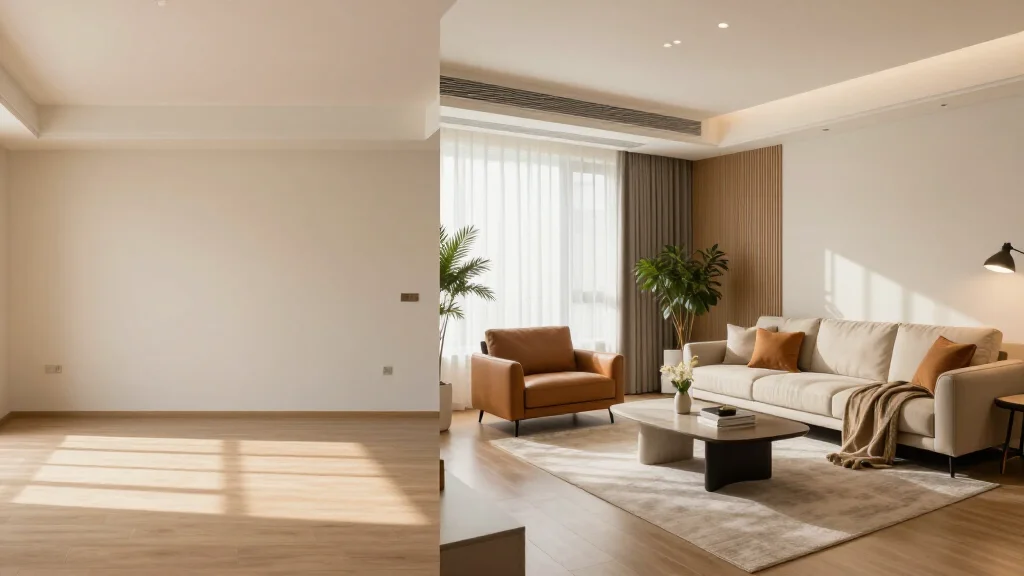
The Short Answer: Yes, AI Can Design Your Room
AI can absolutely design your room-and it's surprisingly good at it. Modern AI room design tools can analyze your space, understand your style preferences, and generate complete room designs with furniture placement, color schemes, and decor recommendations. While it won't replace human designers for complex projects, AI excels at giving you professional-looking results in minutes, not weeks. For a step-by-step walkthrough, see how to design a room with AI, and read is AI interior design worth it for an honest assessment.
How AI Designs Your Room (The Technology Behind It)
- Computer vision analyzes your room's dimensions, layout, and existing furniture
- Machine learning models trained on millions of professional interior designs
- Style recognition identifies aesthetics you prefer from reference images
- Space planning algorithms optimize furniture placement for flow and function
- 3D rendering generates photorealistic visualizations of your redesigned room
What AI Room Design Can Do
- Generate multiple design concepts in under 60 seconds
- Suggest furniture that fits your space and budget
- Create cohesive color palettes based on your preferences
- Visualize different styles (modern, bohemian, Scandinavian, etc.)
- Show before-and-after comparisons of your actual room
- Recommend specific products you can buy immediately
Limitations of AI Room Design
- May miss unique architectural features that a human designer would highlight
- Can't physically measure your space-photos must be accurate
- Limited ability to work with existing furniture you want to keep
- No emotional understanding of how you want a room to 'feel'
- Complex structural changes (removing walls, etc.) require human expertise
Best AI Room Design Tools in 2026
AI Smart Decor
- Best For: Homeowners wanting instant professional results
- Price: Free tier available, Pro at $29/month
- Features: Upload your room photo, Multiple style options, Shopping list generation
RoomGPT
- Best For: Quick room transformations
- Price: Free limited version, paid plans from $15/month
- Features: Fast generation, Simple interface, Style transfer
InteriorAI
- Best For: Design inspiration and mockups
- Price: Starting at $19/month
- Features: Multiple modes (photo, sketch, virtual staging), High-quality renders, Style variety
Who Should Use AI Room Design?
- Renters who want to visualize temporary changes
- Homeowners on a budget (saves thousands vs hiring a designer)
- Anyone needing quick inspiration before a redesign
- Real estate agents staging properties
- People who want to experiment with different styles risk-free
Ready to Try It Yourself?
Upload a photo of your room and see AI transform it in seconds