Virtual home staging transforms empty or outdated rooms into beautifully furnished spaces using AI technology. Instead of renting furniture and hiring stagers for $2,000-$5,000 per home, virtual staging creates photorealistic images in minutes at a fraction of the cost, helping listings stand out where 97% of buyers start their search: online.
What Is Virtual Home Staging?
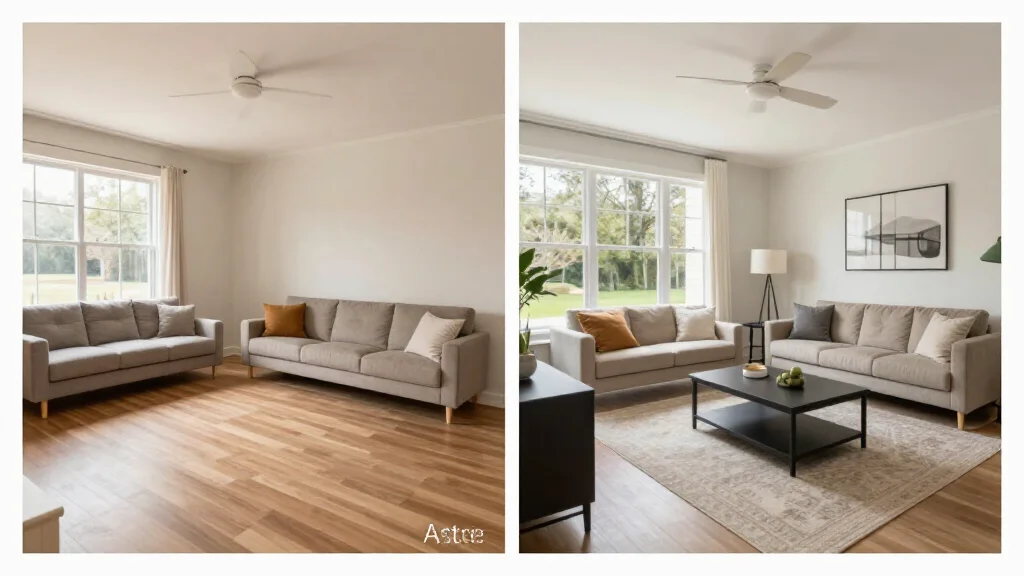
Virtual home staging is the process of digitally adding furniture, decor, and styling to photographs of empty or unfurnished rooms. Using AI, virtual staging produces photorealistic results that help potential buyers envision themselves living in the space, without physically moving any furniture into the home.
Best Virtual Home Staging Tools
AI Smart Decor
- Best For: Best AI virtual home staging quality
- Price: Free to start
- Features: Photorealistic AI staging, 20+ design styles, Instant results
- Pros: Most realistic output, Free tier, Fastest turnaround
- Cons: Bulk pricing on premium
Virtual Staging AI
- Best For: Per-photo virtual staging
- Price: From $16 per photo
- Features: Per-image pricing, Real estate focused
- Pros: Pay per use, Quick delivery
- Cons: No free tier, Adds up with many rooms
Why Virtual Home Staging Works
- Staged homes sell 73% faster than unstaged homes (NAR data)
- Buyers spend 60% more time looking at staged listing photos online
- Virtual staging costs 95% less than traditional physical staging
- Staged listings receive more showing requests and higher offers
- Empty rooms look smaller in photos. Staging shows true potential
- Multiple staging styles can target different buyer demographics
How to Stage a Home Virtually
- Step 1: Photograph empty rooms with wide-angle lens in natural light
- Step 2: Upload photos to the virtual staging tool
- Step 3: Select a staging style that matches the target buyer demographic
- Step 4: Generate AI-staged images for each room
- Step 5: Review results and regenerate if needed
- Step 6: Add staged photos to MLS listing alongside original photos
- Step 7: Include disclosure that images are virtually staged
Virtual Staging Best Practices
- Tip: Always disclose virtually staged photos in your listing description
- Tip: Stage the most impactful rooms first: living room, master bedroom, kitchen
- Tip: Choose staging styles that match the home's architecture and neighborhood
- Tip: Include both staged and unstaged photos for transparency
- Tip: Use consistent styling across all rooms in the same listing
Virtual vs Traditional Home Staging
- Virtual: $0–$50 per room vs Traditional: $500–$2,000 per room
- Virtual: ready in minutes vs Traditional: requires days of scheduling
- Virtual: no physical logistics vs Traditional: furniture rental and delivery
- Virtual: unlimited style variations vs Traditional: one fixed setup
- Virtual: works for occupied and vacant homes vs Traditional: vacant only
- Both: proven to help homes sell faster and for higher prices
Ready to Try It Yourself?
Stage your listings virtually with AI. Upload empty room photos and get photorealistic staged images, free to start.