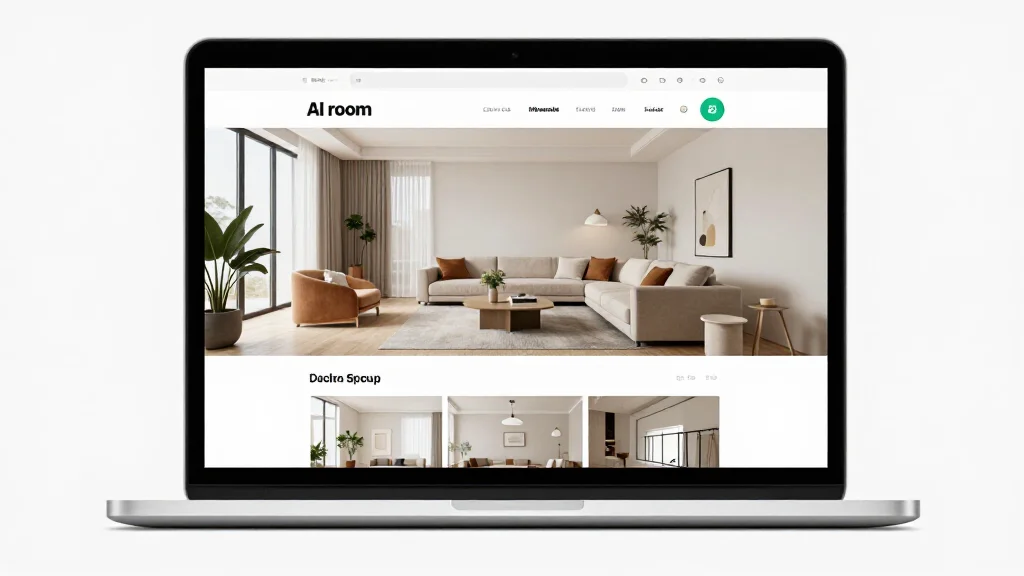
Online AI room design means opening a website, uploading a photo, and getting a redesigned room back in your browser — no software to install, no app to update, no storage to manage. That is the core proposition. But "browser-based" covers a wide range of quality and capability. This article breaks down exactly what to expect from each major platform, what questions to ask about privacy, and which browser actually works best.
Why Browser-Based Beats Installed Software for Most People
The argument for online tools is not just convenience. There are concrete practical advantages:
Cross-device access. Your designs are tied to your account, not your device. Start on a laptop, review on your phone, share with a partner on their tablet. Desktop software locks your files to one machine unless you set up cloud sync manually.
Always current. The AI model running your design is updated server-side. You never download a patch or worry about running an outdated version. Every generation uses the latest model.
No storage requirement. AI tools and their asset libraries can run several gigabytes. Online tools use zero local storage beyond browser cache.
Works on any OS. Windows, macOS, Linux, Chrome OS, iOS, Android — if it has a browser, it runs online AI room design tools. This matters particularly for Chromebook users who have no alternative.
No compatibility issues. You will never see an error message about your GPU driver, DirectX version, or operating system being too old.
The trade-off is internet dependency. If your connection drops, the tool stops working. For most home users this is not a meaningful concern.
Best Online AI Room Design Platforms in 2026
| Platform | Best For | Free Tier | Output Quality | Browser Compatibility |
|---|---|---|---|---|
| AI Smart Decor | Overall quality + ease of use | Yes — multiple generations | High (photorealistic) | Chrome, Safari, Firefox, Edge |
| RoomGPT | Quick, no-frills redesigns | Yes — very limited | Medium | Chrome, Safari |
| Reimagine Home | Style variety | Limited | Medium-High | Chrome, Firefox |
| Decoratly | Budget users | Yes — limited | Medium | Chrome, Safari |
| Homestyler | Layout + visualization hybrid | Yes — extensive free tier | Medium | Chrome, Firefox, Edge |
AI Smart Decor
AI Smart Decor is a fully browser-based platform built around photo-to-design transformation. Upload a room photo, select from 20+ styles (Scandinavian, industrial, coastal, Japandi, and more), and get a photorealistic redesign in under 30 seconds. The free tier includes enough credits to meaningfully evaluate the tool. HD exports and unlimited generations are on the paid plan.
What sets it apart from the field: render quality. The output looks like a professional architectural render, not a blurry AI hallucination. That quality difference matters when you are trying to make real decisions about your space.
RoomGPT
RoomGPT was one of the first widely used browser-based room design tools. It is fast and extremely simple — upload a photo, pick a style, done. The free tier is very restricted (a handful of generations before hitting a paywall), and the output quality is noticeably lower than newer tools. Fine for a quick experiment, not ideal for serious planning.
Reimagine Home
Reimagine Home offers more style options and slightly higher quality renders than RoomGPT. The interface is clean and works well on mobile. The free tier is limited but functional enough for one-off use. A solid mid-tier option.
Homestyler
Homestyler is a different category: it is primarily a 2D/3D floor plan editor that runs in a browser, not a photo-to-design tool. It is better compared to Planner 5D than to AI Smart Decor. If you need to plan furniture layouts and dimensions rather than visualize a style transformation, Homestyler is worth trying. See Room Planner for more on this approach.
Browser Compatibility: What Actually Works
Not all browsers handle these tools equally. Here is what to expect:
| Browser | Performance | Notes |
|---|---|---|
| Chrome (desktop) | Excellent | Best overall compatibility |
| Safari (desktop/iOS) | Excellent | Best for Mac and iPhone users |
| Firefox | Good | Occasional rendering glitches on older versions |
| Edge | Good | Chromium-based, very close to Chrome |
| Chrome (Android) | Good | Full functionality on modern Android |
| Safari (iOS) | Good | Works well, slightly slower on older iPhones |
| Samsung Internet | Fair | Works but less tested |
Recommendation: Use Chrome or Safari. Both handle WebGL, file uploads, and the download APIs that these tools rely on without any configuration required.
Enable cookies. All of these platforms use cookies for session management and saving your design history. Blocking cookies entirely will break functionality like design history and account persistence.
Internet Speed and Performance
The only stage where your connection speed matters is the photo upload. Generation happens on remote servers — your local bandwidth has no effect on how fast the AI produces results.
Upload speed requirements:
- A 3MB photo at 10 Mbps uploads in roughly 2 seconds
- A 5MB photo at 5 Mbps uploads in about 8 seconds
- Slower connections (under 5 Mbps) will add noticeable delay to uploads but will not cause failures
Generation time (15–30 seconds) is entirely server-dependent. During peak hours some platforms are slower. AI Smart Decor typically maintains consistent generation times regardless of time of day.
Photo Privacy: What Happens to Your Images
This is a legitimate concern when uploading photos of your home. Here is the honest breakdown:
What reputable tools do: Process the image server-side, generate the output, and either delete the image after processing or retain it temporarily (typically 7–30 days) to support design history features. They do not use your images to train models without consent.
What to check before uploading:
- Does the platform have a privacy policy that explicitly addresses uploaded images?
- Is there an option to delete your uploads from the account settings?
- Does the platform mention selling or sharing data with third parties?
Practical guidance: Do not upload photos that reveal security-sensitive information (safes, alarm panels, entry points). For standard room redesign photography, the privacy risk of using a reputable online tool is comparable to storing photos on a cloud service.
When Online Tools Are Not the Right Choice
Online tools are right for most users, but there are two scenarios where desktop software makes sense:
-
You need precise floor plan measurements. Browser-based tools are built around photo transformation. If you need exact room dimensions, furniture clearance measurements, and scale-accurate 2D plans, a dedicated floor planning tool (even a browser-based one like Homestyler) or desktop software is more appropriate.
-
You have no reliable internet access. If you are designing a vacation property or remote site with poor connectivity, photo-based tools become frustrating to use.
For everything else — visualizing style changes, exploring color schemes, generating quick before/after comparisons — online AI room design is the fastest and most accessible option.
For more on free tools specifically, see AI Room Design Free and AI Room Planner Free.