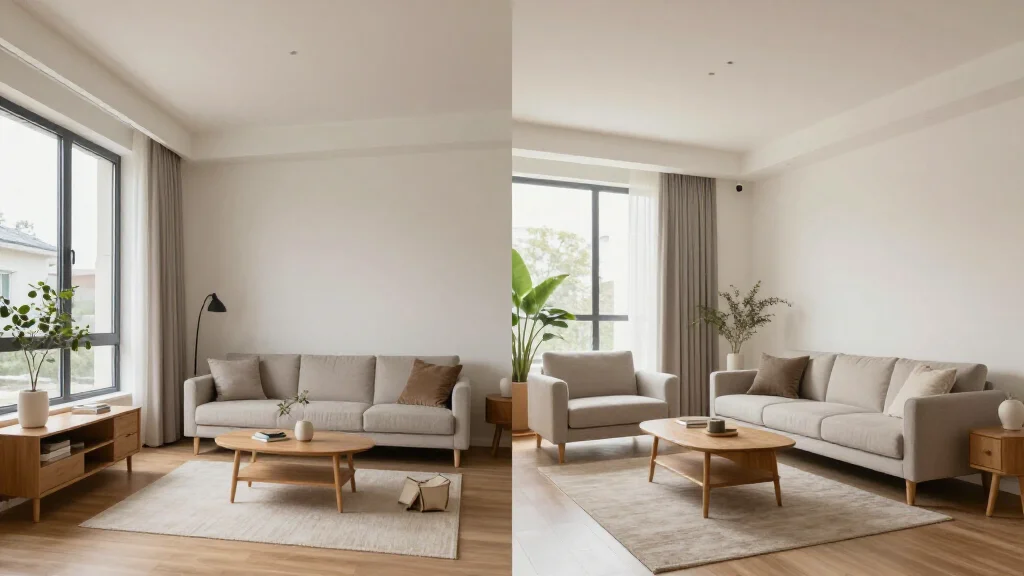
AI room staging uses artificial intelligence to transform photographs of empty rooms into fully furnished, styled spaces. Upload a photo of any empty room (living room, bedroom, kitchen, or office) and AI generates photorealistic furniture and decor tailored to the room type. It's the fastest, most affordable way to stage real estate listings.
What Is AI Room Staging?
AI room staging applies machine learning to interior design and real estate photography. The AI analyzes an empty room photo, identifies the room type and architectural features, and generates a complete set of furnishings that look naturally placed in the space. Results are delivered in seconds with quality that meets MLS listing standards.
Best AI Room Staging Tools
AI Smart Decor
- Best For: Best AI room staging tool
- Price: Free to start
- Features: All room types, 20+ styles, Instant staging, Photorealistic output
- Pros: Best overall quality, Free tier, Fastest results
- Cons: Premium for enterprise volume
Virtual Staging AI
- Best For: Budget AI room staging
- Price: From $16 per image
- Features: AI-powered, Multiple styles, Real estate focus
- Pros: Affordable per image, Simple workflow
- Cons: No free tier, Fewer style options
AI Staging by Room Type
- Living room: AI places sofas, coffee tables, rugs, art, and accent lighting
- Bedroom: AI generates beds, nightstands, dressers, and coordinated bedding
- Kitchen: AI styles countertops, adds bar stools, pendant lights, and accessories
- Dining room: AI creates table settings with chairs, chandelier, and decor
- Home office: AI furnishes with desk, chair, shelving, and work accessories
- Bathroom: AI adds towels, accessories, and spa-like touches
Benefits of AI Room Staging
- Speed: staged photos in seconds instead of days
- Cost: free to start, far cheaper than physical or human-edited staging
- Consistency: uniform quality across every room in a listing
- Variety: try multiple styles to find the best look for each room
- Scalability: stage every listing without budget or scheduling constraints
- Accessibility: works from any device with a web browser
How to Stage a Room with AI
- Step 1: Photograph the empty room with good natural lighting
- Step 2: Upload the photo to an AI room staging platform
- Step 3: Select the room type so AI applies appropriate furniture
- Step 4: Choose a design style that matches the property and buyer demographic
- Step 5: Generate the staged image and review the result
- Step 6: Download and add to your listing with virtual staging disclosure
Ready to Try It Yourself?
Stage any room with AI. Upload empty room photos and get photorealistic staged images in seconds, free to start.