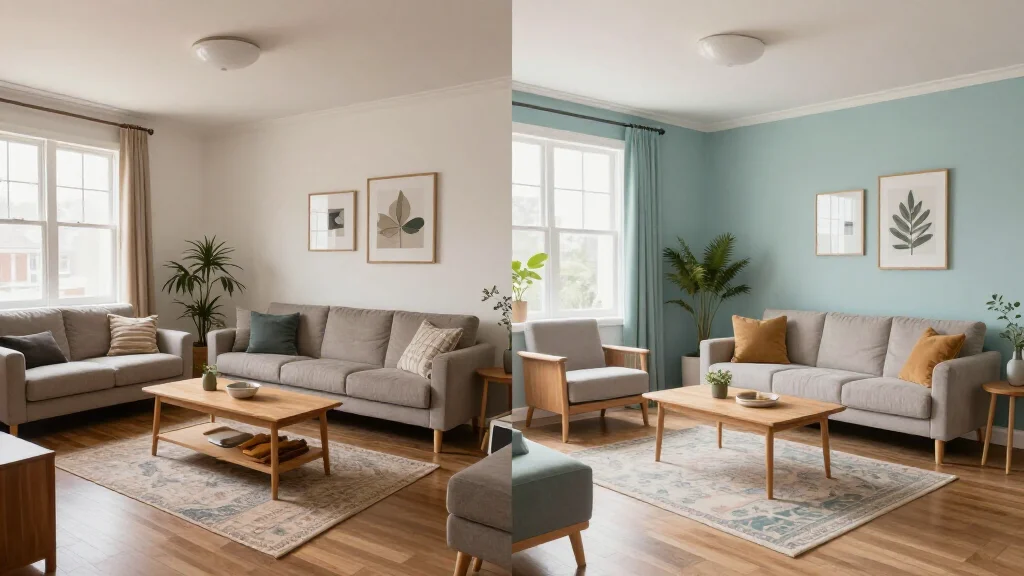
AI room redesign takes the uncertainty out of home decorating. Instead of guessing how a new sofa, paint color, or layout might look, you upload a photo and watch AI completely transform your room in seconds. The result is a photorealistic preview of your redesigned space.
How AI Room Redesign Works
AI room redesign uses deep learning models to understand your room's structure. The AI identifies walls, floors, windows, and existing furniture, then generates a completely new interior while preserving the room's architecture. You choose the style-modern, farmhouse, boho, industrial-and the AI handles everything else.
Best AI Room Redesign Tools
AI Smart Decor
- Best For: Complete room redesign from any photo
- Price: Free to start
- Features: Full room transformation, 20+ redesign styles, Instant before-after
- Pros: Most realistic redesigns, Fastest processing, Free tier
- Cons: HD downloads on premium
ReRoom AI
- Best For: Quick style-swap redesigns
- Price: Free trial available
- Features: Style presets, Fast generation, Simple UI
- Pros: Very quick results, Straightforward interface
- Cons: Fewer style options, Limited customization
Step-by-Step Room Redesign with AI
- Step 1: Choose the room you want to redesign
- Step 2: Take a clear photo in good lighting from the room's entrance
- Step 3: Upload the photo to the AI redesign tool
- Step 4: Pick a design style that matches your vision
- Step 5: Generate the redesign and review the transformation
- Step 6: Try two or three more styles to compare options
- Step 7: Save your favorite and use it as a decorating roadmap
Rooms That Benefit Most from AI Redesign
- Living rooms, the highest-impact space for visual transformation
- Bedrooms-create a calming retreat tailored to your taste
- Kitchens-visualize cabinet, countertop, and layout changes before renovating
- Home offices-optimize your workspace for productivity and video calls
- Guest rooms-give visitors a welcoming space without major investment
- Dining rooms-redesign for better entertaining and family meals
Why AI Redesign Beats Traditional Methods
- See results in 15 seconds instead of waiting weeks for designer concepts
- Try unlimited styles without buying a single piece of furniture
- Avoid costly mistakes by previewing changes before spending money
- No design experience needed-AI handles all aesthetic decisions
- Share redesigns with family for input before committing to changes
Ready to Try It Yourself?
Redesign any room with AI in seconds. Upload a photo and see your space transformed-free to start.