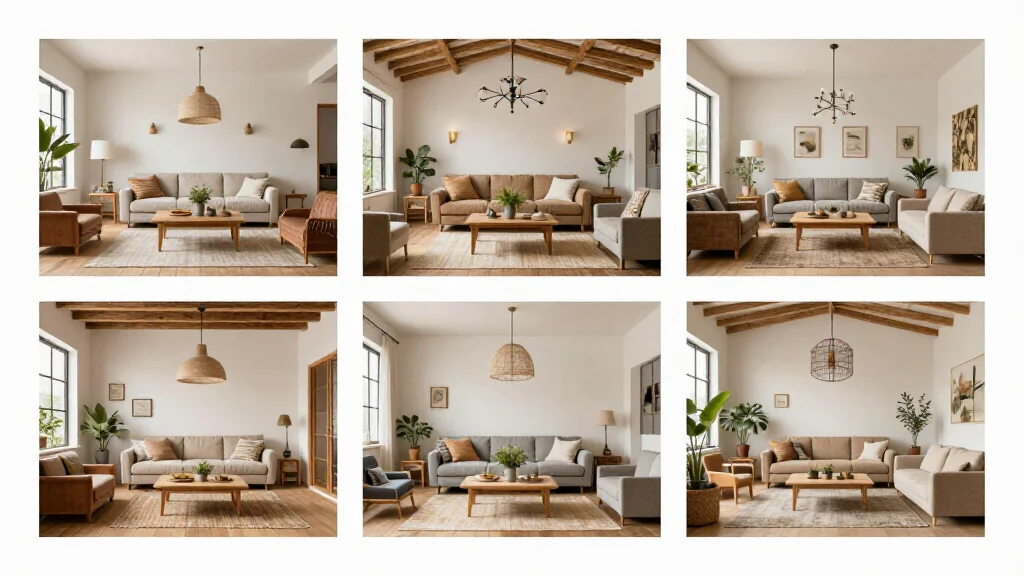
AI room concept tools generate multiple design directions for any room in seconds. Instead of spending weeks developing a single concept with a designer, AI lets you explore dozens of style directions immediately-from modern minimalist to cozy farmhouse-so you can quickly identify the design direction that excites you.
What Is an AI Room Concept?
An AI room concept is a visual design proposal generated by artificial intelligence for a specific room. It shows how the room could look with different furniture, colors, materials, and styling. Unlike a finished design plan, a concept is an exploration of possibilities-a starting point for your design journey.
Best AI Room Concept Tools
AI Smart Decor
- Best For: Generating multiple room concepts quickly
- Price: Free to start
- Features: Multi-concept generation, 20+ style directions, Instant results
- Pros: Most concept variety, Fastest generation, Free tier
- Cons: Detailed customization on premium
Collov AI
- Best For: Style-specific concept development
- Price: Free trial available
- Features: Style transfer, Mood boards, Room concepts
- Pros: Good style accuracy, Mood board integration
- Cons: Limited free trial
How to Generate Room Concepts with AI
- Step 1: Photograph the room you want concepts for
- Step 2: Upload to the AI concept tool
- Step 3: Generate concepts in three to five different styles
- Step 4: Compare concepts side by side
- Step 5: Identify which direction resonates most with you
- Step 6: Refine your top choice with additional generations
- Step 7: Use the final concept as a design brief for implementation
Using AI Concepts for Design Planning
- Present multiple AI concepts to family members for consensus
- Share concepts with interior designers to communicate your vision
- Show concepts to contractors to align expectations before renovation
- Use concepts to create shopping lists for furniture and decor
- Compare concepts against your budget to find the most achievable option
Tips for Better AI Room Concepts
- Tip: Generate at least five concepts in different styles before narrowing down
- Tip: Use the same room photo for all concepts to make comparison easier
- Tip: Focus on the overall feel, not individual pieces, when evaluating concepts
- Tip: Combine elements from different concepts for a hybrid design direction
- Tip: Save all concepts in a folder to revisit and compare later
Ready to Try It Yourself?
Explore unlimited room design concepts with AI. Upload a photo and discover your ideal style direction.