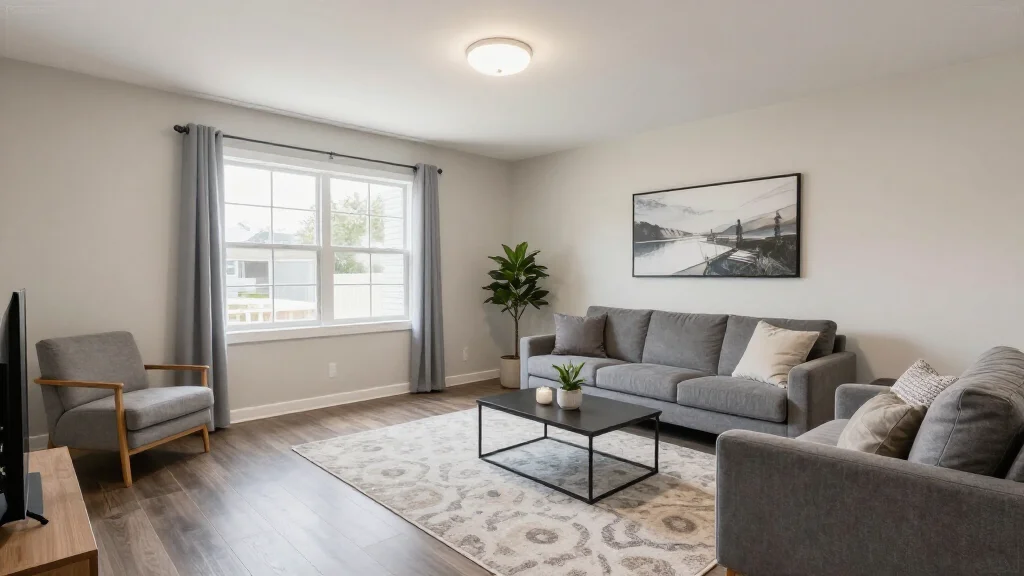
AI Interior Design App for Real Estate: Stage & Sell Faster
Real estate agents who use AI interior design apps to stage their listings report faster sales and higher offers. These tools transform empty or outdated property photos into beautifully staged images in minutes—at a fraction of what physical staging costs.
How Real Estate Agents Use AI Interior Design Apps
Real estate agents use AI design apps to virtually stage empty rooms, update outdated interiors in listing photos, and help buyers visualize the potential of a property. A vacant listing with AI-staged photos attracts significantly more attention on MLS, Zillow, and Realtor.com than empty room photos.
Best AI Design Apps for Real Estate in 2026
AI Smart Decor
- Best For: Quick virtual staging for property listings
- Price: Free to start
- Features: Virtual staging, Multiple style options, MLS-ready resolution
- Pros: Fast turnaround, Realistic staging, Free tier for testing
- Cons: Bulk pricing on premium plans
Virtual Staging AI
- Best For: Dedicated real estate staging platform
- Price: From $16 per photo
- Features: MLS-ready output, Furniture removal, Commercial focus
- Pros: Real estate focused, Per-photo pricing
- Cons: No free tier, Single-purpose tool
Apply Design
- Best For: Batch staging for multiple listings
- Price: From $1 per image on volume plans
- Features: Batch processing, Multiple room types, Fast delivery
- Pros: Lowest per-image cost, Scalable for agencies
- Cons: Quality varies, Less style customization
Virtual Staging Workflow for Agents
- Step 1: Photograph empty or outdated rooms during the listing appointment
- Step 2: Upload photos to the AI staging app
- Step 3: Select furniture styles that appeal to your target buyer demographic
- Step 4: Generate virtually staged versions of each key room
- Step 5: Review staging for realism and appropriate furniture scale
- Step 6: Add a virtual staging disclosure to your listing description
- Step 7: Upload staged photos alongside original photos to MLS
Impact of AI Staging on Real Estate Sales
- Staged homes sell 73% faster than vacant properties
- Virtually staged listings get 40% more online views
- Buyers are 3x more likely to schedule viewings with staged photos
- AI staging costs $10-50 per room vs $2,000-8,000 for physical staging
- Agents report offers 5-10% higher on staged listings
- Time on market decreases by an average of 50% with staging
Best Practices for Real Estate AI Staging
- Tip: Always disclose that photos are virtually staged
- Tip: Match furniture style to the property’s target market
- Tip: Stage the living room, master bedroom, and kitchen at minimum
- Tip: Keep staging realistic—avoid luxury furniture in starter homes
- Tip: Maintain consistent style across all rooms in the same listing
- Tip: Include at least one unstaged photo of each room for transparency
Ready to Try It Yourself?
Stage your listings with AI in minutes. Upload empty room photos and get professionally staged images instantly—free to start.
Related Articles
Frequently Asked Questions
Is AI virtual staging legal for real estate listings?
Yes, AI virtual staging is legal and widely used in real estate. NAR guidelines require you to disclose that photos are virtually staged in the listing description.
How much does AI staging cost for real estate agents?
AI staging costs range from free to $50 per room, compared to $2,000-8,000 for physical staging. AI Smart Decor offers a free tier so agents can test the quality before committing.
Do buyers trust virtually staged photos?
Buyers appreciate virtually staged photos because they help visualize how a space could look. With proper disclosure, virtual staging builds trust and helps buyers imagine living in the property.