AI home layout software analyzes your room dimensions and suggests optimal furniture arrangements based on traffic flow, focal points, and how you use each space. Whether you are moving into a new home or rearranging an existing room, AI layout software finds arrangements you might never discover on your own.
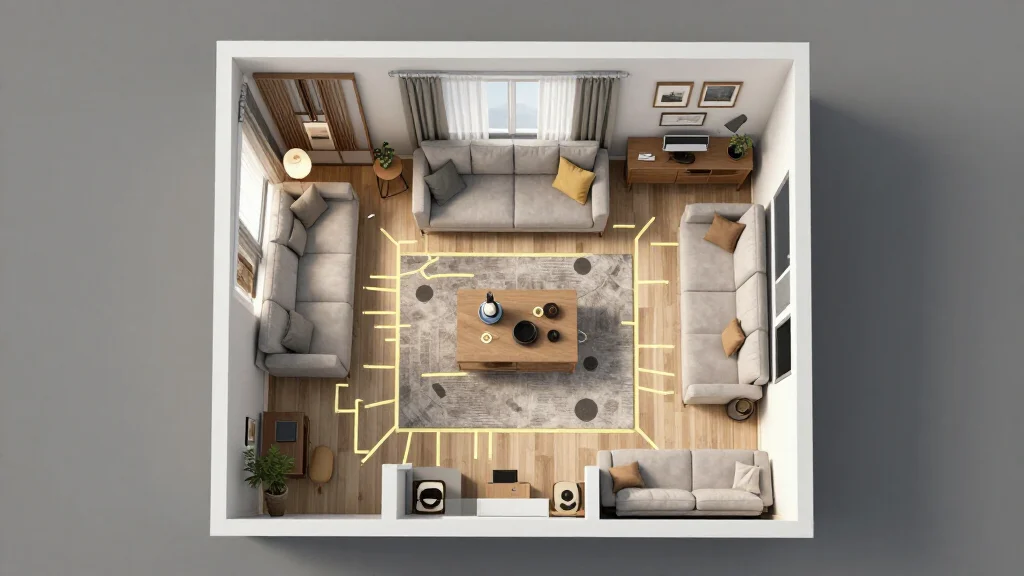
How AI Optimizes Home Layouts
AI layout software processes your room's dimensions, door positions, window locations, and focal points to calculate the best furniture placement. It considers traffic flow so you can move freely, conversation zones so seating encourages interaction, and visual balance so the room feels intentional.
Best AI Home Layout Software
AI Smart Decor
- Best For: Best AI-optimized room layouts from photos
- Price: Free to start
- Features: Photo-based layout analysis, AI arrangement suggestions, Multiple layouts
- Pros: Best AI intelligence, Visual results, Free tier
- Cons: Advanced layouts on premium
Floorplanner
- Best For: Interactive floor plan layouts
- Price: Free basic plan
- Features: Drag-and-drop editor, 2D and 3D views, Furniture library
- Pros: Easy to use, Good visualization
- Cons: No AI optimization, Manual placement
Layout Optimization by Room
- Living room: AI positions seating for conversation and TV viewing without blocking pathways
- Bedroom: AI places the bed for optimal door clearance and natural light
- Dining room: AI ensures adequate chair spacing and server access
- Home office: AI positions the desk to minimize glare and maximize focus
- Kids room: AI balances play space, sleep area, and study zone
- Studio apartment: AI creates distinct functional zones in a single space
Layout Principles AI Applies
- Traffic flow: 36-inch minimum pathways for comfortable movement
- Conversation distance: seating within 8 feet for natural interaction
- Focal point alignment: primary seating faces the room's main feature
- Window clearance: furniture avoids blocking natural light sources
- Door swing space: nothing obstructs door opening and closing
- Visual weight balance: heavy pieces distributed evenly across the room
Getting Started with AI Layouts
- Step 1: Upload a photo of your room or enter dimensions manually
- Step 2: List the furniture pieces you want to include
- Step 3: Select your room type and primary use
- Step 4: Generate AI-optimized layout options
- Step 5: Compare layouts to find the best arrangement
- Step 6: Implement the layout by moving furniture to match the AI suggestion
Ready to Try It Yourself?
Optimize your home layout with AI. Upload a room photo and discover the best furniture arrangement, free to start.