Most people searching for an "AI home design program" want one of two things: a traditional desktop application with AI features bolted on, or a modern web-based tool that uses AI as its core function. These are fundamentally different products. Conflating them leads to downloading 4GB of software when a browser tab would have done the job — or expecting a web tool to export a DWG file it was never designed to produce.
This guide covers both categories honestly: what each type does well, where each type falls short, system requirements, file format support, and which programs are worth your time.
Desktop AI Home Design Programs vs Browser-Based Web Apps
The distinction matters more than most comparison guides admit.
Desktop programs (Chief Architect, Live Home 3D, Sweet Home 3D) were built as manual drafting and 3D modeling tools. AI has been added to some of them as a supplementary feature — usually in the form of AI-generated furniture suggestions or automated lighting calculations. The core workflow is still manual: you draw rooms, place furniture, adjust dimensions.
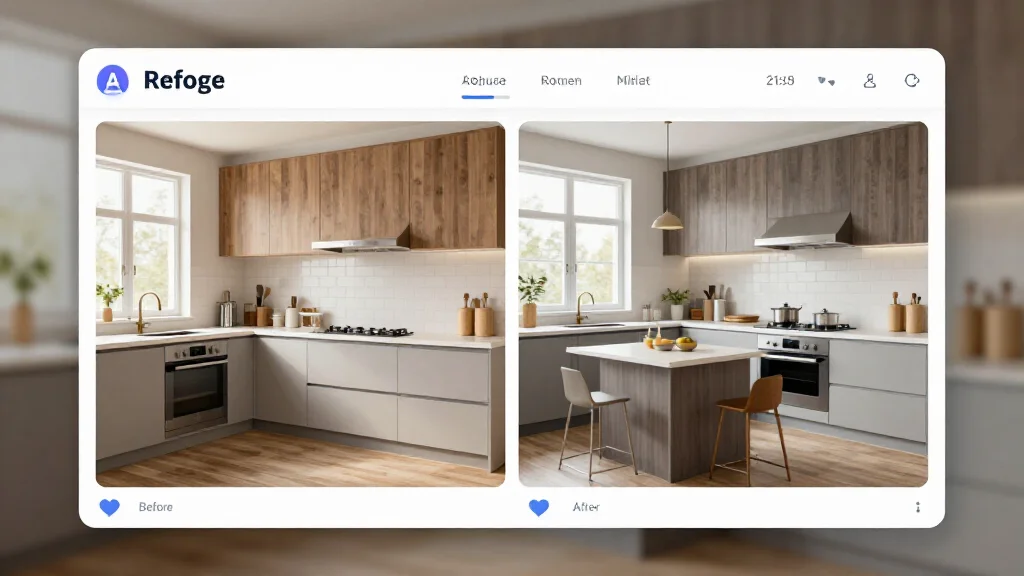
Browser-based AI programs (AI Smart Decor, Reimagine Home, RoomGPT) were built around AI from the ground up. The core workflow is: upload a photo, select a style, receive a photorealistic AI redesign. There is no manual drafting component.
Head-to-Head Comparison
| Feature | Desktop Programs | Browser-Based AI Tools |
|---|---|---|
| Installation required | Yes (2–8 GB) | No |
| System requirements | High (GPU, 8–16 GB RAM) | Any device with a browser |
| AI photo redesign | Rare / limited | Core feature |
| Manual floor plan drafting | Yes | No |
| CAD/DWG export | Yes (professional tools) | No |
| Offline use | Partial | No |
| Cost | $30–$200+ one-time or subscription | Free tier to $30/month |
| Updates | Manual download | Automatic |
| AI rendering quality | Variable | High (cloud models) |
| Learning curve | Steep to moderate | Minutes |
Top AI Home Design Programs: Desktop Category
Chief Architect Premier
- Type: Desktop (Windows/Mac)
- Price: $595/year
- AI features: AI object recognition, automated roof generation, smart building tools
- System requirements: Windows 10/11 or macOS 12+, 16 GB RAM, dedicated GPU with 4 GB VRAM
- File formats: DWG, DXF, PDF, SKP, 3DS, OBJ
- Best for: Architects and professional designers who need full CAD capability with AI assistance
Chief Architect is the most capable desktop home design program available. The AI features are genuinely useful — automated roof framing, smart stairs, and object recognition save significant time on complex projects. But this is professional software with a professional learning curve. Expect to invest 20+ hours before you're productive.
Live Home 3D Pro
- Type: Desktop (Mac and Windows)
- Price: $79.99 one-time
- AI features: AI-assisted furniture placement suggestions
- System requirements: macOS 11+ / Windows 10, 4 GB RAM, OpenGL 3.3 GPU
- File formats: PDF, PNG, JPEG, Live Home 3D native format
- Best for: Homeowners who want a traditional Mac/Windows app with 3D walkthrough capability
Live Home 3D is a solid middle-ground desktop option. The 3D modeling is good, the interface is clean, and it runs natively on both platforms. The "AI" features are modest — mostly smart object placement. If you want genuine AI-generated redesigns, this isn't the right tool.
Sweet Home 3D
- Type: Desktop (Windows, Mac, Linux)
- Price: Free (open source)
- AI features: None
- System requirements: Java required, 2 GB RAM minimum, any OS
- File formats: PDF, OBJ, SVG, SH3D native format
- Best for: Anyone who wants a free manual design tool with no budget
Sweet Home 3D has no AI capabilities. It is included here because it frequently appears in searches for AI home design programs. It is a competent free tool for manual floor plan drafting, nothing more.
Top AI Home Design Programs: Browser-Based Category
AI Smart Decor
- Type: Browser-based (any device)
- Price: Free to start; pro plans available
- AI features: Photo-based room redesign, 20+ design styles, photorealistic output
- System requirements: Any browser, any device, internet connection
- File formats: JPEG and PNG exports
- Best for: Homeowners and renters who want AI-generated room redesigns fast
AI Smart Decor delivers the fastest path from "room photo" to "photorealistic redesign." Upload a photo, select a style, get a result in under 30 seconds. The AI model quality is consistently high — it handles complex rooms with varied furniture and different lighting conditions accurately. The free tier gives you enough renders to test any room in your home.
Reimagine Home
- Type: Browser-based
- Price: Free with credits; paid plans from $15/month
- AI features: Room redesign from photos, style transformation
- System requirements: Any browser
- File formats: JPEG export
- Best for: Quick style exploration when comparing multiple looks
RoomGPT
- Type: Browser-based
- Price: Free with limits
- AI features: Room redesign, multiple style options
- System requirements: Any browser
- File formats: JPEG export
- Best for: Casual users who want a no-cost AI room visualization
System Requirements Deep Dive
If you're considering a desktop AI home design program, here's what you actually need:
Minimum Specs for Desktop AI Rendering
- CPU: Intel Core i7 (8th gen+) or AMD Ryzen 7
- RAM: 16 GB (8 GB works but causes slowdowns during AI processing)
- GPU: Dedicated GPU with 4 GB VRAM (NVIDIA GTX 1060 or better for local AI rendering)
- Storage: 10–20 GB free for program + project files
- OS: Windows 10/11 or macOS 11+
Browser-based AI tools have none of these requirements. Any device made in the last decade with a stable internet connection will deliver the same output quality because the AI runs on cloud servers.
File Format Support: What Each Type Can Output
| Format | Use Case | Desktop Programs | Browser AI Tools |
|---|---|---|---|
| DWG/DXF | CAD/architectural drawings | Yes | No |
| Client presentations | Yes | No | |
| SKP | SketchUp interchange | Some | No |
| OBJ/3DS | 3D model exchange | Some | No |
| JPEG/PNG | Visual renders | Yes | Yes |
| 4K exports | Print/large display | Some pro tools | Some |
If your goal is a visual render to show what your room could look like — which is the goal for most homeowners — JPEG/PNG output from a browser-based tool is exactly what you need. If you need to hand off files to a contractor in DWG format, you need a desktop program.
Offline Capability: What to Expect
Desktop programs are often marketed as "offline capable," but this requires qualification:
- Manual drafting tools (drawing rooms, placing furniture) generally work offline
- AI rendering features in desktop programs almost always require an internet connection, even in 2026
- Photo-based AI redesign requires cloud processing regardless of the platform
The only genuine offline use case for desktop programs is manual floor plan work without any AI components. If AI rendering is why you want the software, offline vs. online is not a meaningful distinction.
Which Type of AI Home Design Program Do You Actually Need?
Choose a desktop program if:
- You need to export DWG or DXF files for contractors or architects
- You need to create detailed floor plans from scratch with precise dimensions
- You're a professional who needs a full 3D modeling environment
- You have the hardware to run it effectively
Choose a browser-based AI tool if:
- You want to visualize what your room would look like in a different style
- You're planning a renovation and need to see the before/after
- You want results in minutes without learning curve
- You're using a laptop, tablet, or older machine
- Budget is a consideration (free tiers cover most homeowner use cases)
For the overwhelming majority of homeowners, the browser-based AI approach is the right answer. The desktop programs carry significant overhead — in cost, hardware requirements, and learning time — that most home redesign projects don't justify.
Getting the Most from Your AI Home Design Program
Whether you go desktop or browser-based, photo quality determines output quality:
- Photograph rooms in natural daylight — avoid flash
- Shoot from corners to capture the full room in one frame
- Clear major clutter before photographing (AI handles some, not all)
- Take multiple shots from different angles for different use cases
- Use the highest resolution your device supports
- Generate at least 3 style variants before settling on a direction
- Save high-res exports before sharing with contractors or stagers
Ready to Try It?
AI Smart Decor is free to start — no download, no system requirements, results in 30 seconds. If you're on the fence between desktop software and a web-based AI tool, start here and see if it covers your needs before committing to a $200+ desktop program.