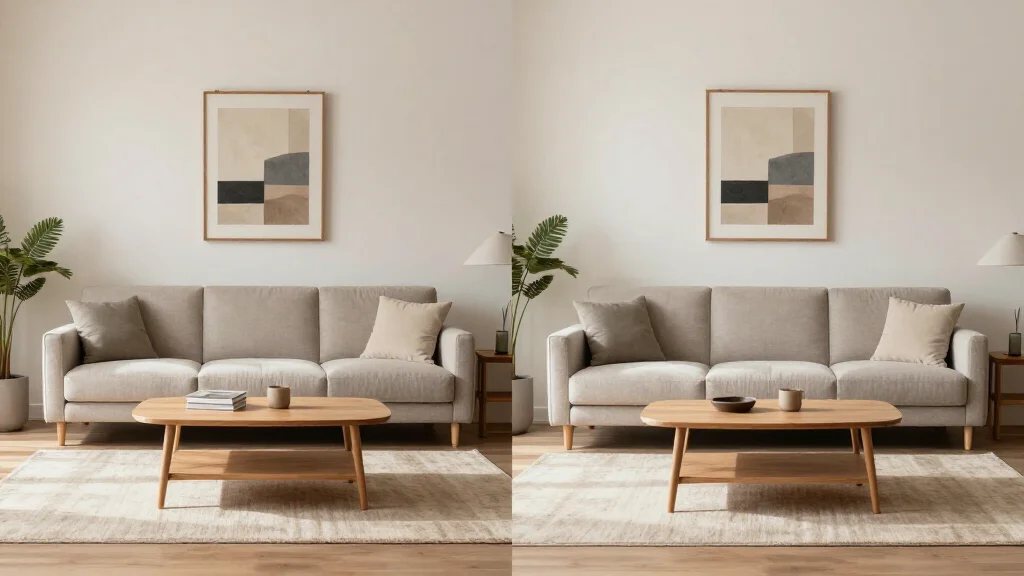
AI furniture staging uses artificial intelligence to place realistic furniture into photographs of empty rooms. The AI selects, scales, and positions furniture pieces that match the room's dimensions, lighting, and architectural style. The result is a photorealistic image that looks like the room was actually furnished and photographed.
How AI Furniture Staging Works
AI furniture staging analyzes your empty room photo to understand the space. The AI detects walls, floors, windows, and architectural features, then generates furniture scaled to the room dimensions with shadows that match the existing lighting. Each piece is placed following interior design principles for a natural, livable arrangement.
Best AI Furniture Staging Tools
AI Smart Decor
- Best For: Best AI furniture staging
- Price: Free to start
- Features: AI furniture placement, 20+ styles, Correct scaling, Natural shadows
- Pros: Most realistic furniture, Free tier, Instant results
- Cons: Premium for bulk processing
Stagezy
- Best For: Per-photo furniture staging
- Price: From $15 per photo
- Features: AI staging, Real estate focus, Quick turnaround
- Pros: Simple per-photo pricing
- Cons: No free tier, Limited customization
What AI Adds to Each Room
- Living room: sofa, coffee table, accent chairs, rug, wall art, plants, lamps
- Bedroom: bed with bedding, nightstands, dresser, lamps, accent pillows
- Dining room: table, chairs, chandelier, centerpiece, sideboard
- Home office: desk, ergonomic chair, bookshelves, desk lamp, accessories
- Kitchen: counter styling, bar stools, pendant lights, decorative items
- Bathroom: towels, bath accessories, mirror decor, plants
AI Furniture Staging vs Manual Staging
- AI staging: furniture generated in seconds vs hours of manual placement
- AI staging: consistent proportions and shadows every time
- AI staging: free or low cost vs $16-50 per image for manual
- Manual staging: allows specific furniture brand or item requests
- AI staging: unlimited regenerations to try different styles
- Manual staging: human designer can handle unusual room layouts
Tips for Best AI Furniture Staging
- Tip: Photograph rooms from corner angles to show maximum floor space
- Tip: Ensure even lighting across the room for consistent AI results
- Tip: Remove clutter and personal items before photographing
- Tip: Choose furniture styles that match the home's price point
- Tip: Stage the living room and master bedroom first for maximum impact
Ready to Try It Yourself?
Add realistic AI furniture to any empty room. Upload photos and get staged images in seconds, free to start.